2. Display / LED check mode
2.1. Operation
To enter the special mode.
・
Press the Power operation "
X
"and SETUP buttons simultaneously while inserting the AC plug to turn the power on.
・
Press the "SETUP" button.
2.2. Actions
The DISPLAY and LED are all lit or all off with an interval of about 1 second.
To exit the special mode disconnect the adapter plug.
Press the "SETUP" button to move to the Factory reset mode.
Press for 1 second or more the "SETUP" button to move to the Auto standby test mode.
3. Factory reset mode
3.1. Operation
To enter the special mode.
・
Press the Power operation "
X
"and SETUP buttons simultaneously while inserting the AC plug to turn the power on.
・
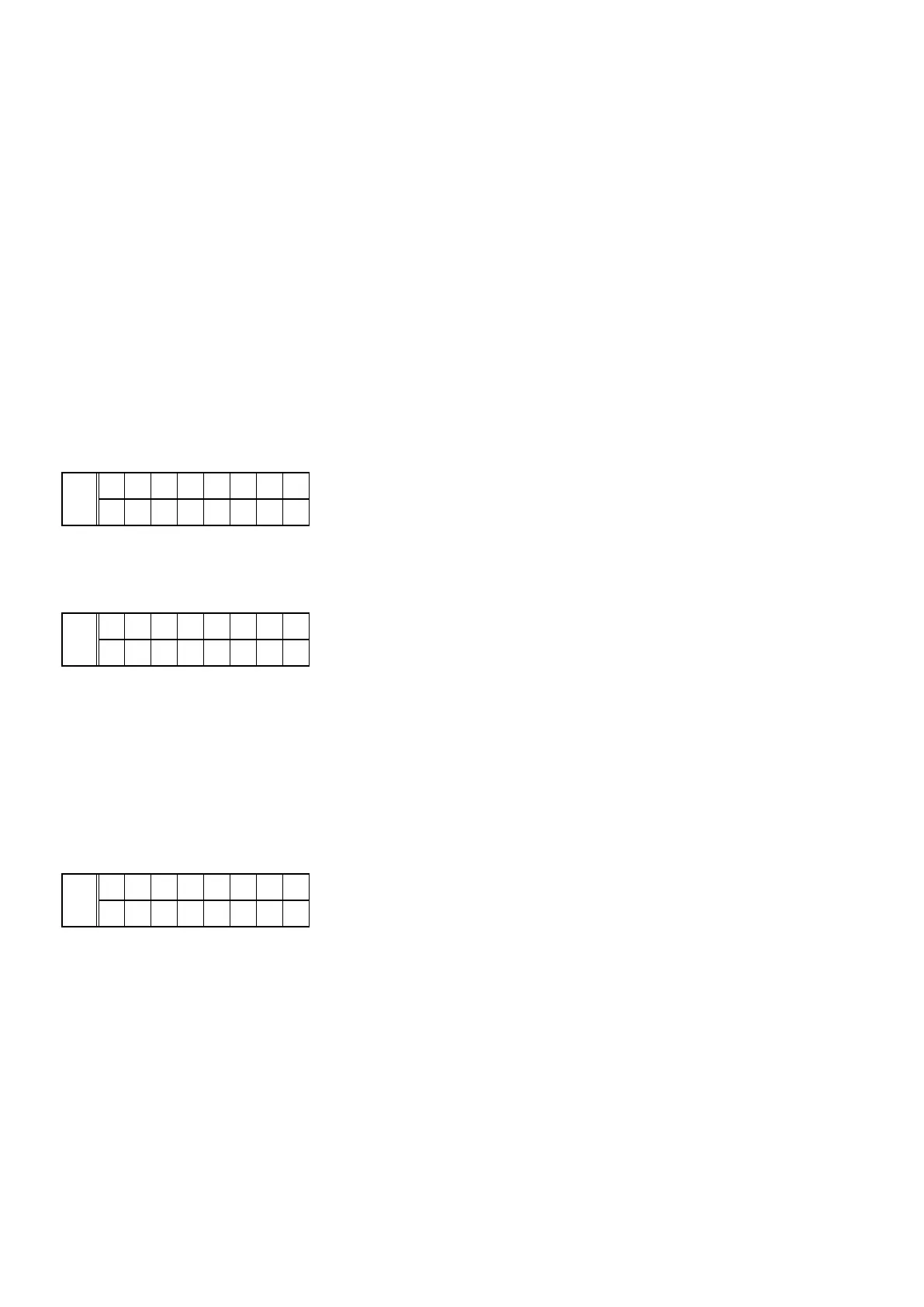
Press the "SETUP" button until "Factory Reset is displayed.
FLD
F a c t o r y
R e s e t
3.2. Actions
When after two seconds or more without taking any action, and then start the initialization.
Initializing
FLD
R e s e t . . .
After reset, return to the normal mode.
4. Auto standby test mode
3.1. Operation
To enter the special mode.
・
Press the Power operation "
X
"and SETUP buttons simultaneously while inserting the AC plug to turn the power on.
・
Press the "SETUP" button to move to the Display/LED check mode.
・
Press for 1 second or more the "SETUP" button.
FLD
A u t o S t b y
T e s t
3.2. Actions
Set the Auto Standby time to 4 minutes.
To exit this mode disconnect the adapter plug.
24


 To Next Page