32
ADJUSTMENT
Audio Section
Idling Current
Required measurement equipment: DC Voltmeter
1. Preparation
(1) Avoid direct blow from an air conditioner or an electric fan, and adjust the unit at normal room temperature
15 °C ~ 30 °C (59 °F ~ 86 °F).
(2) Presetting
• POWER(Powersourceswitch) STANDBY
• SPEAKER(Speakerterminal) Noload
(Donotconnectspeaker,dummyresistor,etc.)
2. Adjustment
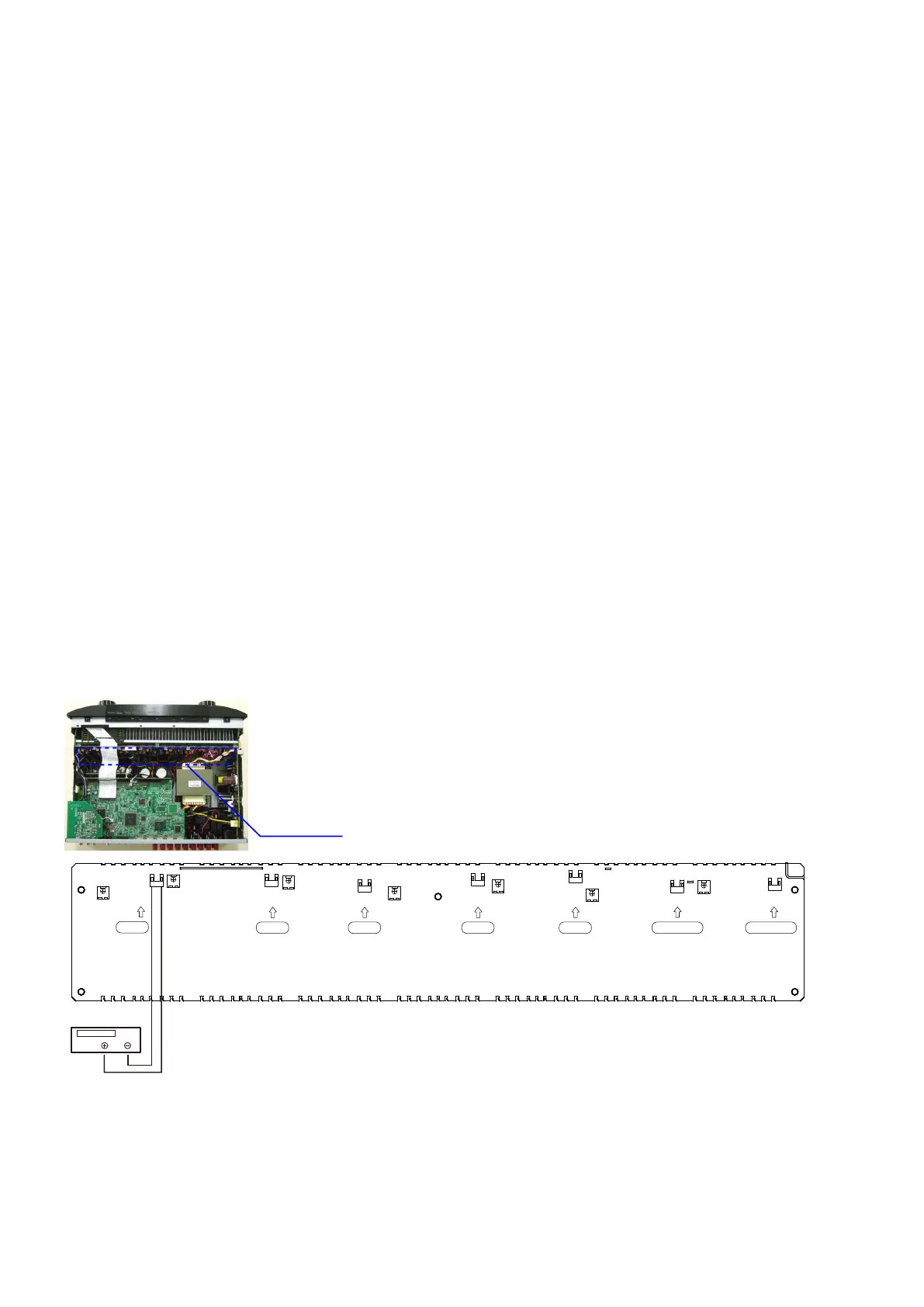
(1) RemovetopcoverandsetVR401,VR402,VR403,VR404,VR405,VR406,VR407on7CHAMPUNITatfully
counterclockwise(
c
) position.
(2) ConnectDCVoltmetertotestpoints(FRONT-Lch:TP401,FRONT-Rch:TP402,CENTERch:TP403,SURROUND-
Lch:TP404,SURROUND-Rch:TP405,SURROUND-BACKLch:TP406,SURROUND-BACKRch:TP407).
(3) ConnectpowercordtoACLine,andturnpowerswitch"ON".
(4) Presetting.
MASTERVOLUME :"---"counterclockwise(
c
min.)
SPEAKER(Speakerterminal) :Noload
(Donotconnectspeaker,dummyresistor,etc.)
MODE :MCHSTEREO
FUNCTION :DVD
(5) Within2minutesafterthepoweron,turnVR401clockwise(
x
)toadjusttheTESTPOINTvoltageto
2.0 mV ± 0.5 mV DC.
(6) After 10 minutes from the preset above, turn VR401 to set the voltage to 3.0 mV ± 0.5 mV DC.
(7) AdjusttheVariableResistorsofotherchannelsinthesameway.
DC Voltmeter
F Lch
S Lch
F Rch
C ch
S Rch
S Back Lch S Back Rch
7CH AMP UNIT
TP401
VR404
TP404
VR403
VR405
TP405
VR402
TP402
VR407
TP406
VR401
VR406
TP403
TP407



 To Next Page