12
To start playback form the first track
Press
button.
To stop playback
Press
button.
To eject disc
Press
button to open the disc tray and take
the disc off. Press the button again to close the tray.
Disc tray must be closed when the unit is not be used.
To pause playback
Press
button.
PAUSE indicator will light and playback is paused at the point
that the button is pressed. To restart playback, press
button again or press
button.
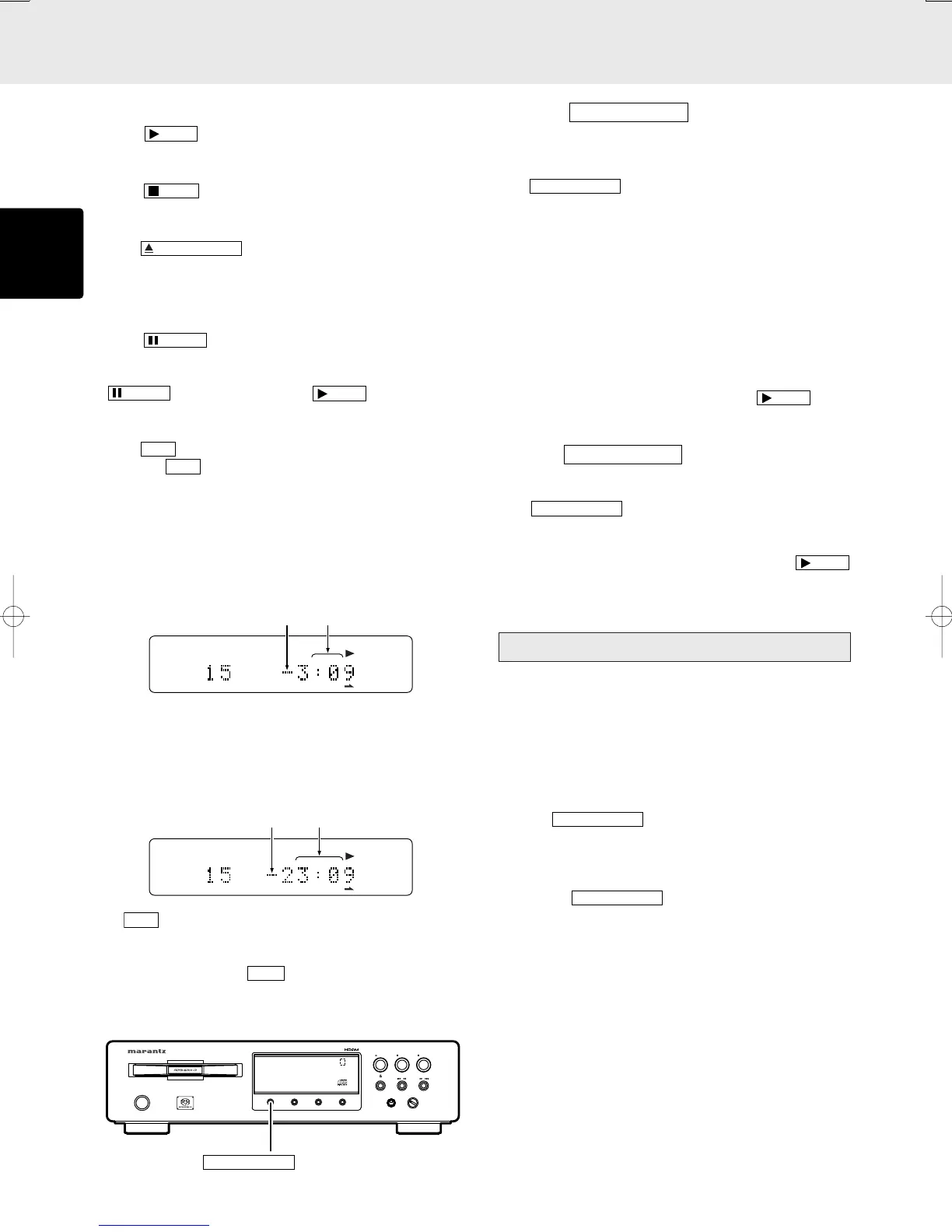
To change time display
Press
button.
Each time
button is pressed, display will change in the
following order. “Track elapsed time” → “Track remaining time”
→ “Total remaining time” → “Track elapsed time”.
• Track remaining time
(The remaining playing time from the playing point to the end
of the current track)
SING REMAIN
TRK
15 16 17 18 19 20
• Total remaining time
(The remaining playing time from the playing point to the end
of the last track)
TOTAL REMAIN
TRK
15 16 17 18 19 20
* If
button is pressed when Super Audio CD disc that
supports text is in use, time display is given priority and the
text information will not be displayed afterward. To see the
text information, press
button.
■ Switching Sound Mode (Super Audio CD)
OPEN/CLOSE
/
PLAY
PAUSE
STOP
/
LEVEL
+
PHONES
-
ON/OFF
POWER
DISPLAY
OFF
TIME
DISPLAY
TEXT
SOUND MODE
“–” is displayed
“–” is displayed
Button
q Press
button in stop mode
(not playing).
The currently selected layer or area is shown on the display
window. (CD or Super Audio CD)
If
button is pressed again, a playable layer
or area will be shown, and the layer or area will be switched
to new one.
* When layer or area is switched, TOC will be read again.
* If a CD disc or Super Audio CD disc with stereo area
only is loaded, sound mode cannot be changed.
* The sound mode on hybrid layer discs will be changed
in the following order.
Super Audio CD stereo area → CD layer → Super Audio
CD stereo area
* Sound mode can be selected while the tray is open.
Select a desired layer or area and press
button
then the tray will close and playback will be started.
q
Press
button during playback.
The currently selected layer or area is shown on the display
window. (CD or Super Audio CD)
If
button is pressed again, the playback
is stopped, and the layer or area will be switched to new
one.
When you want to listen at that area, press
button again. The playback will be started.
Start sound mode
When a Super Audio CD hybrid layer discs that has both a
Super Audio CD high sound quality stereo area and a CD
area information are to be played, this player makes it possible
to set the layer/area (Super Audio CD or CD) to be
preferentially played.
This setting can be made when the tray is closed and there is
no disc in the disc tray.
q Press
button on the player.
The currently selected layer/area is displayed.
If the Super Audio CD is selected : Super Audio CD
If the CD is selected : CD
w Press the
button again to display the layer/
area to be played first, and then leave the setting for at
least two seconds to register the setting for the start sound
mode.
Caution
* Even when discs are changed over or the power turned off,
the “start sound mode” setting is stored in the memory and
remains unchanged.
* At the time of shipment, the sound mode is set to Super
Audio CD.
OPERATION
“SING REMAIN”
is displayed
“TOTAL REMAIN”
is displayed



 To Next Page