7
b
button
n
button
m
button
⁄2
button
⁄3
button
⁄4
button
⁄5
button
⁄6
button
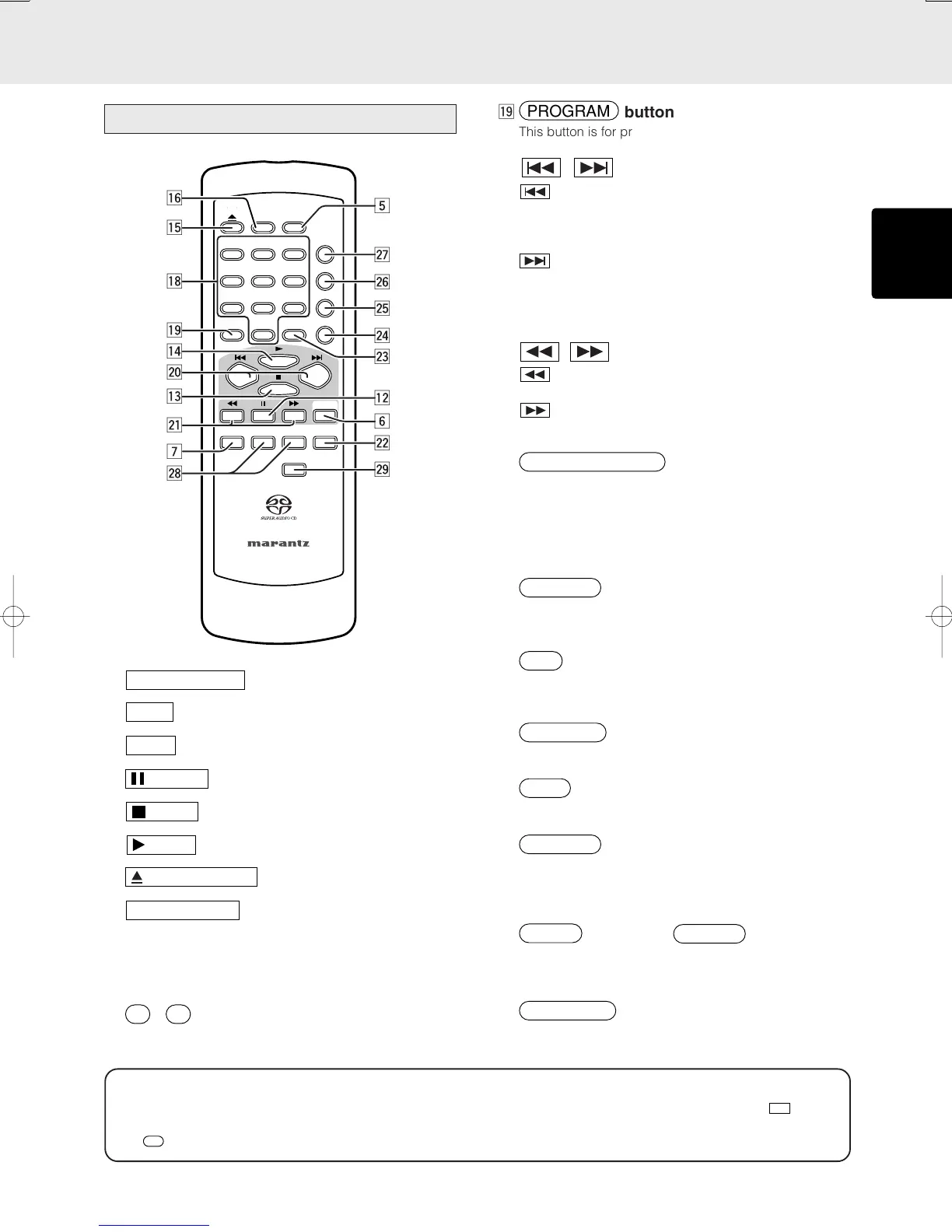
The buttons listed above are the same to the buttons on
the front panel of the main unit.
Please see the correspond items in “Front Panel” section.
⁄8
-
(Numerical buttons)
Use these buttons to select tracks directory.
Remote Controller
SCROLL/
RECALL
3
PROGRAM
SOUND
MODE
AMS
78
RANDOM
CANCEL
64
9
0
2
A-B
5
1
REPEAT
TEXT
DISPLAY
OFF
REMOTE CONTROLLER
MENU ENTER
Q.REPLAY
OPEN/CLOSE
TIME
Û7
Ú8
Û0
Û1
Ú5
Û8
Û6
Û5
Û4
Û3
Ú2
b
m
Û2
Û9
Ú9
Ú4
Ú3
Ú6
n
⁄9
button
This button is for program play. (See page 14)
¤0 , (Track skip buttons)
: When this button is pressed, the unit goes back
to the beginning of the current track. If the
button is pressed more times, the track being
played is skipped back.
: Each time this button is pressed, the track being
played is skipped forward.
* Search buttons are provided separately for the remote
control unit. Use ¤1 Search buttons for search function.
¤1 , (Search buttons)
: While this button is pressed during playback,
tracks are searched backward.
: While this button is pressed during playback,
tracks are searched forward.
¤2
button
Use this button to scroll text while displaying text
information in a Super Audio CD disc that supports TEXT.
This button is also used for checking the programmed
tracks during a program or when a program is stopped.
(See page 15)
¤3
button
Use this button to cancel a programmed track. (See page
15)
¤4
(A-B Repeat button)
This button is to determine starting and ending points for
A-B repeat play. (See page 13)
¤5
button
This button is for random play. (See page 14)
¤6
(Automatic Music Scan button)
Use this button for AMS play. (See page 15)
¤7
button
This button is for repeat play. Each time this button is
pressed, repeat mode changes as follows. “All Repeat”
→ “Track Repeat” → “Repeat Off” (See page 13)
¤8
button and
button (Menu
setup)
These buttons are used to set the time for quick replay.
¤9
(Quick replay) button
This button is used to do quick replay of the tracks. (See
page 16)
★ In this instruction manual, some operations can only be performed with the remote control. For operations that can be
performed with buttons both on the main unit and on the remote control, the button names are shown in the
mark.
And for operations that can only be performed with buttons on the remote control, the button names are shown in the
mark.
NAMES AND FUNCTIONS



 To Next Page