14
Playing tracks in a random sequence
(Random Playback)
When
button on the remote is pressed in stop
mode, and then
button is pressed, the unit shuffles
track order automatically and plays all the tracks in the shuffled
order. The RNDM (random) indicator lights.
• The gap between tracks will be approximately 2 seconds
during random play.
To Exit from Random Play and Return to Normal Play
Press the
button, and then press the
button while playback is stopped.
The RNDM (random) indicator goes off, and random play is
released.
If buttons on the main unit or button
on the remote are Pressed during Random Play
It jumps to the next track of the shuffled order.
If , buttons on the main unit or ,
buttons on the remote are Pressed during Ran-
dom Play
Search will be done only in the current track. Search does not
go to the previous or next track.
To Listen to Random Play Repeatedly
Press
button on the remote once during random
play. Every time the order will be shuffled.
• If
button is pressed during program play, the
programmed tracks will be shuffled.
Playing tracks in a specific sequence
(Program Play)
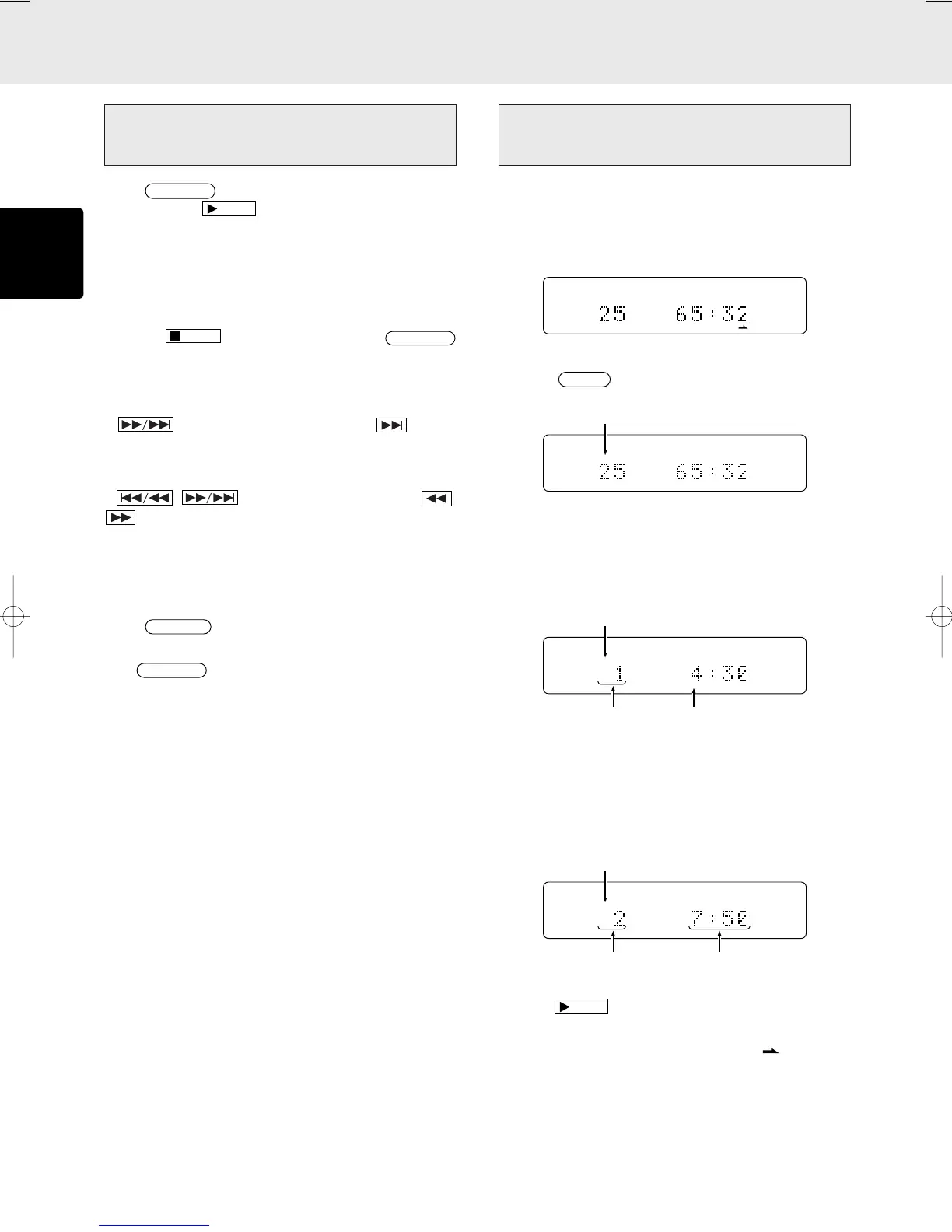
You can arrange and play tracks in a specific sequence. Up
to 30 tracks to be played can be programmed.
(Example: To program the 7th track in a disc with 25
tracks)
TOTAL
TRK
12 34 56 78 9101112 13 14 15 16 17 18 19 20
q Press
button on the remote in stop mode.
“PROG” indicator will blink and it goes to program mode.
w Choose a track to be programmed with numeric buttons
on the remote.
(Example: The 15th track is chosen and it’s length is
4min30sec)
e With the sequence described in step w above, program
another track. Repeat that sequence to program all the
tracks you want. You can program up to 30 tracks.
(Example: The 7th track is chosen and total length of
7th and 15th is 7min50sec)
r Press
button to starts playback in programmed
order.
* When 21 or more tracks are programmed,
will light up
instead of the track number indicator.
Lights up
Lights up
Only the numbers of programmed
tracks light up
Lights up
Total playing time of
programmed tracks
OPERATION
1st track programmed
Total programmed number



 To Next Page