17
OPERATION
Timer Play
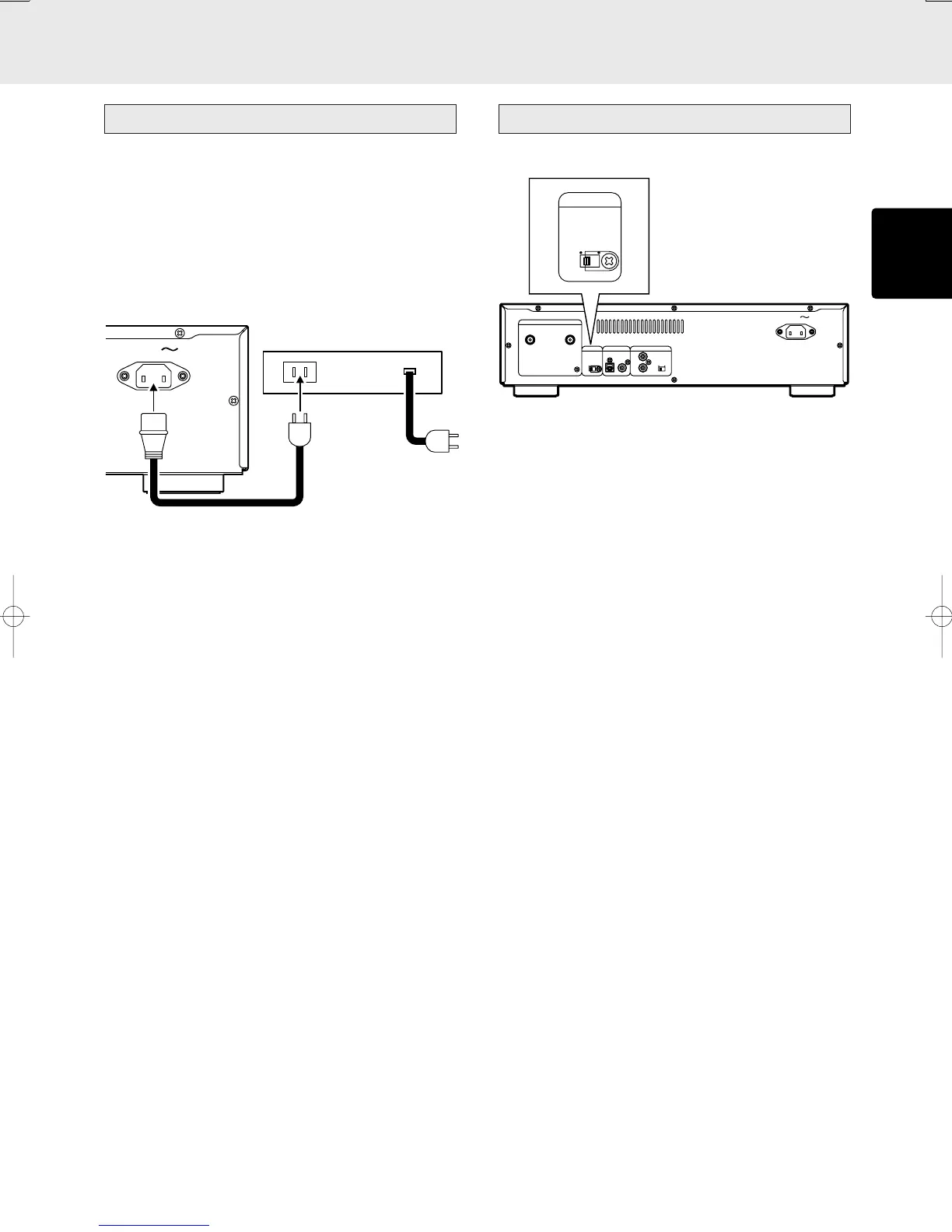
This unit can perform timer play by cooperating with your audio
timer.
Connect this unit’s power cord to the audio timer’s power
socket and the timer’s power cord to power outlet.
* For connection to audio timer and it’s operation, please refer
to the instruction manual of your audio timer.
Setting method of Timer Play
q Press POWER switch to turn ON the power.
w Insert the disc to be played.
* In timer play mode, tracks are played normally.
e Set the audio timer.
Audio Timer
Filter Switch
OUT
AUDIO OUT
EXT.
DIGITAL AUDIO OUT
INT.
REMOTE CONTROL
IN
LR
OPT.
COAX.
STAN-
DARD
CUS-
TOM
FILTER
AC IN
STAN-
DARD
CUS-
TOM
FILTER
Super Audio CDs have a wide playback frequency band of
100 kHz that is beyond the audible range: this means that
their signals contain ultra-high-range components that
conventional CDs do not have. A conventional amplifier is
often not built to reproduce signals containing these
components, and when Super Audio CD signals are output in
their original state, noise may be generated, the amplifier’s
protection circuits may be activated and/or the speakers may
be damaged.
To prevent this sort of trouble from occurring, the unit
incorporates a filter (STANDARD) for attenuating the ultra-high-
range components, and the filter can be set STANDARD or
CUSTOM using a switch on the rear panel. (This switch is set
to STANDARD when the unit is shipped from the manufacturing
plant.)
When the unit is to be connected with a next-generation
amplifier that supports Super Audio CDs and set the switch
to CUSTOM for use. This will ensure play with a wider
frequency range.
* Use the switch at the STANDARD position if the unit is to be
used with a regular amplifier. Otherwise, the amplifier and/
or speakers may be damaged.
* Even when the unit has been connected with an amplifier
that supports Super Audio CDs, change the switch to the
STANDARD position when recording Super Audio CD sound
on a tape deck, for instance.
*Turn the power off before setting this switch. Setting the
switch during play may cause noise to be generated.
Example)
S version
Example)
S version



 To Next Page