YES
YES
YES
Check the I2C communication line. (HDMI Tx)
Check item(3-1.4.). Check the I2C communication line :
Check the CPU.
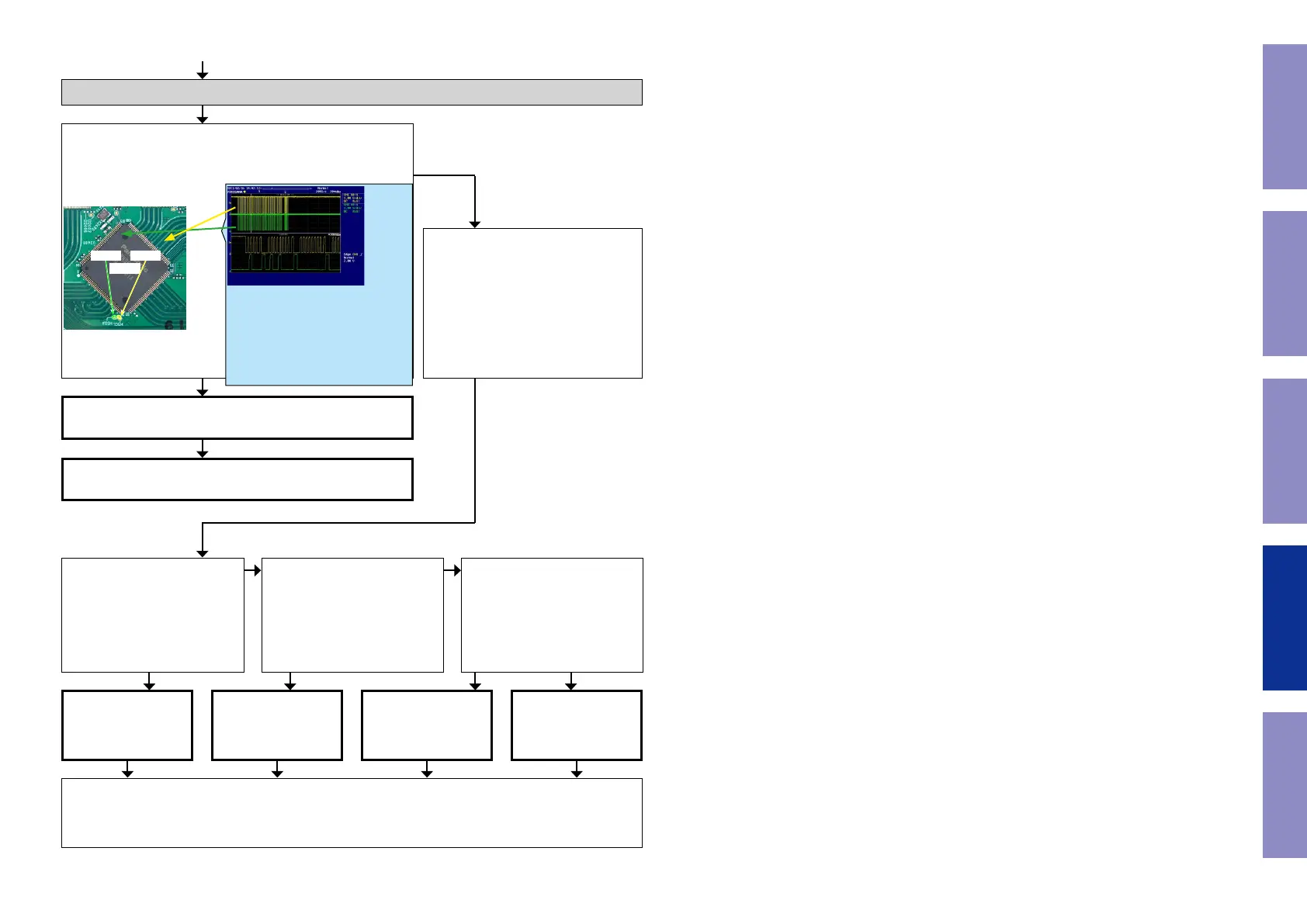
Is the "TPX99/TPX100" waveform of the TP near the CPU
[U6201] correct (like the one shown in the diagram) when the
power is turned on?
U2401
HSCLHSDA
HDMI Tx [U9101] is
faulty.
Replace with a new
device.
HDMI SW1 [U2401] is
faulty.
Replace with a new
device.
HDMI SW2 [U2601] is
faulty.
Replace with a new
device.
CPU [U6201] is faulty.
Replace with a new
device.
HDMI Tx [U9101] is faulty.
Replace with a new device.
Recheck from check item (3.1.).
If it does not work, replace the PCB.
Check item(3-1.5.). Check the I2C com-
munication line :
Check HDMI SW [U2601 or U2401],
HDMI Tx [U9101] and CPU [U6201]
patterns as well as soldering.
If there is no problem, go to the next
step.
Check the HDMI SW1.
Remove the damping resistor
[R2460/R2461] of [U2401].
Is the "I2C" waveform correct?
Recheck from check item (3.1.).
If it does not work, replace the PCB.
Check the HDMI SW2.
Remove the damping resistor
[R2630/R2631] of [U2601].
Is the "I2C" waveform correct?
Check the HDMI Tx.
Remove the damping resistor
[R3425/R3427] of [U9101].
Is the "I2C" waveform correct?
NO
NO NO
YES YES YES NO
*The diagram shows an example.
(Signal patterns vary depending on the tim-
ing.)
Points for checking waveforms
- Crest value (3.3V normally)
- Signal change
- SCL frequency (400kHz normally)
Voltage scale : 1.0V/div
Time scale : 10us/div
113
Before Servicing
This Unit
Electrical Mechanical Repair Information Updating



 To Next Page