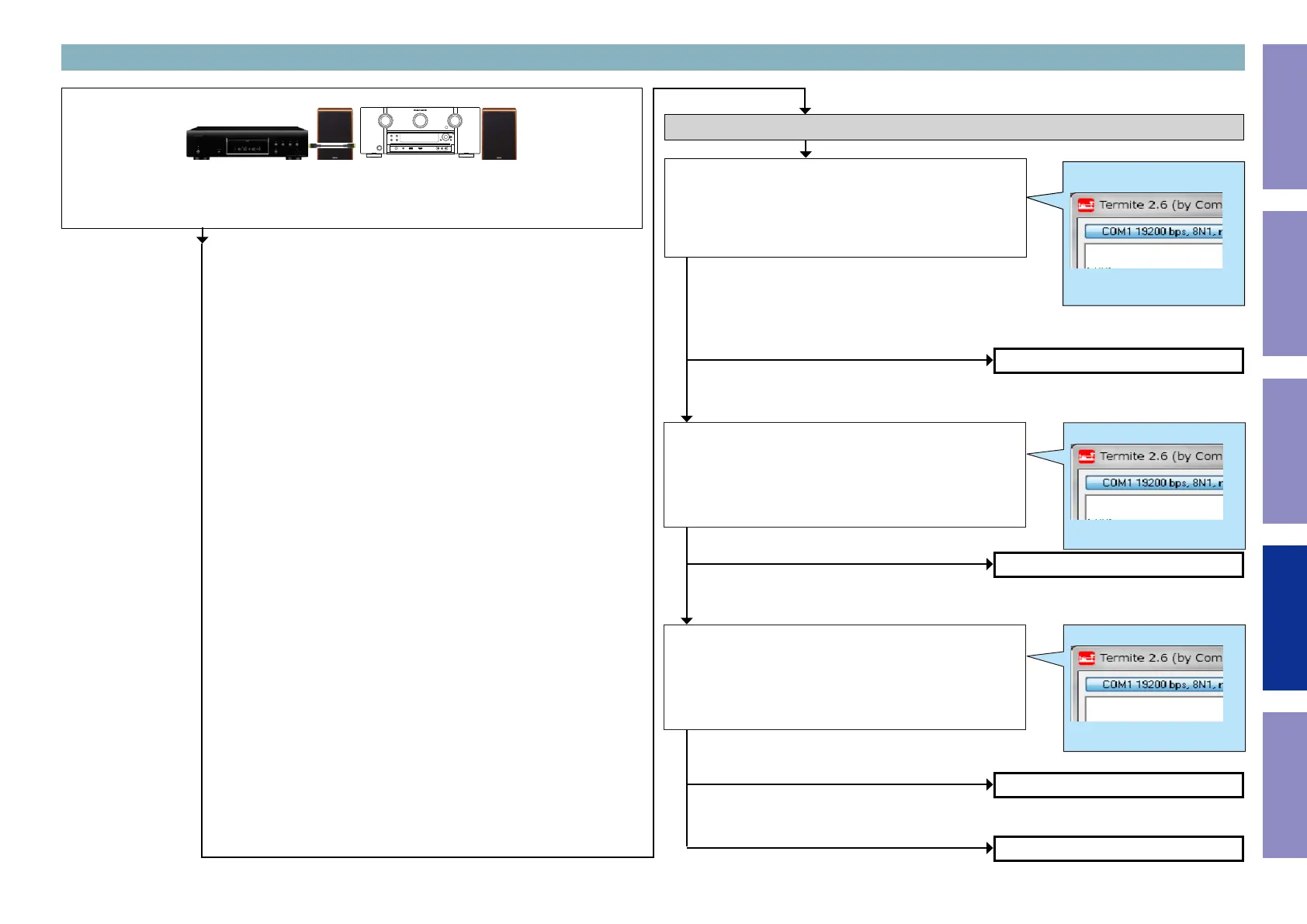
3-14. HDMI IN7 failure detection procedure
Checking operation between the HDMI IN7 and the player
b
In order to check, connect the player to the HDMI terminal and congure the player as AVR source.
Check the sound output while turning on the player.
Check item(3-14.1.). Checking the 5V status register :
Send the following command from Termite.exe.
Send the command "i 0000 00FF 0001".
Check the value.
Move to the branch destination according to the value returned.
Checking the +5V/DDC status register
Example
i 0000 00FF 0001
XX
"61"
(Detection of 5V is not OK.)
"Other than 03"
(Detection of DDC is not OK.)
"Other than 0E"
(Detection of DDC is not OK.)
"71"
(Detection of 5V is OK)
"03"
(Detection of DDC is OK)
"0E"
(Detection of DDC is OK)
Go to check item (3-14.4.)
Go to check item (3-14.5.)
Go to check item (3-14.6.)
Go to check item (3-14.6.)
Check item(3-14.2.). Checking the status register :
Send the following command from Termite.exe.
Send the command "i 0003 0026 0001".
Check the value.
Move to the branch destination according to the value returned.
Check item(3-14.3.). Checking the status register :
Send the following command from Termite.exe.
Send the command "i 0005 0009 0001".
Check the value.
Move to the branch destination according to the value returned.
Example
i 0003 0026 0001
XX
Example
i 0005 0009 0001
XX
141
Before Servicing
This Unit
Electrical Mechanical Repair Information Updating



 To Next Page