PRECAUTIONS DURING SERVICE
Initializing This Unit
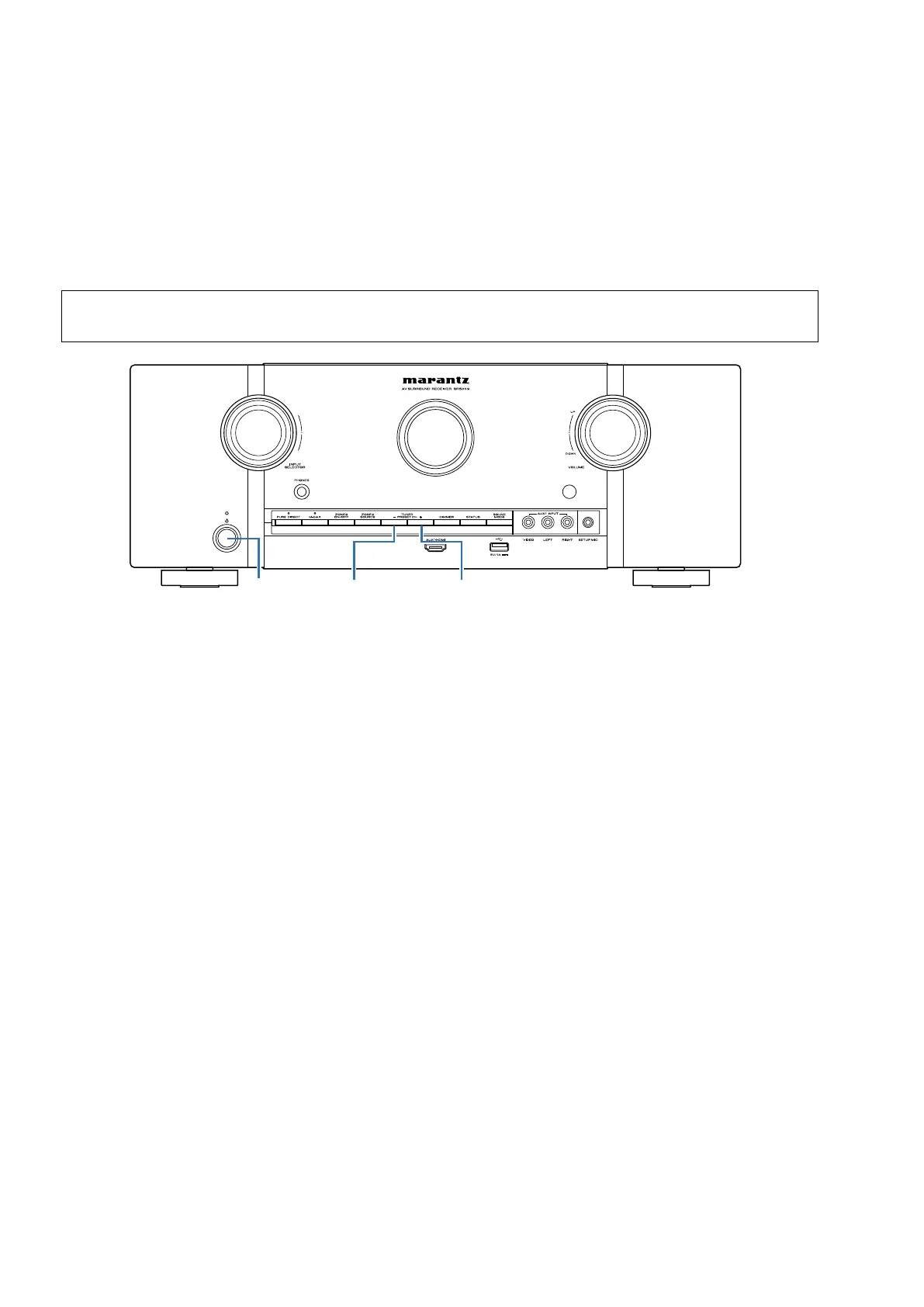
Initialize this unit if you have replaced the microcomputer, one of the parts around the microcomputer, or the digital PCB.
1. Press the power button to turn off the power.
2. Hold down buttons "TUNER PRESET CH -" and "TUNER PRESET CH +" at the same time and press the power but-
ton to turn on the power.
3. Release the buttons after conrming that the display ashes in intervals of approximately 1 second.
*
The unit is initialized.
NOTE:
• If the status in step 3 does not occur, start again from step 1.
• Initializing the device restores settings congured by the user to the factory settings. Take note of your settings beforehand
and recongure them after initialization.
Service Jigs
The following jigs (extension cable kit) are used when repairing the PCBs.
Order the jigs from your dealer if necessary.
8U- 110084S : EXTENSION UNIT KIT : 1 Set
(See 53 page)
TUNER
PRESET CH +
X
TUNER
PRESET CH -
10



 To Next Page