Error
Code
Details of Error code Display Coping strategies
B4
Failed to transit to BootLoader
Mode.
U p d a t i n g f a i l
B 4
This unit automatically retries several
times. Wait until the FL display stops.
If the FL display stops at the Error dis-
play, press and hold the "Power opera-
tion" button for ve seconds.
B5
Failed to transit to Application
Mode.
U p d a t i n g f a i l
B 5
This unit automatically retries several
times. Wait until the FL display stops.
If the FL display stops at the Error dis-
play, press and hold the "Power opera-
tion" button for ve seconds.
---Check the rmware version after updating.---
After updating the rmware, check the version. See "
1. Version Display Mode
" (20 page ).
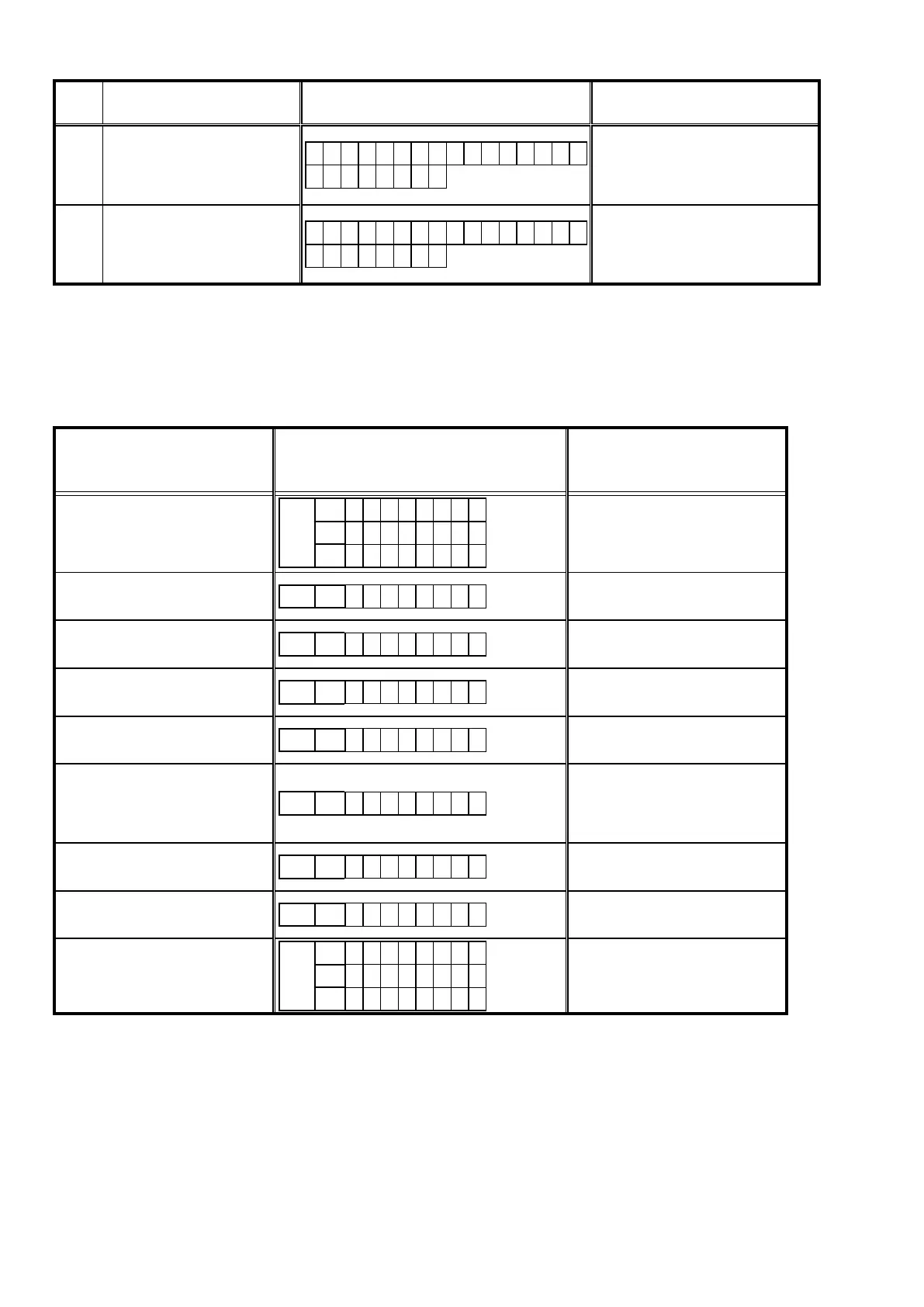
1.11.Devicedisplayduringrmwareupdate
Display of target device during rmware update.
Target device Display Error code when an error occurs
Main CPU
FLD
L1
M a i n
L2
* * * m i n
L3
* * %
08 - 0B
10 - 15
20 - 27
36 - 3B
3F
Sub
FLD L1
S U B
50 - 52
54 - 58
5A - 64
Audio PLD
FLD L1
A P L D
50 - 52
54 - 58
5A - 64
VIDEO PLD
FLD L1
V P L D
50 - 52
54 - 58
5A - 64
DSP
FLD L1
D S P
50 - 52
54 - 58
5A - 64
GUI Serial Flash
FLD L1
G U I
50 - 52
54 - 58
5A
62 - 64
80 - 86
CX870 Boot Loader
FLD L1
E S B L
A0 - A4
A6 - A7
AE - B5
CX870 Image
FLD L1
E I M G
A0 - A4
A6 - A7
AE - B5
CX870 Image (Emergency Mode)
FLD
L1
U p d a t e
L2
R e t r y
L3
–
Checking the Firmware Version After an Update
After updating the rmware, check the version. See "
1. Version Display Mode
" (20 page ).
64



 To Next Page