EasyManua.ls Logo

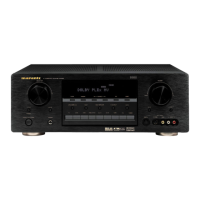
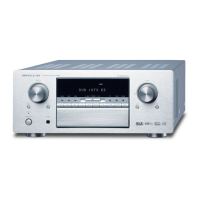
Marantz SR8300 - User Manual

Marantz SR8300
57 pages
Print Icon
To Next Page IconTo Next Page
Loading...
Model SR8300 User Guide
AV Surround Receiver
R

Table of Contents

Other manuals for Marantz SR8300

Questions and Answers

  • C
    Christine FisherSep 23, 2025
    What to do if a specific channel does not produce output on Marantz SR8300?
    • H
      houstonmatthewSep 23, 2025
      If a specific channel isn't producing output, the issue might be with the source material. Check the encoded channel on the source side to ensure it contains audio.
  • P
    patrick37Aug 23, 2025
    What to do if no sound is output from the center speaker on Marantz SR8300 Stereo Receiver?
    • L
      lisablankenshipAug 23, 2025
      If there's no sound coming from the center speaker, check these items: Ensure the center speaker cable is correctly connected. If STEREO is selected for Surround mode, no sound will come from the center speaker, so select another Surround mode. Also, verify that Center = NONE hasn't been selected in SETUP mode; if it has, make the correct setting.
  • O
    oleeAug 25, 2025
    What to do if no sound is output from the surround speaker on Marantz SR8300 Stereo Receiver?
    • S
      Shelby RyanAug 26, 2025
      If you're not getting any sound from the surround speaker, here's what to check: Make sure the surround speaker cable is properly connected. If STEREO is selected for Surround mode, no sound will be output from the surround speaker, so try a different Surround mode. Also, ensure that Surround = NONE hasn't been selected in SETUP mode; if it has, correct the setting.
  • J
    Janet CraigAug 26, 2025
    What to do if no sound is output from the surround back speaker on Marantz Stereo Receiver?
    • R
      Richard TorresAug 27, 2025
      If there is no sound from the surround back speaker, verify the following: Ensure the surround speaker cable is properly connected. Note that if STEREO has been selected for Surround mode, no sound will be output from the surround speaker. The surround back channel is only active in THX surround EX mode, so set the receiver to THX Surround EX mode.
  • A
    Angela FoxAug 27, 2025
    What to do if speaker not outputting any sound on Marantz Stereo Receiver?
    • H
      howardmaryAug 27, 2025
      If your speakers aren't producing any sound, make sure that headphones are not connected to the headphone jack, as speakers will not output sound when headphones are connected. Disconnect the headphones.
  • G
    Gina RobertsonSep 16, 2025
    What to do if nothing appears on the remote commander display of Marantz Stereo Receiver?
    • M
      Michael Buchanan IIISep 16, 2025
      If nothing is showing on the remote commander display, the batteries are likely dead. Replace all the batteries with new ones.
  • V
    vdominguezSep 13, 2025
    What to do if a Dolby Digital signal cannot be played on Marantz SR8300?
    • C
      Carlos WilliamsSep 13, 2025
      If a Dolby Digital signal isn't playing, it could be because the Surround mode is set to DTS-cinema, DTS-music, or DTS-ES. Choose a different mode to enable Dolby Digital playback.
  • A
    Alexandra DeleonSep 15, 2025
    What to do if a 96kHz PCM signal cannot be played on Marantz Stereo Receiver?
    • S
      Susan GardnerSep 15, 2025
      If you're unable to play a 96kHz PCM signal, it could be that the disc player isn't 96kHz PCM digital out capable, or the Surround mode is set to something other than STEREO or AUTO. Use a player that supports 96kHz PCM digital out, and set the Surround mode to STEREO or AUTO.
  • J
    Joel HernandezSep 5, 2025
    What to do if sound and pictures from other than equipment selected with the function selector on Marantz SR8300 Stereo Receiver?
    • J
      Joshua HarveySep 6, 2025
      If you're getting sound and pictures from equipment other than what's selected with the function selector, the input cable may be connected incorrectly. Connect the cable correctly by referring to the connection diagram.
  • V
    vholtSep 3, 2025
    What to do if surround mode cannot be changed on Marantz SR8300?
    • P
      patriciahaysSep 3, 2025
      If you're unable to change the surround mode, it might be because headphones are connected to the jack. When headphones are connected, the Surround mode is fixed to STEREO, so disconnect the headphones.

Summary

FOREWORD

Precautions

Safety and operational guidelines for using the equipment.

Installation

Guidelines for proper placement and setup of the unit.

Precautions in Connection

Safety measures to follow before connecting any cables.

FEATURES

Amplifier Features

Details on the amplifier's power, feedback, and sonic capabilities.

Audio;Video Features

Information on surround sound formats, decoders, and digital audio.

PRODUCT DESCRIPTION

THX, DTS, and SRS Technologies

Explains THX standards, DTS, DTS-ES, DTS 96/24, and SRS Circle Surround II.

Dolby Digital and Pro Logic II

Details Dolby Digital EX and Dolby Pro Logic II surround sound features.

FRONT PANEL CONTROLS

REAR PANEL CONNECTORS

FRONT PANEL DISPLAY

REMOTE CONTROL UNIT RC3200 A

Basic Operation and Navigation

Controls for screen navigation, input selection, and volume adjustment.

REMOTE CONTROL CUSTOMIZATION

REMOTE CONTROL CUSTOMIZATION FEATURES

Learning Commands

Programming RC3200A to learn codes from other remote controls.

Recording Macros

Creating sequences of commands triggered by a single button.

CONNECTIONS

SETUP MENU SYSTEM

Input and Speaker Setup

Configuring input assignments and speaker sizes/distances.

SURROUND MODE SETTINGS

Dolby Pro Logic II and CS II Parameters

Adjusting PLII music parameters, dimension, and CS II settings.

ADVANCED SURROUND MODES

BASIC OPERATION (TUNER)

TECHNICAL SPECIFICATIONS

TROUBLESHOOTING

Power and Sound Output Issues

Solutions for no power, no sound, or incorrect channel output.

Signal and Reception Problems

Troubleshooting noise, weak reception, and incorrect signal playback.

Marantz SR8300 Specifications

General IconGeneral
Total Harmonic Distortion (THD)0.08%
Signal-to-Noise Ratio100 dB
Input Impedance47k ohms
Weight35.3 lbs
TypeAV Receiver
Channels7.1
Input Sensitivity200 mV
Video InputsComposite, S-Video, Component
Surround Sound FormatsDolby Pro Logic II

Related product manuals