17
ENGLISH
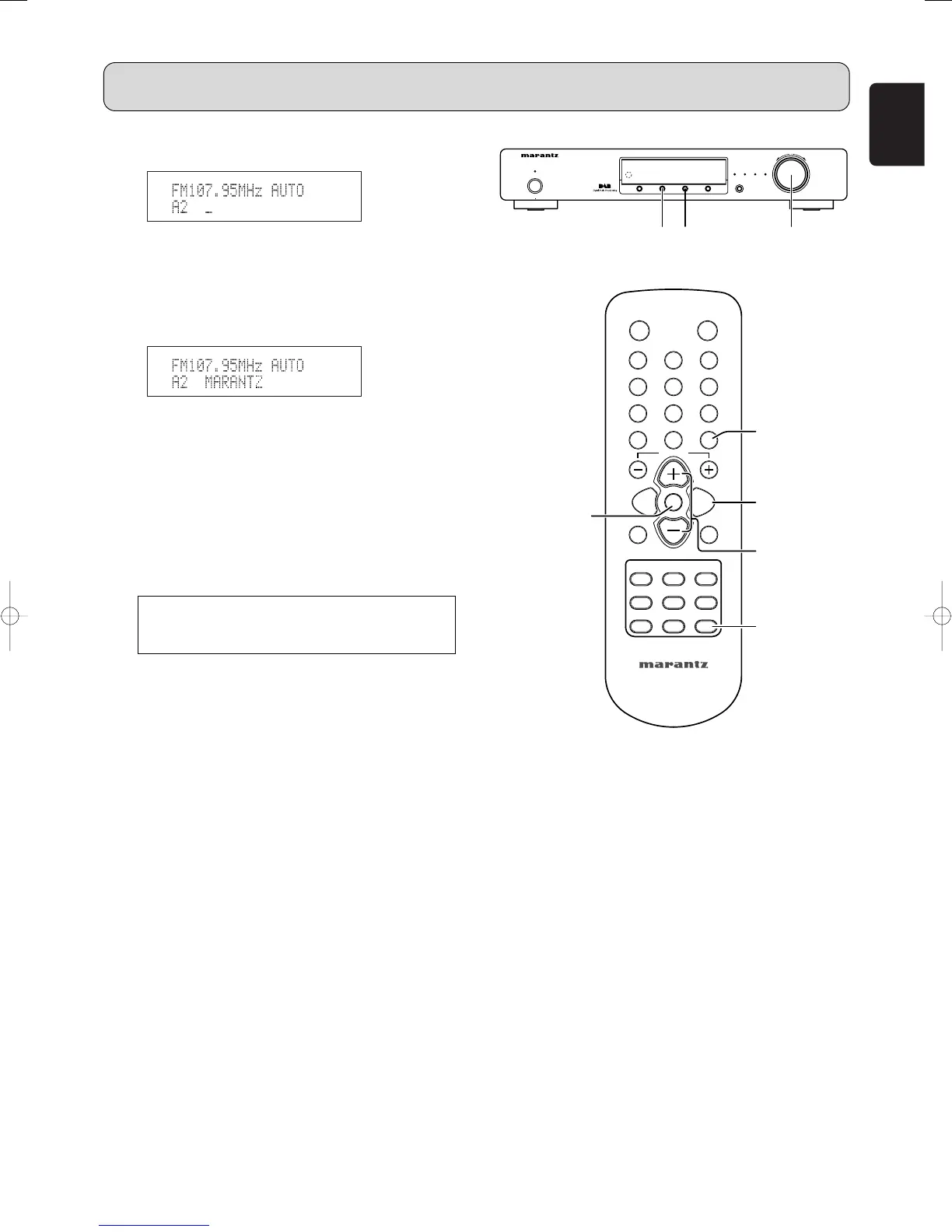
4. Press the TUNING/PRESET knob !4 or ENTER button
v to display the Station Name setting.
5. While “_” is flashing, either turn the TUNING/PRESET
knob !4 or press the CHANNEL/CONTROL button ⁄4 to
display “M”.
6.
The “_” moves to the right when the TUNING/PRESET knob
!4 or ENTER button v is pressed. Use the same procedure
to display “A”, “R”, “A”, “N”, “T”, and “Z”, in that order.
7. Press the TUNING/PRESET knob !4 or ENTER button
v for at least 2 seconds.
• The station name is set.
8. Then “A2” blinks, either press the TUNING/PRESET
knob !4 or MEMO button ⁄6 to store the station name in
the preset memory.
• This procedure can be used to registered station
names with up to 8 digits for up to 100 AM/FM stations
at random.
• The 63 characters below can be selected.
OPERATION
A B C D E F G H I J K L M N O P Q R S T U V W X
Y Z 0 1 2 3 4 5 6 7 8 9 [ \ ] ^ _ ! # “ $ % & ’ ( )
*
+ ,
– . / : ; < = > ? (space)



 To Next Page