21
ENGLISH
OPERATION
7
Tuning aid
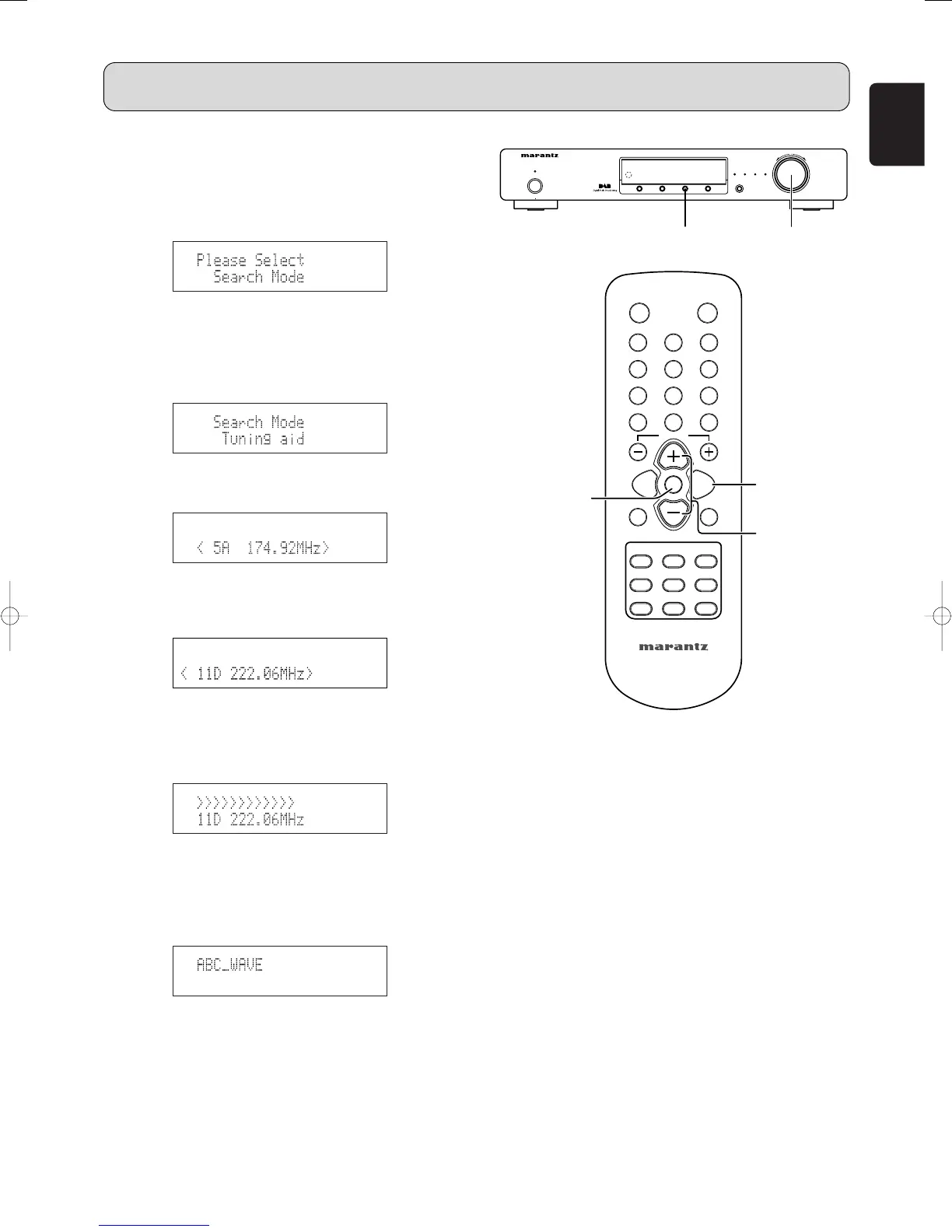
1. Press the MENU button u or ⁄2 to select menu.
2. Either turn the TUNING/PRESET knob !4 or press the
CHANNEL/CONTROL button ⁄4 to display the search
mode selection screen.
3. Press the TUNING/PRESET knob !4 or ENTER button
v to set the search mode.
4. Either turn the TUNING/PRESET knob !4 or press the
CHANNEL/CONTROL button ⁄4 to select “Search Mode
(Tuning aid)”.
5. Press the TUNING/PRESET knob !4 or ENTER button
v to display the first channel at Tuning aid.
6. Either turn the TUNING/PRESET knob !4 or press the
CHANNEL/CONTROL button ⁄4 to display the
frequency of the ensemble that you want to receive.
7. Press the TUNING/PRESET knob !4 or ENTER button
v to display the signal strength for that ensemble.
• Move antenna while watching the display and to try to
raise the current level to the “>” mark.
8. Press the TUNING/PRESET knob !4 or ENTER button
v to display the first channel on this ensemble (Sounds
comes out).
• The search mode at this time is set to “Sorted list
search mode”.



 To Next Page