19
ENGLISH
7
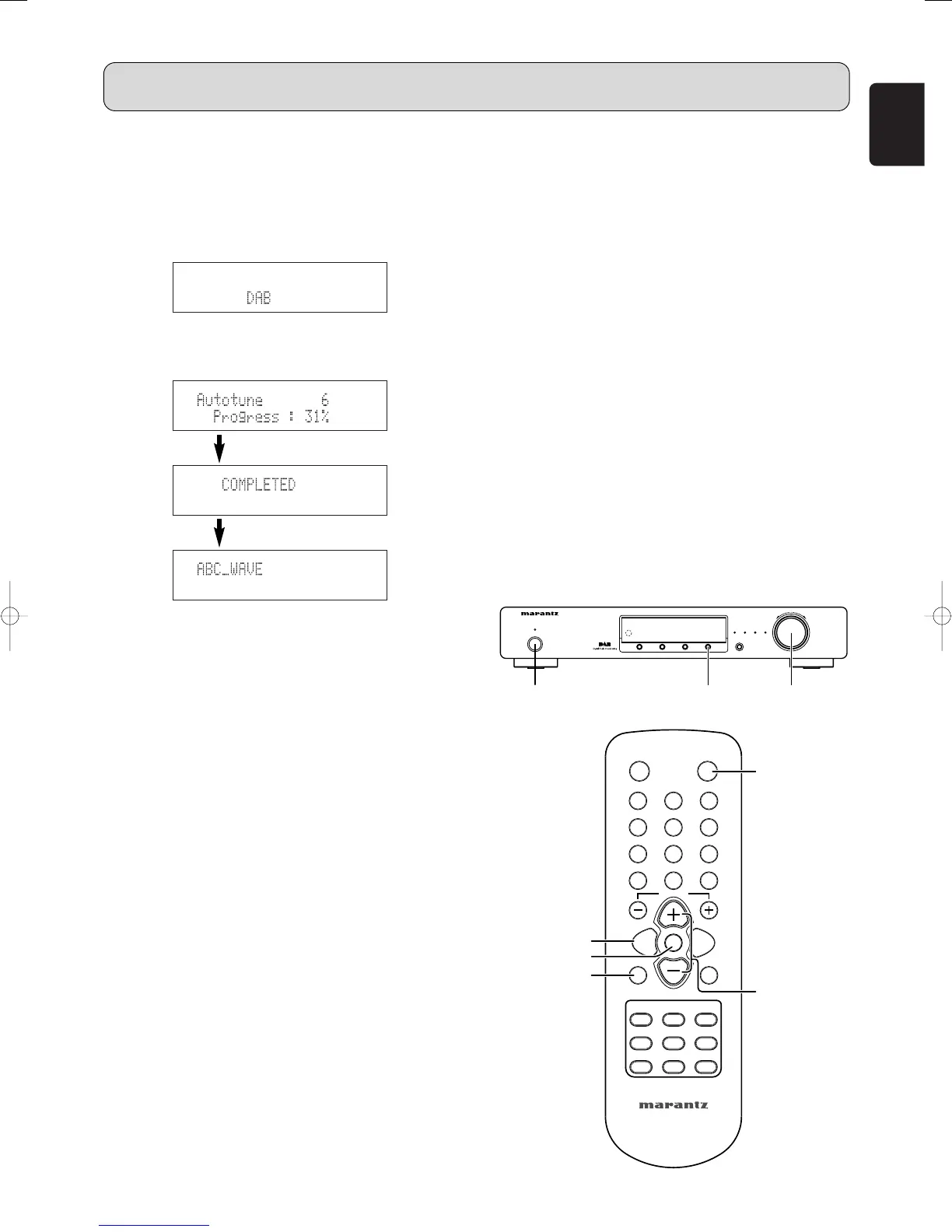
Tuning in DAB (Digital Audio
Broadcasting) broadcasts
1. Press the POWER ON/STANDBY switch q or ON
button , to turn on the power.
2. Watching the display, press the BAND button c to
select the desired band (DAB).
3. Watching the display, press the AUTO TUNE i or A-
PRESET/A-TUNE button b to start automatically
scanning.
• Using the DAB for the first time
When you first switch on the unit and select DAB, the
Auto Tuning function scans the Band III and L-band
frequencies. After the scanning, the first scanned
component will be selected.
To listen to other stations, use one of the search
modes shown below.
Press the AUTO TUNE button i or A-PRESET/A-
TUNE button b and release it in less than 2 seconds
to perform a local scan (UK band III).
(UK stations are in the range 11B to 12D).
Press the button for over 2 seconds then release it to
perform the full scan operation (Full band III and L-
band: 5A to LW).
Once auto scanning is completed, the number of
broadcast stations is displayed, then the first station is
tuned in.
If “Station not available” is displayed, check the
antenna’s connection (
☞
page 8).
You may want to re-tune at a later date if you move
the ST7001 or if you want to receive a newly
introduced ensemble.
Press the AUTO TUNE button i or A-PRESET/A-
TUNE button b.
4. Either turn the TUNING/PRESET knob !4 or press the
CHANNEL/CONTROL button ⁄4 to select the station.
• If the station you select is in stereo, the “STEREO”
indicator will light up.
• About Secondary service
When receiving a Secondary service, “<< >>” are
indicated to the right of “Channel and Frequency”.
When either the TUNING/PRESET knob !4 or ENTER
button v is pressed, the Secondary service Component
is received and the Secondary indicator lights.
Press TUNING/PRESET knob !4 or ENTER button v
to go back to the Primary service again.
5. Press the TUNING/PRESET knob !4 or ENTER button
v to listen to the selected station.
• After “Now tuning…” is displayed, the tuned in station
appears.
7
Preset stations
1. Follow steps 1 to 4 under “Tuning in DAB (Digital Audio
Broadcasting) broadcasts” to tune in the station to be
preset.
2. Perform steps 2 to 7 under “Preset Stations (FM/AM)”.
• Up to 100 “S. Component” can be preset (DAB alone).
7
Recalling preset stations
The same procedure as for FM/AM stations. (
☞
page 12)
1. Perform steps 1 to 7 under “Preset stations (FM/AM)”
(
☞
page 12)
2. Press the TUNING/PRESET knob !4 or ENTER button
v to listen to the selected station.
• After “Now tuning...” is displayed, the tuned in station
appears.
OPERATION
Tune in the first broadcast station.



 To Next Page