27
ENGLISH
7
Sleep timer
• The sleep timer function allows the unit to be in standby
mode automatically after specific period of time.
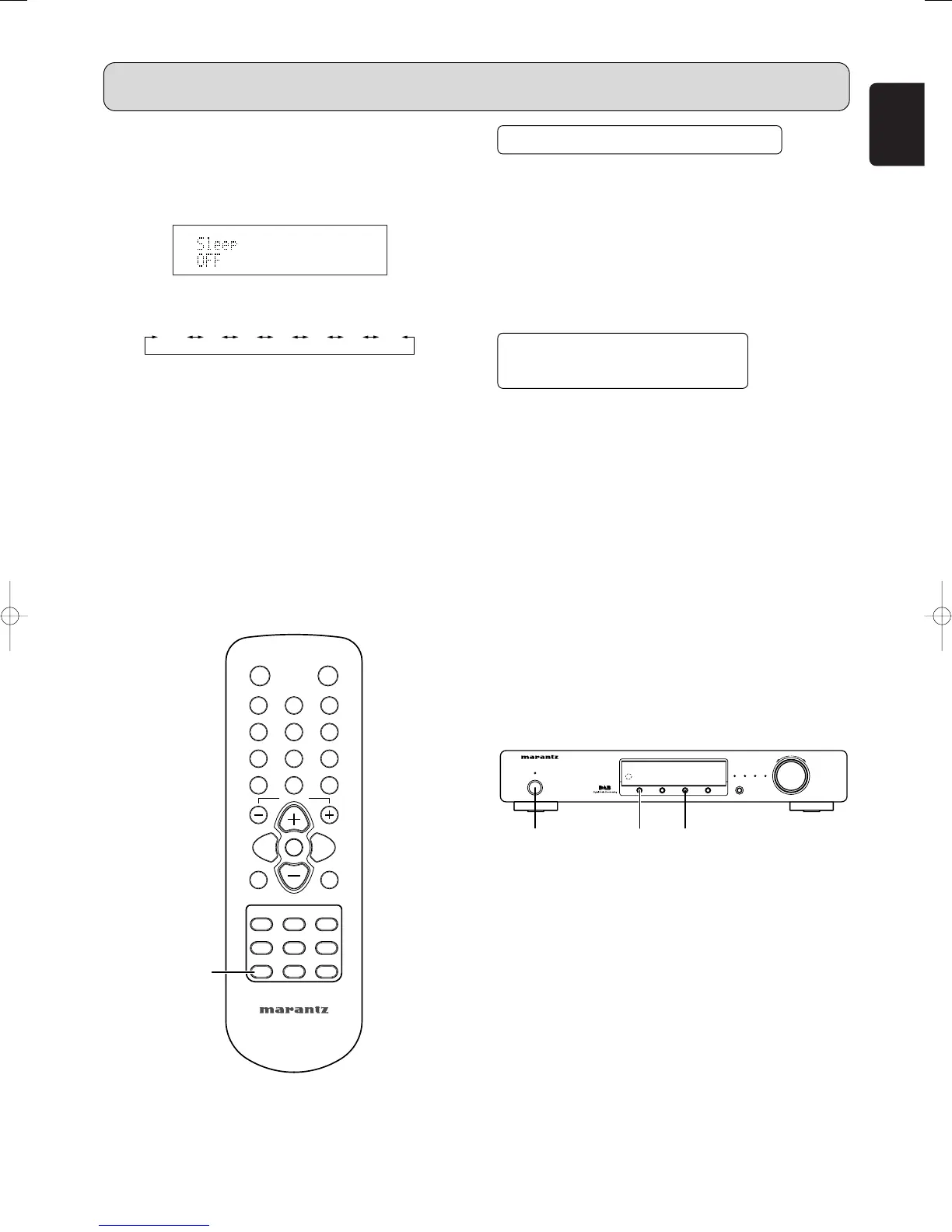
1. Press the SLEEP button m on the remote control.
2. Each press of the button will increase the time before
shut down in the following sequence.
3. The sleep timer will be shown for 5 seconds in the
display, and it will count down until the time has elapsed.
When the programed sleep timer has elapsed, the unit
will automatically turn off.
Note that the display will be dimmed when the sleep
timer is programed.
4. Press the SLEEP button m. The display shows the
remaining time until standby mode begins.
5. To cancel the sleep timer, press the SLEEP button m
repeatedly until the display shows "SLEEP OFF".
• When the sleep timer is programed, DIMMER function
does not activate.
LAST FUNCTION MEMORY
• This unit is equipped with a last function memory which
stores the input and output setting conditions as they were
immediately before the power is switched off.
This function eliminates the need to perform complicated
resettings when the power is turned on.
• The unit is also equipped with a back-up memory.
This function provides approximately one week of memory
storage when the main unit’s power switch is off and with
the mains cord disconnected.
INITIALIZATION OF THE
MICROPROCESSOR
• When the indication of the display is not normal or when
the operation of the unit does not shows the reasonable
result, the initialization of the microprocessor is required
by the following procedure.
1. Unplug the mains cord from the power outlet after
pressing the POWER ON/STANDBY switch q and
setting the standby mode.
2. Holding both the DIMMER button r and MENU button
u, plug the mains cord into the power outlet.
3. Check that the entire display is flashing with an interval
of about 1 second, and release your fingers from the 2
buttons and the microprocessor will be initialized.
Note
• If step 3 does not work,start over from step 1.
• If the microprocessor has been initialized all the button
settings are reset to the default values (the values set
upon shipment from the factory).



 To Next Page