26
ENGLISH
OTHER OPERATION
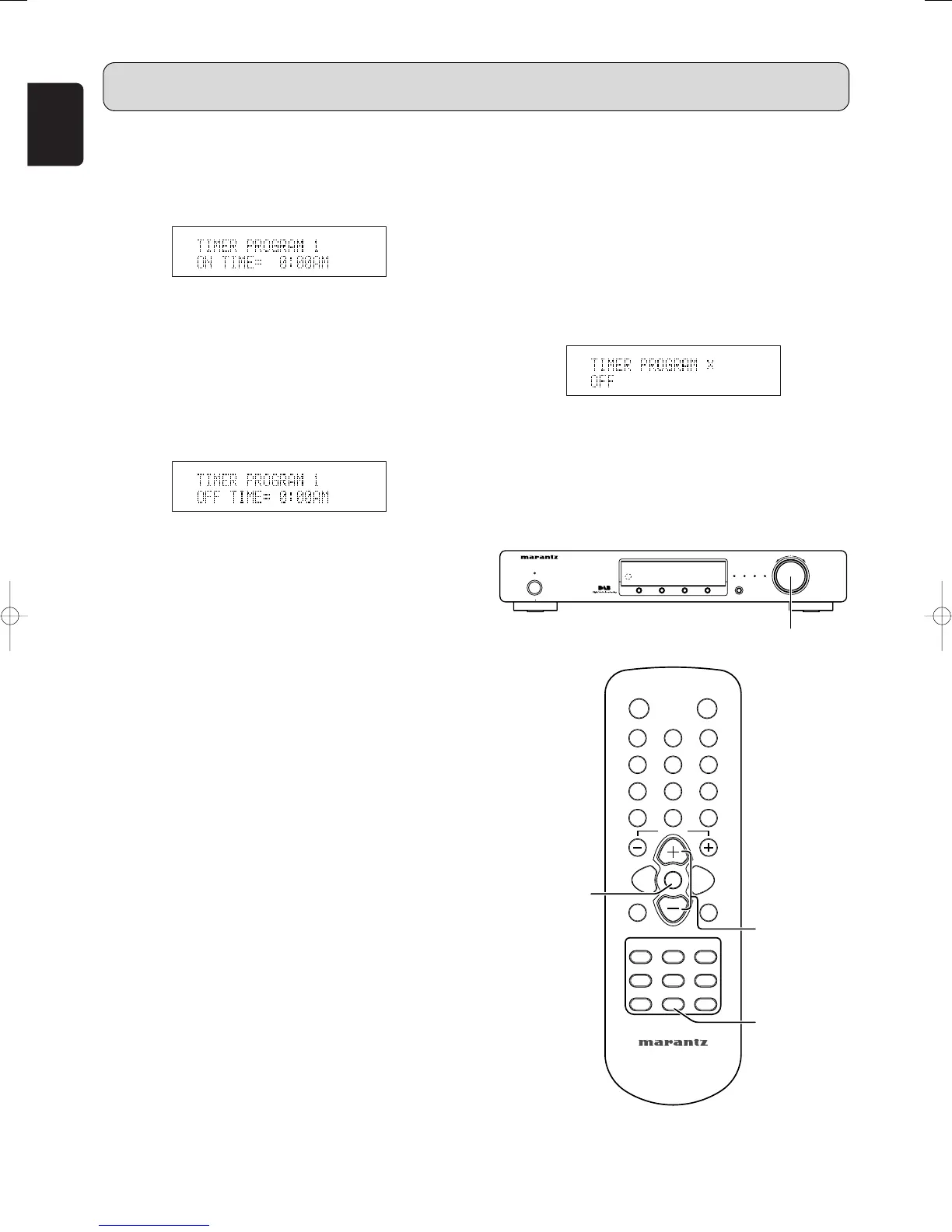
Use the TUNING/PRESET knob !4 or pressing the
CHANNEL/CONTROL button ⁄4 to select the last day.
Then press the TUNING/PRESET knob !4 or
ENTER button v.
10
.Set the On time.
q
Either turn the TUNING/PRESET knob !4 or press
the CHANNEL/CONTROL button ⁄4 to adjust the
hour for the On time and press the TUNING/PRESET
knob !4 or ENTER button v.
w Either turn the TUNING/PRESET knob !4 or press
the CHANNEL/CONTROL button ⁄4 to adjust the
minutes for the On time and press the
TUNING/PRESET knob !4 or ENTER button v.
11
.Set the Off time.
q Either turn the TUNING/PRESET knob !4 or press
the CHANNEL/CONTROL button ⁄4 to adjust the
hour for the Off time and press the
TUNING/PRESET knob !4 or ENTER button v.
w Either turn the TUNING/PRESET knob !4 or press
the CHANNEL/CONTROL button ⁄4 to adjust the
minutes for the Off time.
12
.Set the timer program.
q Press the TUNING/PRESET knob !4 or ENTER
button v to decide the timer program setting.
Standby indicator lights up green and setting
contents are scrolled.
Note
• Timer program can activate regardless of power on or
standby mode.
• When timer program is finished, the unit goes to standby
mode.
• When timer program is activated, standby indicator lights
green.
• You can cancel the Timer program setting procedure at
any time by pressing the TIMER button ⁄7.
7
Confirm and change timer program
• You can check and change the timer program setting as
follows.
1. Press the TIMER button ⁄7.
2. Either turn the TUNING/PRESET knob !4 or press the
CHANNEL/CONTROL button ⁄4 to select timer program
number.
3. You can change the displayed contents with the
TUNING/PRESET knob !4 or CHANNEL/CONTROL ⁄4
and ENTER buttons v if necessary.
Note
• Timer program is not changed if you quit confirming
halfway through a procedure.
7
Timer program off
1. Press the TIMER button ⁄7, “TIMER PROGRAM 1” is
displayed.
2. Either turn the TUNING/PRESET knob !4 or press the
CHANNEL/CONTROL button ⁄4 to select timer program
number.
3. Press the TUNING/PRESET knob !4 or ENTER button
v, “TIMER PROGRAM x SET” is displayed.
4. Either turn the TUNING/PRESET knob !4 or press the
CHANNEL/CONTROL button ⁄4 to select “TIMER
PROGRAM x OFF”.
5. Press the TUNING/PRESET knob !4 or ENTER button
v to turn off the timer program.
Note
• To turn a timer program back on again, repeat this
procedure and select “TIMER PROGRAM x ON”.



 To Next Page