24
ENGLISH
7
Displaying present time
1. A present time can be displayed for 5 seconds by
holding down the TIMER button ⁄7 more than 3 seconds.
SETTING THE CLOCK
7
Present time setting
•
To operate the timer program, you must set the present time.
The clock time can be set 12-hour or 24-hour system.
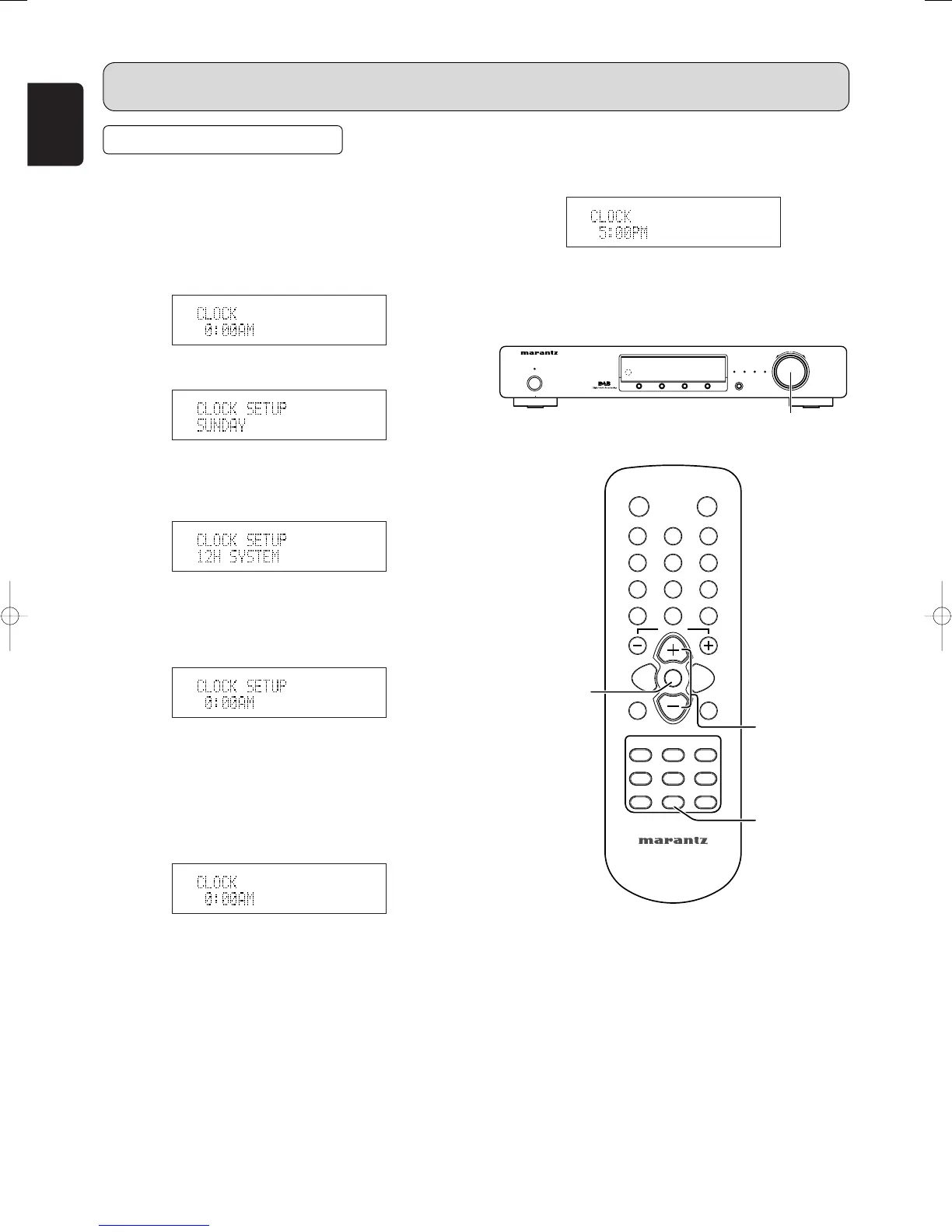
The clock displays “SUNDAY” “12H SYSTEM” “0:00AM”
at initial.
1. Press and hold down the TIMER button ⁄7 until the
“CLOCK 0:00AM” is displayed.
2. Press the TUNING/PRESET knob !4 or ENTER button
v, the day of the week flashes.
3. Either turn the TUNING/PRESET knob !4 or press the
CHANNEL/CONTROL button ⁄4 to select a day.
4. Press the TUNING/PRESET knob !4 or ENTER button
v, “12H SYSTEM” is flashes.
If you want to select 24H SYSTEM, either turn the
TUNING/PRESET knob !4 or press the
CHANNEL/CONTROL button ⁄4.
5. Press the TUNING/PRESET knob !4 or ENTER button
v to set the desired system. The hour digit flashes.
6. Either turn the TUNING/PRESET knob !4 or press the
CHANNEL/CONTROL button ⁄4 to set the hours and
press the TUNING/PRESET knob !4 or ENTER button
v. The minute digit flashes.
7.
Either turn the TUNING/PRESET knob !4 or press the
CHANNEL/CONTROL button ⁄4 to set the minutes, and
press the TUNING/PRESET knob !4 or ENTER button v.
The display flashes.
8. Press the TUNING/PRESET knob !4 or ENTER button
v to confirm the actual time. The clock now starts.
• In the event of a power failure or when the AC mains
cord is disconnected. You must reset the clock.



 To Next Page