23
ENGLISH
7
Switching the DAB information
display
1. Follow steps 1 to 4 under “Tuning in DAB (Digital Audio
Broadcasting) broadcasts” (
☞
page 19) to tune in a
DAB station.
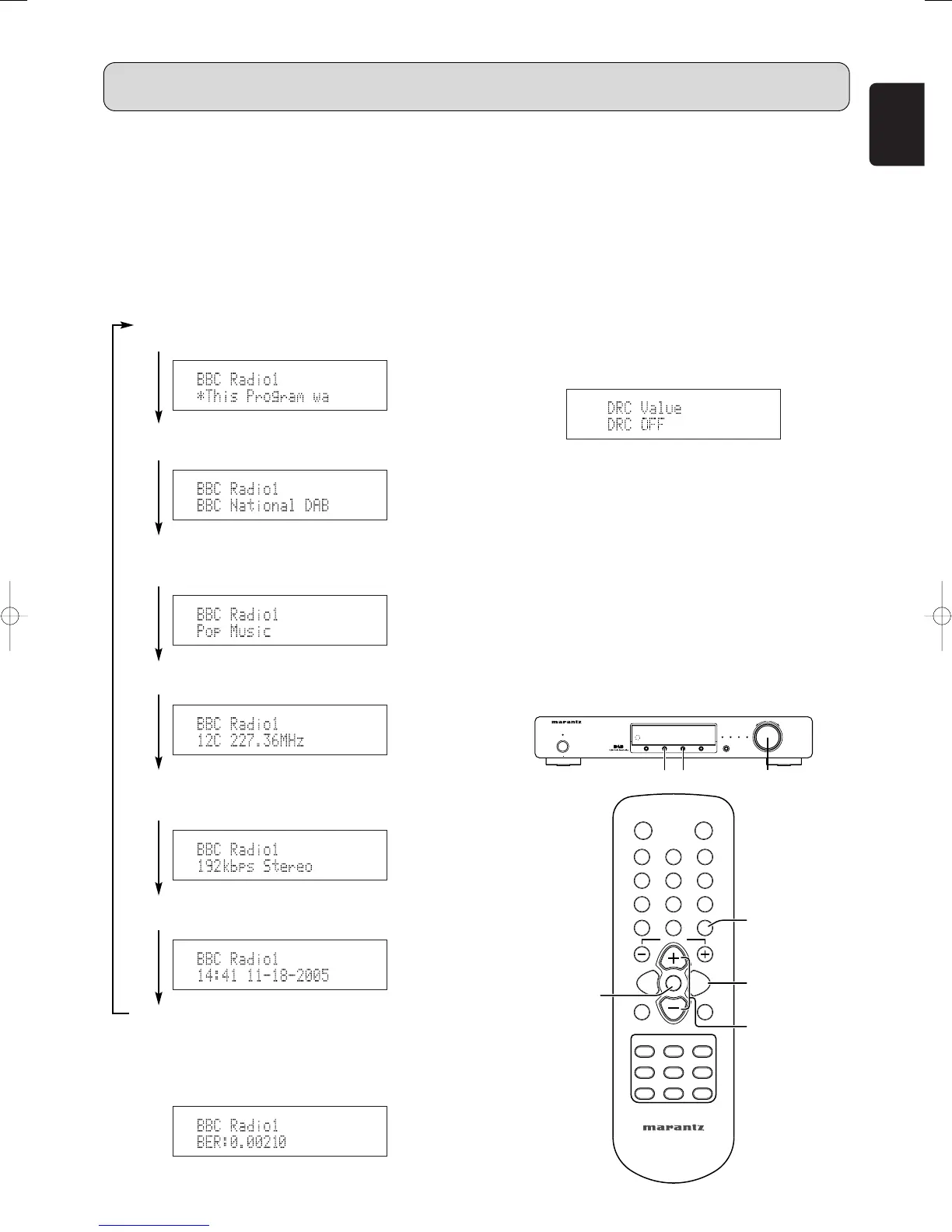
2. Press the DISPLAY button t or . to switch the DAB
reception information.
• The display switches as shown below each time the
DISPLAY button t or . is pressed.
q DLS (Dynamic Label Segment) :
The text data included in the broadcast scrolls.
w Ensemble Name :
The ensemble name is displayed.
e PTY (Program Type) :
The category of the broadcast being received is
displayed.
r Channel and Frequency :
The frequency is displayed.
t Audio Information :
The bit rate and mode of the broadcast being
received is displayed.
y Time and Date :
The current time and date are displayed.
u Bit Error Rate :
Noise may be generated and reception quality may
become poor at bit error rates above 0.05. If a rate
above 0.05 is displayed, move the antenna in
different directions to find a position where the rate
displayed is less than 0.05.
7
DRC (Dynamic Range Control)
• The DRC (Dynamic Range Control) function lets you
change the dynamic range of the received sound
depending on the content of the broadcast so that the
sound is easier to hear even when the volume is low.
1. Press the MENU button u or ⁄2 to select menu.
2. Either turn the TUNING/PRESET knob !4 or press the
CHANNEL/CONTROL button ⁄4 to display the DRC
value mode selection screen.
3. Press the TUNING/PRESET knob !4 or ENTER button
v to set the DRC value mode.
4. Either turn the TUNING/PRESET knob !4 or press the
CHANNEL/CONTROL button ⁄4 to choose the “DRC
ON” or “DRC OFF”.
DRC OFF:DRC is switched off.
Any DRC level broadcast will be ignored.
This is the default setting.
DRC ON:
Applies DRC level as sent with the broadcast.
5. Press the TUNING/PRESET knob !4 or ENTER button
v to set DRC function.
• This is effective when in a noisy environment and in
quiet sections of broadcast programs.
The broadcast’s DRC level is set at the broadcast station.
The DRC can be changed to achieve the optimum level.
OPERATION



 To Next Page