20
ENGLISH
SEARCH MODE
7
Sorted list search mode
• You can select any component for listening from the list of
sorted components.
• The sorted components are set in the sort mode. (
☞
page 22)
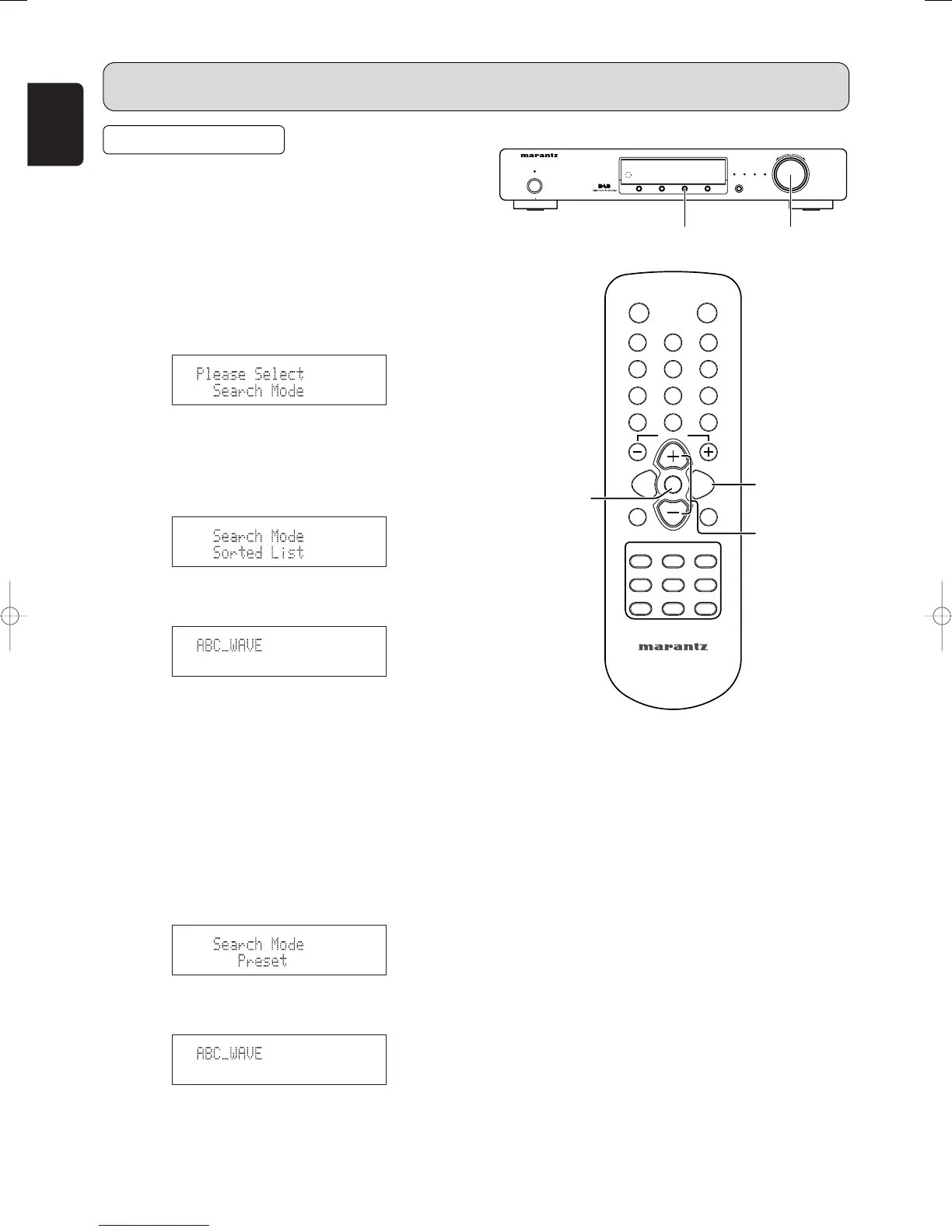
1. Press the MENU u or ⁄2 button to select menu.
2. Either turn the TUNING/PRESET knob !4 or press the
CHANNEL/CONTROL button ⁄4 to display the search
mode selection screen.
3. Press the TUNING/PRESET knob !4 or ENTER button
v to set the search mode.
4. Either turn the TUNING/PRESET knob !4 or press the
CHANNEL/CONTROL button ⁄4 to select “Search Mode
(Sorted List)”.
5. Press the TUNING/PRESET knob !4 or ENTER button
v to display the first channel on the Sorted List.
• You can select any component from the sorted list.
7
Preset search mode
1. Press the MENU button u or ⁄2 to select menu.
2. Either turn the TUNING/PRESET knob !4 or press the
CHANNEL/CONTROL button ⁄4 to display the search
mode selection screen.
3. Press the TUNING/PRESET knob !4 or ENTER button
v to set the search mode.
4. Either turn the TUNING/PRESET knob !4 or press the
CHANNEL/CONTROL button ⁄4 to select “Search Mode
(Preset)”.
5. Press the TUNING/PRESET knob !4 or ENTER button
v to display the first channel at Preset.
• You can select any component from the preset.
OPERATION



 To Next Page