25
ENGLISH
3. Press the TUNING/PRESET knob !4 or ENTER button
v to select timer program number.
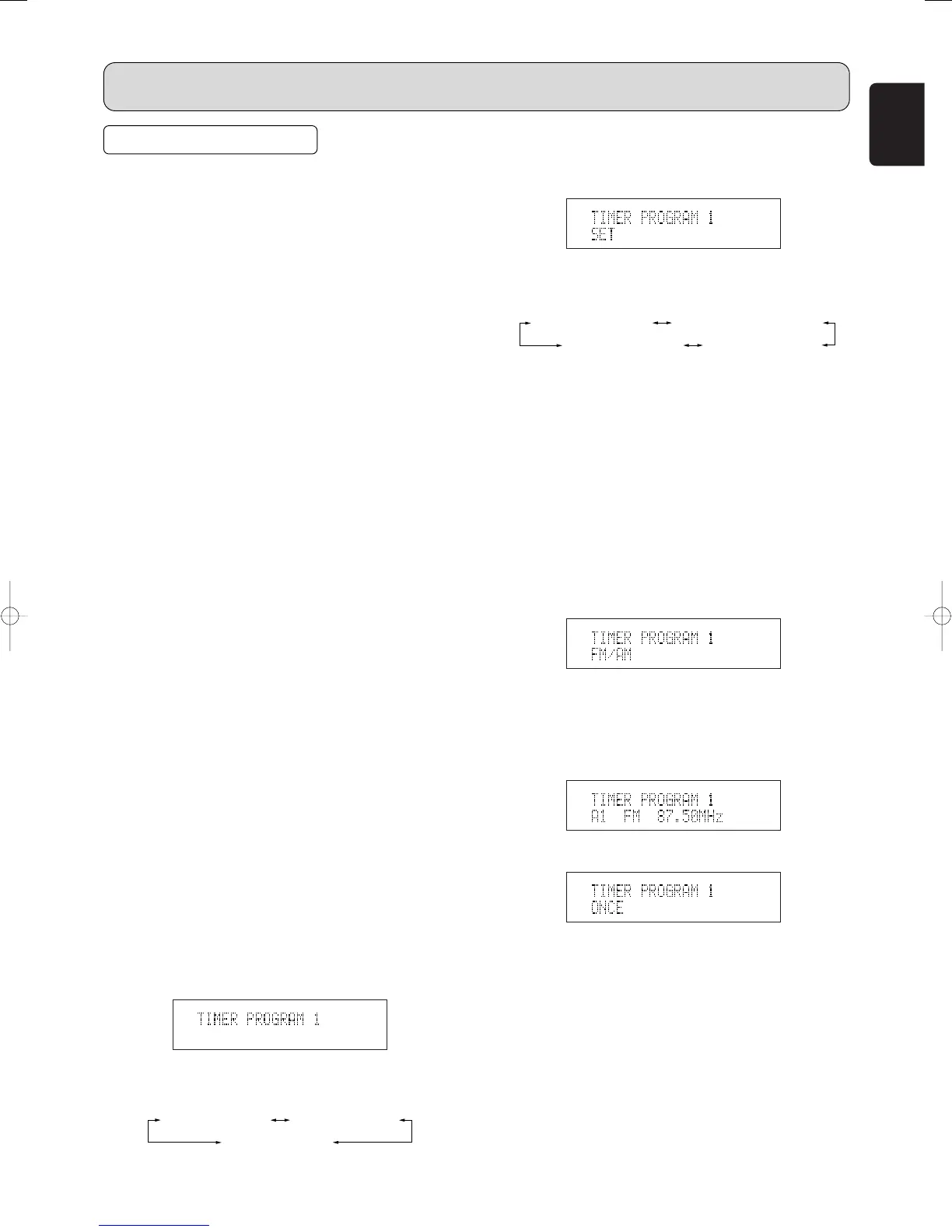
4. The display indicate “TIMER PROGRAM x SET”.
Either turn the TUNING/PRESET knob !4 or press the
CHANNEL/CONTROL button ⁄4, the display changes as
follows.
• If timer program is already available, to select “TIMER
PROGRAM x CONFIRM” to scroll the timer setting
contents.
• If timer program is already available, to select “TIMER
PROGRAM x ON” to activate the timer.
• To select “TIMER PROGRAM x OFF” to turn off the
timer program.
5. Press the TUNING/PRESET knob !4 or ENTER button
v to select “TIMER PROGRAM x SET”.
6. The display indicate “TIMER PROGRAM x FM/AM”.
Either turn the TUNING/PRESET knob !4 or press the
CHANNEL/CONTROL button ⁄4, the display changes
“TIMER PROGRAM x FM/AM” or “TIMER PROGRAM x
DAB”.
7. Press the TUNING/PRESET knob !4 or ENTER button
v to select “FM/AM” or “DAB”.
8. Either turn the TUNING/PRESET knob !4 or press the
CHANNEL/CONTROL button ⁄4 to select Preset station
to be programed.
9. Select the Operation method.
q Either turn the TUNING/PRESET knob !4 or press
the CHANNEL/CONTROL button ⁄4 to select
operation method “ONCE”, “EVERYWEEK”,
“EVERYDAY” or “WEEKDAY” .
w Press the TUNING/PRESET knob !4 or ENTER
button v to decide the operation.
When you select “ONCE” or “EVERYWEEK”, you
can select the day of the week by turning the
TUNING/PRESET knob !4 or pressing the
CHANNEL/CONTROL button ⁄4.
When you select “WEEKDAY”, use the
TUNING/PRESET knob !4 or pressing the
CHANNEL/CONTROL button ⁄4 to select the first
day, and then press the TUNING/PRESET knob !4
or ENTER button v.
TIMER PROGRAM x OFF TIMER PROGRAM x ON
TIMER PROGRAM x SET
TIMER PROGRAM x CONFIRM
TIMER PROGRAMS
7
About the Timer Programs
• This unit has three timer programs so that you can turn it
on and off automatically at certain times and on certain
days of the week.
• Timer programs can be set for single operation (Once) or
everyweek operation (Everyweek) or everyday operation
(Everyday) or the days of the week operation (Weekday).
7
Timer Program Examples
• The following examples highlight some of the ways in
which you can use the timer programs.
Timer program 1: To wake up to your favorite radio
station every morning, set as follows:
TIMER PROGRAM 1 SET → FM/AM → A1 FM 87.50MHz →
EVERYDAY → ON TIME= 7:00AM → OFF TIME= 7:30AM
(If you want a radio alarm only on weekdays, select
“WEEKDAY” instead of “EVERYDAY” and specify
“MON-FRI”.)
Timer program 2: To listen a radio program on only this
Sunday, set as follows:
TIMER PROGRAM 2 SET → FM/AM → B1 AM522kHz
→ ONCE → SUNDAY → ON TIME= 9:00PM → OFF
TIME=10:00PM
7
Timer Program Overlap
•
If two or three timer programs are set to the same ON TIME,
the timer program with the lowest number has priority.
For example, if Timer program 1 and Timer program 2 are
both set to an ON TIME of 7:00AM, Timer program 1 has
priority and Timer program 2 is ignored.
Timer program 1: 7:00AM - 1:00PM
(This timer has priority)
Timer program 2: 7:00AM - 0:30PM
If the setting of the two timer program overlaps, the earlier
timer has priority.
Timer program 1: 9:00AM - 10:00AM
Timer program 2: 8:00AM - 10:00AM
(This Timer program has priority)
7
Timer Program Setting
• You must set the clock time before you set the timer
programs.
• You need to store preset stations before you set the timer
programs.
1. Press the TIMER button ⁄7, “TIMER PROGRAM 1” is
displayed.
2. The display changes as follows each time the
TUNING/PRESET knob !4 is turned or the
CHANNEL/CONTROL button ⁄4 is pressed.
TIMER PROGRAM 3
TIMER PROGRAM 1
TIMER PROGRAM 2
ST7001N01Eng05.7.215:24PMページ25



 To Next Page