14
ENGLISH
7
TP search
Use this function to find RDS stations broadcasting traffic
program (TP).
1. Press the MENU button u or ⁄2 to select menu.
2. Either turn the TUNING/PRESET knob !4 or press the
CHANNEL/CONTROL button ⁄4 to display “RDS”.
3. Press the TUNING/PRESET knob !4 or ENTER button
v to set the RDS search selection mode.
4. Either turn the TUNING/PRESET knob !4 or press the
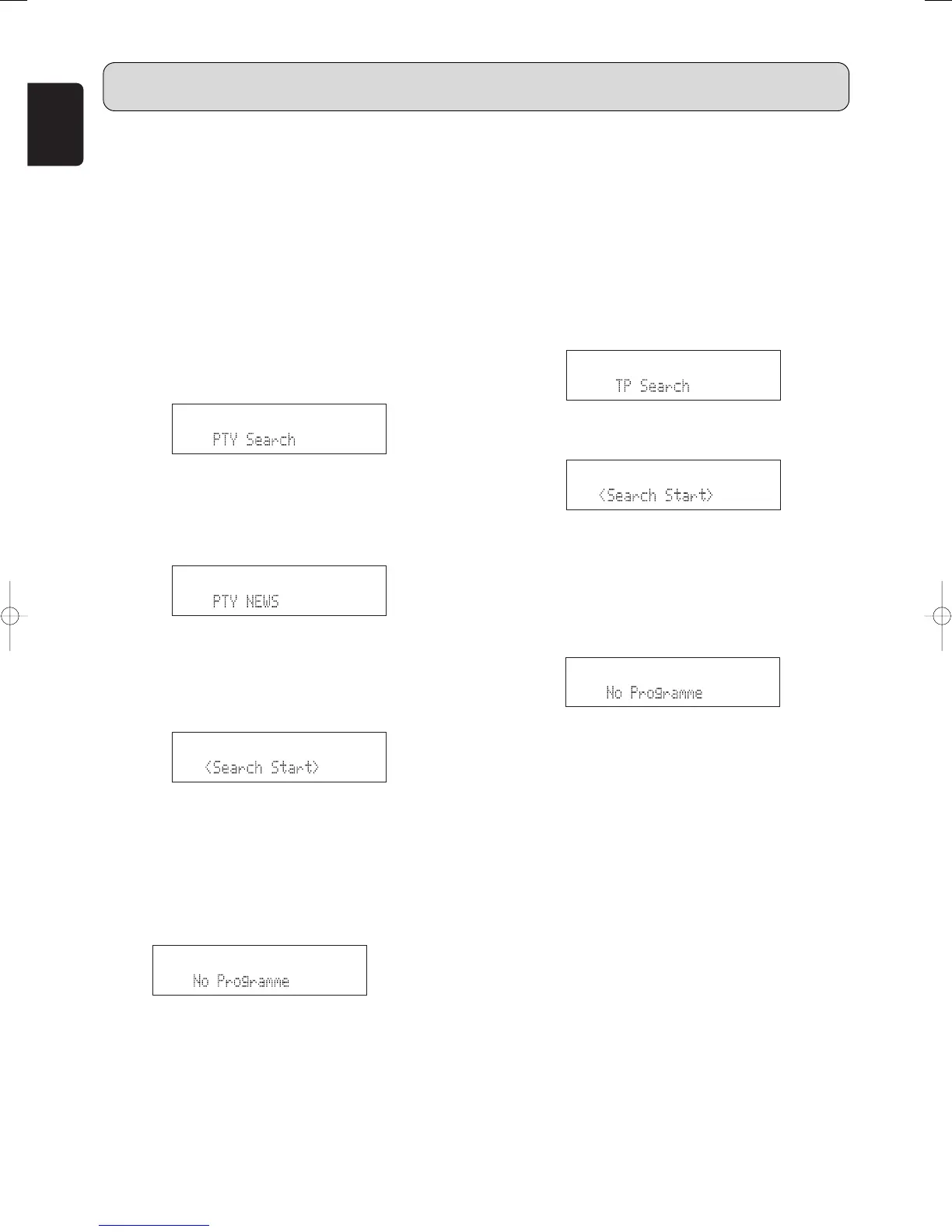
CHANNEL/CONTROL button ⁄4 to display “TP Search”.
5. Press the TUNING/PRESET knob !4 or ENTER button
v to set the TP search standby mode.
6. Either turn the TUNING/PRESET knob
!
4 or press the
CHANNEL/CONTROL button ⁄4. The RDS search
automatically begins and the RDS LED flashes.
• If no TP station is found with above operation, all the
reception bands are searched.
• The station name is displayed on the display after
searching stops.
7.
• If no other TP station is found when all the frequencies
are searched, “NO programme” is displayed.
7
PTY search
• Use this function to find RDS stations broadcasting a
designated program type (PTY).
• For a description of each program type, refer to “Program
Type (PTY)”.
1. Press the MENU button u or ⁄2 to select menu.
2. Either turn the TUNING/PRESET knob
!4
or press the
CHANNEL/CONTROL button ⁄4 to display “RDS”.
3. Press the TUNING/PRESET knob
!4
or ENTER button
v to set the RDS search selection mode.
4. Either turn the TUNING/PRESET knob
!4
or press the
CHANNEL/CONTROL button ⁄4 to display “PTY
Search”.
5. Press the TUNING/PRESET knob
!4
or ENTER button
v to set the PTY search selection mode.
6. Watching the display, either turn the TUNING/ PRESET
knob
!4
or press CHANNEL/CONTROL button ⁄4 to call
out the desired program type.
• When receiving an RDS station, its program type is
displayed first.
• When not receiving an RDS station, “PTY” flashes.
7. Press the TUNING/PRESET knob
!4
or ENTER button
v to set the PTY search standby mode.
8. Either turn the TUNING/PRESET knob
!
4 or press the
CHANNEL/CONTROL button ⁄4. The RDS search
automatically begins and the RDS LED flashes.
• If there is no station broadcasting the designated
program type above operation, all the reception bands
are searched.
• The station name is displayed on the display after
searching stops.
9.
• If no other station broadcasting the designated
program type is found when all the frequencies are
searched, “NO programme” is displayed.
OPERATION



 To Next Page