5-50
OTHER CONTROLS AND EQUIPMENT
76MH1-74E
Deletion of audio device information
(Delete Audio)
Follow the instructions below to delete the
registered information of audio device.
1) Press the Bluetooth
®
setup button (6).
The Bluetooth
®
setup menu will be dis-
played.
2) Turn the TUNE FOLDER PUSH
SOUND knob (2) to select “Setup Blue-
tooth”, and press the knob (2) to deter-
mine the selection.
3) Turn the TUNE FOLDER PUSH
SOUND knob (2) to select “List Audio”,
and press the knob (2) to determine the
selection.
4) Turn the TUNE FOLDER PUSH
SOUND knob (2) to select an audio
device to be deleted, and press the
knob (2) to determine the selection.
5) Turn the TUNE FOLDER PUSH
SOUND knob (2) to select “Delete”, and
press the knob (2) to determine the
selection.
6) Turn the TUNE FOLDER PUSH
SOUND knob (2) to select “Delete?”,
and press the knob (2) to determine the
selection.
7) Turn the TUNE FOLDER PUSH
SOUND knob (2) to select “Confirm”,
and press the knob (2) to complete the
deletion.
NOTE:
When selecting “Go Back”, the previous
menu will be displayed.
Disclaimer for Bluetooth
®
function
• Depending on the mobile phone models,
some phones may not be compatible
fully or partially (some function may be
restricted).
• Connectivity or voice quality may get
affected depending on circumstances.
• After the ignition switch is turned to the
“ON” position, the audio system takes
few seconds to detect and connect to
the Bluetooth
®
device (if already paired).
• Make sure that you are aware of all
applicable local laws and accordingly
use Bluetooth device.
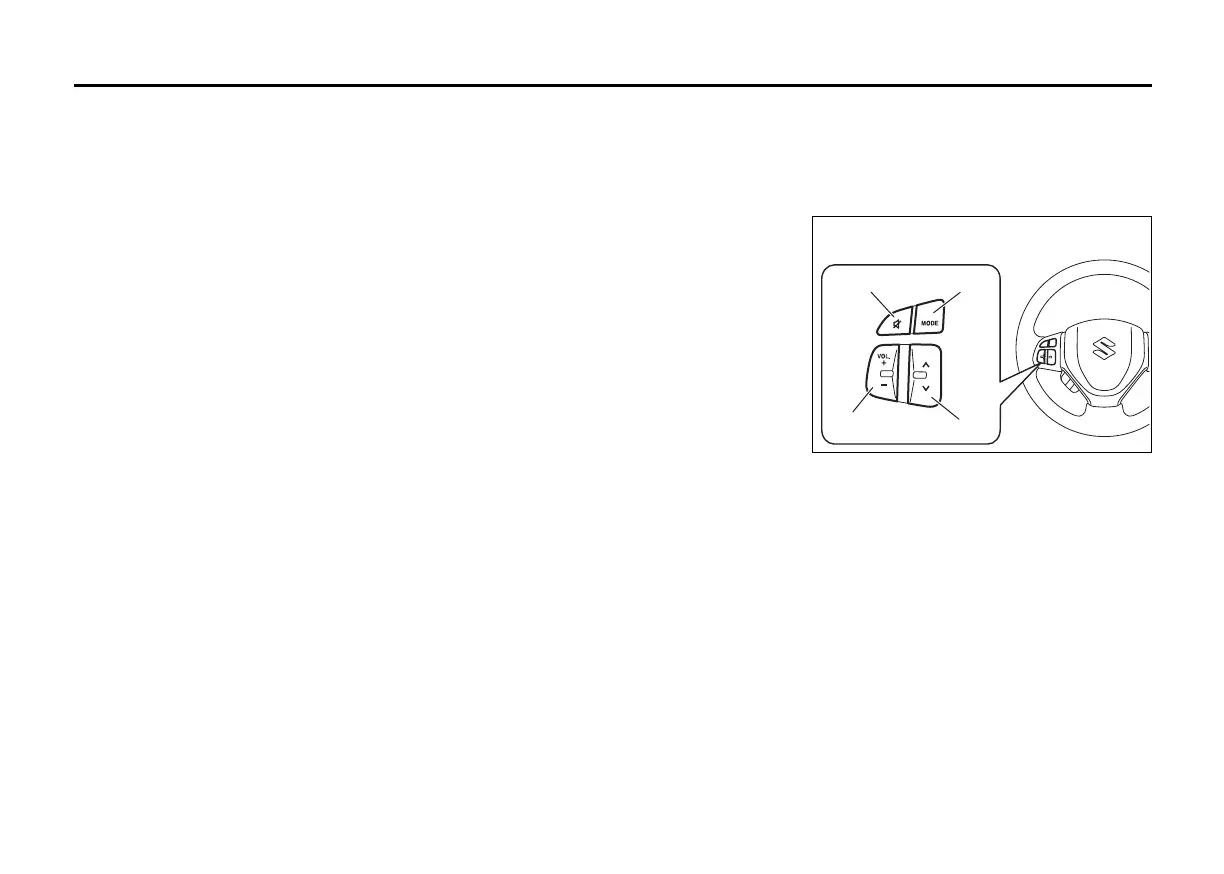
Remote Audio Controls
(if equipped)
Controlling of basic functions of the audio
system is available using the switches on
the steering wheel.
Adjusting the volume
• To increase the volume, hold down “+” of
the VOL switch (1). The volume will keep
on being increased until the switch is
released.
• To decrease the volume, hold down “-” of
the VOL switch (1). The volume will keep
on being decreased until the switch is
released.
• To mute the sound, press the switch (2).
(2)
(3)
(1)
(4)











 To Next Page