2-42
BEFORE DRIVING
76MH1-74E
NOTE:
Depending on vehicle’s specifications,
some items may not be displayed.
How to operate the setting mode:
1) When the ignition switch is in the “ON”
position and the vehicle is stationary,
push the trip meter selector knob (1) to
switch the information display indication
(C) to the odometer.
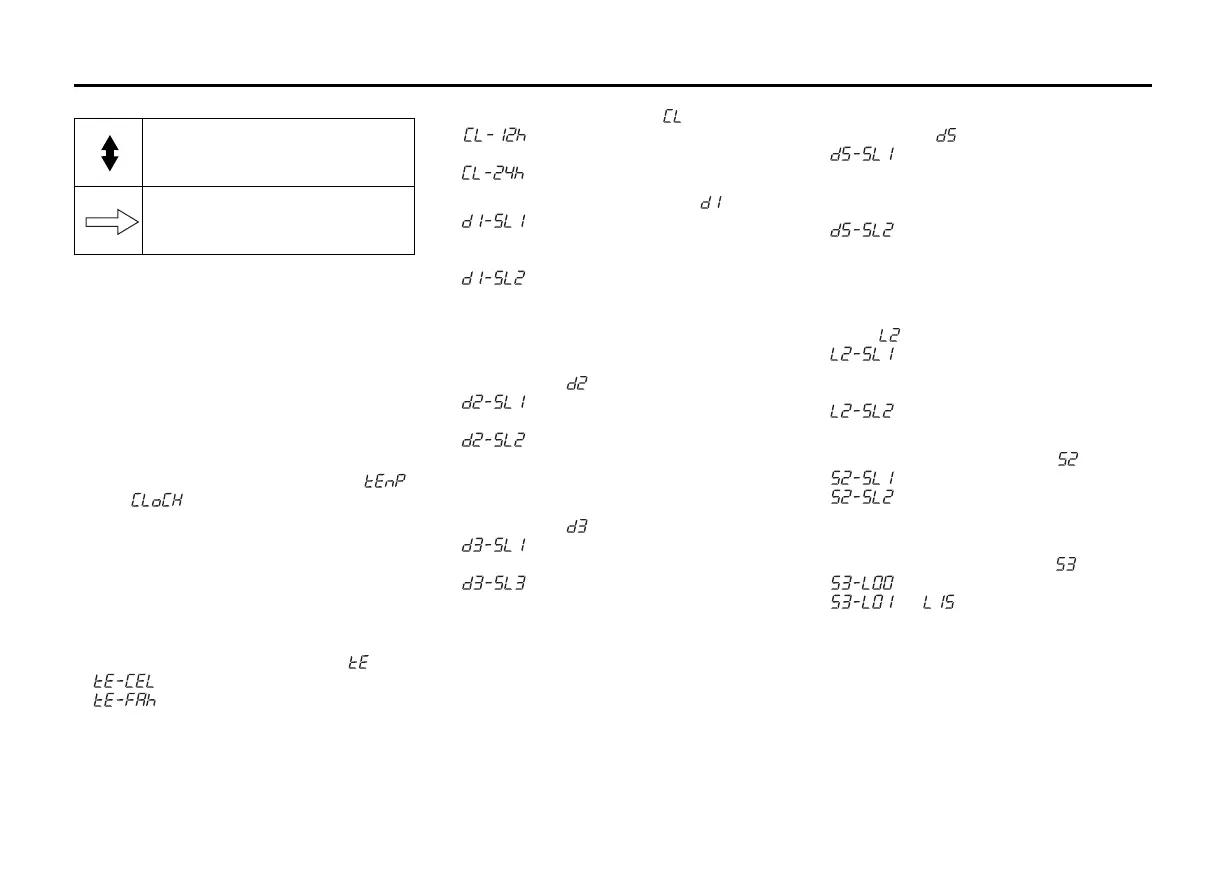
2) Push and hold the indicator selector
knob (2) until the display shows “ ”
or “ ”.
3) Turn and/or push the indicator selector
knob (2) to select a function that you
want to set up according to the above
chart.
4) Turn and/or push the indicator selector
knob (2) to register settings of the fol-
lowing functions.
Temperature unit (if equipped) “ ”
• : °C setting (default setting)
• : °F setting
Time indication of clock “ ”
• : 12-hour format (default set-
ting)
• : 24-hour format
Central door locking system “ ”
• : Unlock all doors by turning the
key or pushing the keyless
entry system transmitter once
• : Unlock all doors by turning the
key or pushing the keyless
entry system transmitter twice
(default setting)
Automatic door locking function
(if equipped) “ ”
• : Disable the automatic door
locking function
• : Lock all doors when the vehi-
cle speed reaches 15 km/h
(default setting)
Automatic door unlocking function
(if equipped) “ ”
• : Disable the automatic door
unlocking function
• : Unlock all doors when the key
is pulled out from the ignition
switch (default setting)
Door locking and unlocking siren
(if equipped) “ ”
• : Siren sounds when the door(s)
is(are) locked or unlocked by
using the keyless entry system
transmitter (default setting)
• : Siren does not sound when
the door(s) is(are) locked or
unlocked by using the keyless
entry system transmitter
Additional flashes of the turn
signal “ ”
• : Turn signal flashes three times
after the turn signal lever is
returned (default setting)
• : Disable the additional flashes
of turn signal
Shock sensor (if equipped) “ ”
• : Enable the shock sensor
• : Disable the shock sensor
(default setting)
Pre-warning sensitivity of the
shock sensor (if equipped) “ ”
• : Disable the pre-warning
• to :
Adjust the pre-warning sensitiv-
ity of shock sensor (Lowest
sensitivity level is L01 and
highest is L15, and default set-
ting is L14)
Turn the indicator selector knob
(2).
Push the indicator selector
knob (2).









 To Next Page