EasyManua.ls Logo

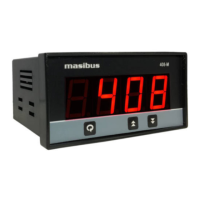
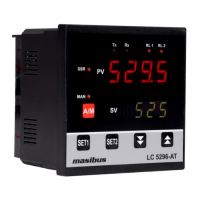
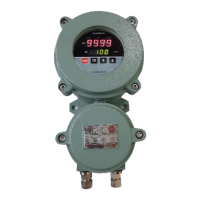
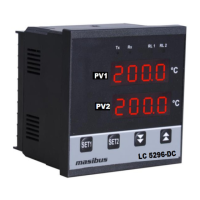
Masibus LC5296-H - User Manual

Masibus LC5296-H
36 pages
Print Icon
To Next Page IconTo Next Page
Loading...
User’s Manual
O
O
N
N
-
-
O
O
F
F
F
F
C
C
O
O
N
N
T
T
R
R
O
O
L
L
L
L
E
E
R
R
L
L
C
C
5
5
2
2
9
9
6
6
L
L
C
C
5
5
2
2
9
9
6
6
-
-
H
H
5
5
0
0
0
0
6
6
-
-
R
R
N
N
L
L
C
C
5
5
2
2
4
4
8
8
E
E
I
I
N
N
D
D
I
I
C
C
A
A
T
T
O
O
R
R
4
4
0
0
8
8
-
-
M
M
Masibus Automation & Instrumentation Pvt. Ltd.
B/30, GIDC Electronics Estate,
Sector-25, Gandhinagar-382044, Gujarat, India
+91 79 23287275-79 +91 79 23287281-82
Email: support@masibus.com
Web: www.masibus.com
Question and Answer IconNeed help?

Do you have a question about the Masibus LC5296-H and is the answer not in the manual?

Masibus LC5296-H Specifications

General IconGeneral
BrandMasibus
ModelLC5296-H
CategoryController
LanguageEnglish

Summary

1. INTRODUCTION

Safety Precautions

Provides essential safety information for using the product.

2. SPECIFICATIONS

2.3 Output Types

Specifies the available output types such as relays and retransmission signals.

2.5 Power Supply

Covers power supply requirements, consumption, and isolation specifications.

4. TERMINAL CONNECTIONS

4.1 LC5296 & 5006-RN

Illustrates terminal connections for LC5296 and 5006-RN models.

4.2 LC5296-H; 408-M

Shows the terminal layout for LC5296-H and 408-M models.

4.3 LC5248 E

Details the terminal connection diagram for the LC5248E model.

4.5 How to connect wires?

Offers guidance and precautions for wiring the device correctly.

6. MENU LAYOUT FOR LC5296, LC5296-H, 5006-RN, LC5248 E

6.3 Configuration Mode

Details the process for configuring device parameters like input type and scaling.

7. MENU LAYOUT FOR 408-M

8. CONTROL FUNCTION

8.1 ON;OFF Control

Explains the basic ON/OFF control logic and hysteresis behavior.

9. CALIBRATION PROCEDURE

9.1 Procedure for CAL-zero and CAL-span

Describes the steps for performing zero and span calibration.

9.2 Procedure for RET-zero and RET-span

Details calibration for retransmission outputs (zero and span).

10. COMMUNICATION PROTOCOL-MODBUS RTU

11. APPENDIX

11.1 Troubleshooting

Provides a flowchart and steps to diagnose and resolve common operational issues.

Related product manuals