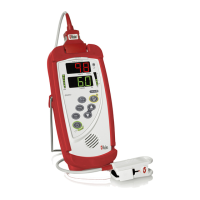
Radical-7 Signal Extraction Pulse CO-Oximeter Service Manual
4-2
Programming
Software
Target Port Baud
1
PC_FlashApp Portable COM1 57600
PC_FlashApp Docking Station COM1 57600
4.2.3 For programming the Radical-7 Handheld System Board,
perform the following steps:
4.2.4 Connect a Docking Station to AC outlet and turn the AC
Switch to ON (if applicable).
4.2.5 Connect a straight through serial cable between the PC and
the Docking Station.
4.2.6 Install the Radical-7 Handheld to the Docking Station.
4.2.7 Turn off the Handheld, if it is on.
4.2.8
Start the FlashApp program. Click Browse and select the proper
Image file to be loaded. It will be listed under the monitor’s PSA
subdirectory.
• If loading on a Radical-7C “Color” the proper file will be
named PPSA.ROM.
• If loading on a Radical-7 “Monochrome” the proper file will
be named PPSAMX.ROM.
4.2.9 Select the proper Port (usually COM1), and Select Portable
(Blue) as the Target.
4.2.10 Press the “Green” Program button. A ‘status message’ of
“waiting for docking station” will be displayed.
4.2.11 Turn on the Radical-7 Handheld.
4.2.12 The green Program button will turn off, and the red Stop
button will illuminate. Wait until the green button turns on
again indicating a successful transfer.
4.2.13 If the message on the Status window is “Complete –
Success”, continue with the next step. If programming is not
successful, go back to 4.2.7 and repeat. If this cycle is
repeated 3 times without success, troubleshooting is
required.
4.2.14 Turn off the Handheld.
1
If a unit does not program with 57,600, set baud rate to 9,600.


 To Next Page