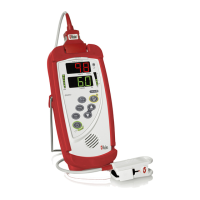
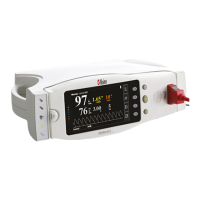
Radical-7 Signal Extraction Pulse CO-Oximeter Service Manual
4-1
4 Software
4.1 Overview
4.1.1 The Radical-7 product is configured to allow software
downloads directly from a PC. The Radical-7 product has
three different boards that utilize software that may require
upgrade. The Pulse Oximeter Board, Handheld System
Board and Docking Station System Board all operate with
software that is independent of each other. The software
must be compatible between the boards for the Radical-7
product to operate properly. The boards communicate with
each other through on board connections - in the case of the
Oximeter Board to Handheld System Board. For the
Handheld to Docking Station communication, this is
accomplished through a Contact Pin/Interface Cable.
4.1.2 When software upgrades are affected, it is imperative that
FRM-1312 is completed and returned to Masimo to ensure
each unit is tracked with the software version of each unit.
This form can be found in this manual, in the contents of the
software disk and can also be acquired from Masimo if
necessary by contacting Masimo using the information in
Section 7.2.4.
Note: The Pulse Oximeter Board (MX-1) is not upgradeable using the
PC_FlashApp Program. Only the Docking Station and Portable System Board
are upgradeable in this fashion. The upgrade of the MX board requires the use
of a special field upgrade tool.
4.2 Software Download Procedure
Note: No software is installed in the RDS-2 and the unit does not require
programming.
4.2.1 On the PC, open PC_FlashApp.exe from your hard drive.
Masimo software can be obtained by Authorized Service
providers by calling Masimo Technical Support Within the
United States at (800) 326-4890, option #2, or From Outside
the United States at country code (+1) 949-297-7498 option
#2.
4.2.2 Set the default “Target”, “Port” and “Baud” parameters as
shown in the table below.


 To Next Page