EasyManua.ls Logo

Masimo SET Rainbow SET Rad-57 - User Manual

Masimo SET Rainbow SET Rad-57
73 pages
Print Icon
To Next Page IconTo Next Page
Loading...
OPERATOR’S
M ANUAL
Signal Extraction
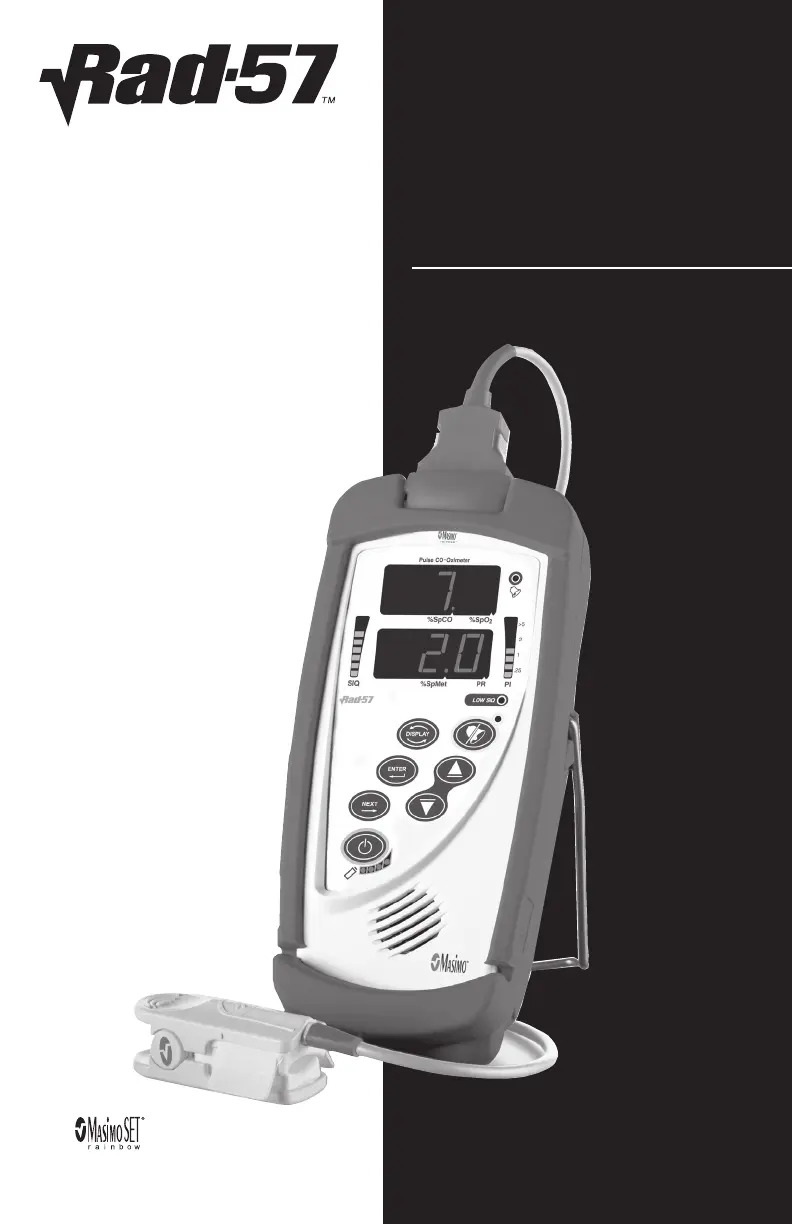
Pulse CO-Oximeter
Masimo Rainbow
®
SET
®

Table of Contents

Questions and Answers

  • T
    Tiffany ReillyAug 19, 2025
    What to do if the Masimo SET Medical Equipment displays 'SENSOR OFF MESSAGE'?
    • M
      Matthew Burke MDSep 12, 2025
      If the Masimo SET Medical Equipment displays a 'SENSOR OFF MESSAGE', it may be due to the sensor not being properly connected to the patient or the sensor being damaged. Properly reapply the sensor on the patient and reconnect it to the Instrument or patient cable. If the sensor is damaged, replace it.
  • G
    George CooperAug 21, 2025
    What to do if SpO2 values do not correlate with clinical assessment or ABGs on Masimo SET Medical Equipment?
    • T
      Tracy BishopAug 21, 2025
      If SpO2 values do not correlate with clinical assessment or ABGs on your Masimo SET Medical Equipment, it could be due to low perfusion or sensor displacement. Check for error messages. Check the sensor placement or if it is too tight. Reapply the sensor or select a new site. Set to MAX sensitivity and confirm that the sensor is securely on the patient.
  • R
    Richard LongAug 23, 2025
    What to do if the Masimo SET Medical Equipment displays 'NO SENSOR MESSAGE'?
    • L
      laura93Aug 25, 2025
      If the Masimo SET Medical Equipment displays a 'NO SENSOR MESSAGE', it may be because the sensor is disconnected from the patient cable or connected upside down. Check to see if the sensor LED is flashing. Disconnect and reconnect the sensor. If the LED fails to operate, replace the sensor.
  • D
    dwebbAug 26, 2025
    What to do if I see 'LOW PERFUSION' on Masimo SET Medical Equipment?
    • K
      Kyle FrankAug 26, 2025
      If you see 'LOW PERFUSION' on the Masimo SET Medical Equipment, verify the proper sensor and sensor size for the patient. Check if blood flow to the site is restricted and ensure the sensor is not too tight. Set the Instrument to MAX sensitivity. Warm the patient or sensor site, or move the sensor to a better-perfused site. It can also be caused by a disorder such as hypothermia, vasoconstriction, hypovolemia, peripheral vascular disease, anemia, or a damaged sensor.
  • K
    Kevin HenryAug 28, 2025
    What to do if I see 'LOW SIGNAL QUALITY' on Masimo SET Medical Equipment?
    • B
      Brandon KennedyAug 28, 2025
      If you see 'LOW SIGNAL QUALITY' on the Masimo SET Medical Equipment, check if blood flow to the site is restricted. Check the placement of the sensor. Re-apply the sensor or move to a different site. This can be caused by improper sensor type or application, excessive motion relative to perfusion, or a damaged/non-functioning sensor.
  • D
    Daniel ShahAug 29, 2025
    Why is my Masimo SET Medical Equipment not powering on?
    • D
      Douglas Hardy MDAug 30, 2025
      If your Masimo SET Medical Equipment is not powering on, the battery may be depleted. Check and/or replace the batteries.
  • D
    Donna ReedSep 1, 2025
    What does it mean when Masimo SET Medical Equipment displays circling 000's (zeros)?
    • D
      Dennis SmithSep 1, 2025
      If the Masimo SET Medical Equipment displays circling 000's (zeros), the instrument is searching for a pulse. If the instrument fails to display a reading within 30 seconds, disconnect and reconnect the sensor. If the pulse search continues, move the sensor to a better-perfused site.
  • S
    Sarah FlowersSep 3, 2025
    What to do if Masimo SET Medical Equipment buttons don’t work when pressed?
    • P
      Paul ChaneySep 3, 2025
      If the buttons on your Masimo SET Medical Equipment don’t work when pressed, the instrument requires service.
  • S
    Sierra MartinezSep 5, 2025
    What to do if I get an unexpectedly high SpO2, SpCO or SpMet reading on my Masimo SET?
    • D
      Denise SmithSep 5, 2025
      If you get an unexpectedly high SpO2, SpCO, or SpMet reading on your Masimo SET, reposition the sensor to a site with strong SIQ and PI. Average readings taken from three different sites to improve accuracy. Verify proper sensor for patient size and site.
  • H
    Hailey HesterSep 7, 2025
    What does it mean when the numeric value flashes on Masimo SET Medical Equipment?
    • M
      Michael HartSep 7, 2025
      When the numeric value flashes on the Masimo SET Medical Equipment, it means the saturation alarm limit has been exceeded. Assess/address the patient's condition and re-set alarm limits if indicated.

Summary

Safety Information, Warnings and Cautions

General Precautions and Contraindications

Covers contraindications and initial warnings/cautions for the Rad-57 device.

Operational Hazards and Safety

Details hazards like explosion, electric shock, light interference, and patient safety protocols.

Instrument Handling and Environmental Factors

Addresses handling, moisture, liquids, modifications, and environmental factors affecting the instrument.

Interference and Electrical Safety

Discusses EMI, FCC compliance, electrical shock prevention, and battery safety measures.

SECTION 1 - OVERVIEW

SECTION 2 - SYSTEM DESCRIPTION

Rad-57 Front Panel Controls

Identifies and describes the controls and indicators on the front panel of the Rad-57.

Rad-57 Rear Panel and Battery Installation

Details the rear panel components and the procedure for installing batteries.

SECTION 3 - SETUP

Initial Monitor Setup

Guides through the initial setup process, including battery installation and frequency configuration.

SECTION 4 - OPERATION

Basic Operation and Setup

Outlines the general setup and initial steps for operating the Rad-57.

Successful Monitoring and Sensor Use

Provides practices for successful SpO2 monitoring and proper sensor application.

Sensitivity Settings and Actions

Explains sensitivity settings and actions for different monitoring conditions.

Battery Status and Alarms

Details battery level indicators and low battery audible alarm behavior.

Front Panel Controls and Menu Navigation

Describes front panel controls and menu navigation procedures.

Setup Menu Levels 1 & 2

Covers alarm volume, silence, and alarm limit settings.

SECTION 5 - ALARMS AND MESSAGES

Alarm Indication and Limits

Describes how alarms are indicated and the configurable alarm limits.

SECTION 6 - TROUBLESHOOTING

General Troubleshooting

Provides a chart for common problems like no power, speaker issues, and button failures.

Measurement and Reading Troubleshooting

Addresses issues with SpO2 correlation, unexpected readings, and no readings.

SECTION 8 - SENSORS AND PATIENT CABLES

SECTION 9 - SERVICE AND MAINTENANCE

Masimo SET Rainbow SET Rad-57 Specifications

General IconGeneral
BrandMasimo SET
ModelRainbow SET Rad-57
CategoryMedical Equipment
LanguageEnglish

Related product manuals