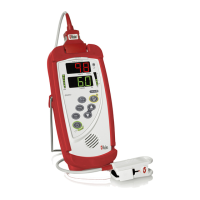
Radical-7 Signal Extraction Pulse CO-Oximeter Service Manual
6-7
6.4 SatShare Diagnostics
CAUTION: As SatShare Diagnostics simulates physiological information
(SpO
2
and Pulse Rate values), it should be performed with caution,
especially in areas with central monitoring. The attending nurse
and supervisor should always be made aware that SatShare
Diagnostic testing is being performed.
6.4.1
If the SpO
2
and pulse rate values displayed on a multi-
parameter monitor is in question, perform the following steps.
6.4.1.1 Press Menu – General – SatShare Numbers – Yes.
6.4.2 With the Handheld docked and AC power applied,
disconnect the patient cable from Radical-7. Press the
following key sequence: Menu – About – More – 2 – 1 – 1
(see Service menu for number key assignments). Five (5)
different SatShare values can be selected by pressing
the Select key. The selected value will be displayed on the
multi-parameter monitor if the unit is working properly. The
SatShare Diagnostics feature times out if a key is not
pressed within 1 minute.
Note: During transient situations, the SpO
2
and pulse rate values on the
Radical-7 and multi-parameter monitor may differ by more than the
specified tolerance. The averaging time set on the multi-parameter
monitor may also affect the delay during transient situations.


 To Next Page