Radical-7 Signal Extraction Pulse CO-Oximeter Service Manual
5-6
5.13 Battery Test
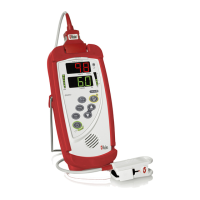
5.13.1 Fully charge the Radical-7 Handheld Battery by placing the
Handheld into the Docking Station and connecting the AC
power (the AC mains switch must be on).
5.13.2 Verify that the green Handheld Battery Indicator LED is
illuminated.
5.13.3 When the Radical-7 is fully charged the green Handheld
Battery Indicator turns off.
5.13.4 Turn the Radical-7 on and verify that the Handheld Battery
indicator shows a full charge.
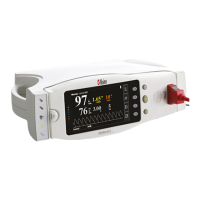
5.13.5 Fully charge the Radical-7 Docking Station Battery by
placing the Handheld into the Docking Station and
connecting the AC power (the AC mains switch must be on).
5.13.6 Verify that the green Handheld Battery and blue Connection
Indicator LEDs, on the Docking Station, are illuminated.
5.13.7 When the Radical-7 is fully charged the green Docking
Station Battery Indicator turns off.
5.13.8 Turn the Radical-7 on and verify that the Docking Station
Battery indicator shows a full charge.


 To Next Page