

 To Next Page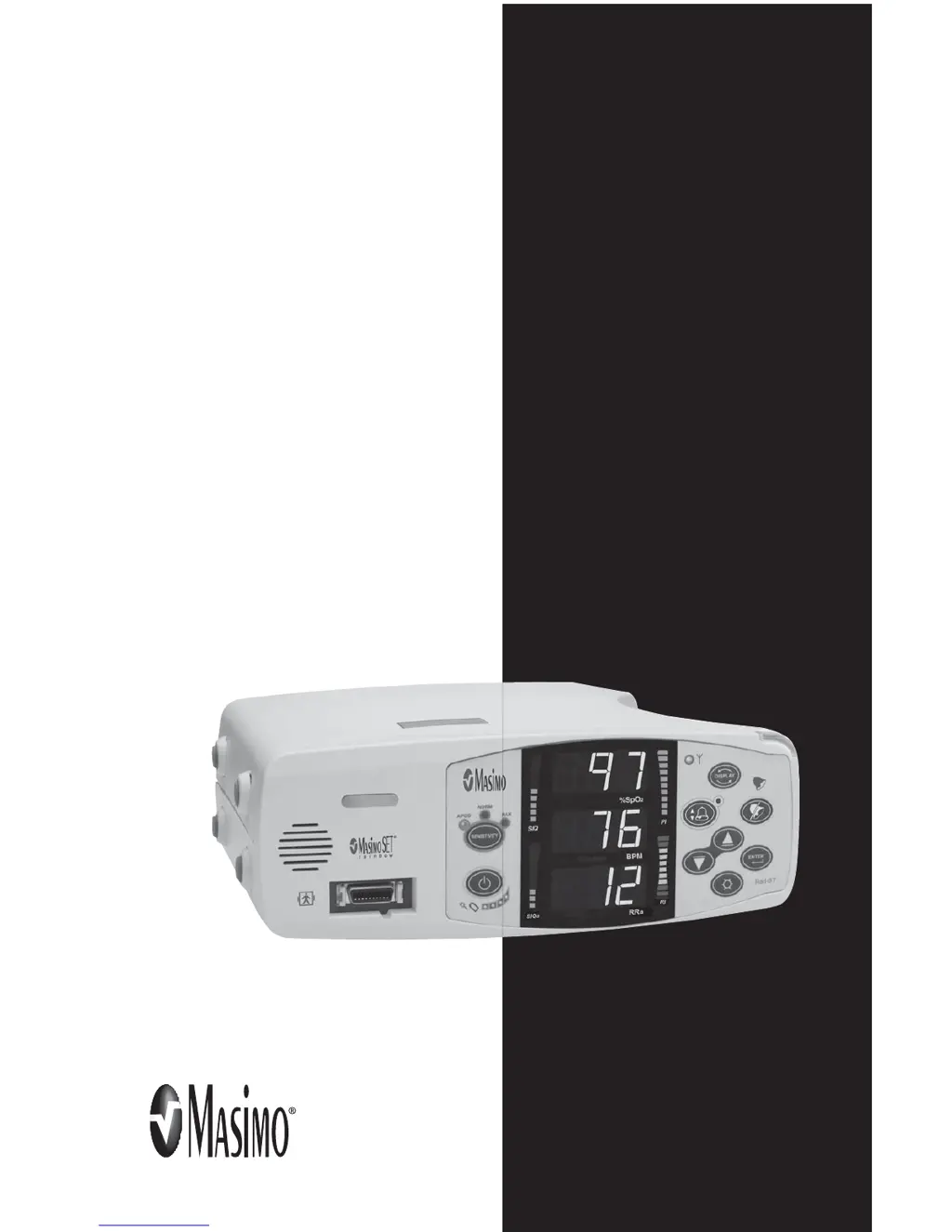
Z
ztaylorSep 23, 2025
Why is there no alarm tone on my Masimo Rad-87?
- MMary SimonSep 23, 2025
If there is no alarm tone on your Masimo Medical Equipment, it may be because the Alarm Silence is Enabled. The System Status Light flashes yellow.

Why is there no alarm tone on my Masimo Rad-87?
If there is no alarm tone on your Masimo Medical Equipment, it may be because the Alarm Silence is Enabled. The System Status Light flashes yellow.
What to do if Masimo Rad-87 buttons fail to work when pressed?
If the buttons on your Masimo Medical Equipment are not responding, this could indicate an internal failure. Use the auxiliary power down method by pressing and holding the Sensitivity and Display buttons simultaneously. The equipment should be returned for service.
Why is Masimo Medical Equipment's battery run-time significantly reduced?
If the battery run-time of your Masimo Medical Equipment is significantly reduced, the battery may be low. Contact Technical Services or your local Masimo representative.
What to do when Masimo Rad-87 Medical Equipment shows 'Pulse Search' message?
If your Masimo Medical Equipment displays a 'Pulse Search' message, it means the instrument is searching for a pulse. If the device doesn't find a pulse within 30 seconds, disconnect and reconnect the sensor to the patient. If the search continues, try moving the sensor to a better-perfused site.
What causes low perfusion (PI Bar Turns Red) on Masimo Rad-87, and how to fix it?
If the Perfusion Index (PI) bar turns red on your Masimo Medical Equipment, it could be due to several reasons: using the wrong sensor type, a poorly perfused site, a sensor that's too tight, certain disorders (like hypothermia or anemia), or a damaged sensor. To address this, verify you're using the correct sensor and size for the patient. Check for restricted blood flow to the site and ensure the sensor isn't too tight. You can also try setting the unit to MAX sensitivity, warming the patient or sensor site, or moving the sensor to a better-perfused site.
How to turn on Masimo Rad-87 if it doesn't power on?
If your Masimo Medical Equipment is not powering on, connect the AC Power Cord to the Rad-87 and to an AC outlet. Ensure the AC Power Indicator light is on.
What to do if the Masimo Rad-87 Medical Equipment shows a 'Sensor Off' message?
To resolve a 'Sensor Off' message on your Masimo Medical Equipment, first, properly reapply the sensor to the patient and reconnect it to the unit or patient cable. If the sensor is damaged, replace it.
Why is Masimo Medical Equipment showing unexpected high SpCO reading?
If your Masimo Medical Equipment is showing an unexpectedly high SpCO reading, it could indicate a possible elevated methemoglobin level. Submit a blood sample for a laboratory CO-Oximetry test.
What to do if Masimo Medical Equipment has difficulty or no SpO, SpCO/ SpMmet/SpHb reading?
If your Masimo Medical Equipment is having difficulty obtaining or shows no SpO2, SpCO, SpMet, or SpHb readings, ensure the device is properly powered by connecting the AC power cord to the device and an AC outlet, verifying the AC power indicator light is on. Minimize motion at the monitoring site. Verify the 50/60Hz menu setting. Use the correct sensor and size for the patient. Shield the sensor from excessive or strobing light. The causes can be low battery, excessive motion, interference from line-frequency induced noise, inappropriate sensor or sensor size or excessive ambient or strobing light.
What causes 'Low SIQ' message on Masimo Rad-87?
A 'Low SIQ' message on your Masimo Medical Equipment can be caused by improper sensor type or application, excessive motion relative to perfusion, or a damaged/non-functioning sensor or cable. Check if blood flow to the site is restricted and ensure proper sensor placement. Try reapplying the sensor or moving it to a different site. If the issue persists, replace the sensor or cable.
Introduces the manual's content, structure, and safety information.
Explains the meaning of important safety labels used throughout the manual.
Details the Rad-87 Pulse CO-Oximeter, its features, and optional capabilities.
Specifies the intended use and patient populations for the device.
Explains the underlying technology of pulse CO-Oximetry and signal processing.
Briefly describes the Rad-87 as a feature-rich, easy-to-use monitoring device.
Details the controls, indicators, and display for both device orientations.
Identifies the ports and receptacles on the back of the Rad-87 unit.
Explains the meaning of various symbols found on the device or its packaging.
Outlines the initial steps for preparing the device for clinical use.
Covers essential steps for charging the battery and placing the device.
Details connecting the Rad-87 to external systems like VueLink or RadNet.
Guides the user through initial setup, sensor application, and monitoring.
Explains how to navigate and view different measurement displays on the device.
Describes how to access and use the device's configuration menus.
Explains the different SpO2 sensitivity settings for optimal monitoring.
Categorizes the various alarms the Rad-87 can generate based on type.
Outlines the hierarchy of alarms and how the device responds to them.
Lists common messages, their possible causes, and recommendations.
Provides a guide for diagnosing and resolving common operational problems.
Details measurement ranges, accuracy, and resolution for all parameters.
Covers power requirements, battery life, operating conditions, and physical characteristics.
Describes display types, output interfaces, and compliance standards.
Guides on choosing and properly applying Masimo sensors for optimal performance.
Provides detailed accuracy specifications for various sensor types and conditions.
Instructions for cleaning and reusing Masimo reusable sensors and cables.
Provides instructions for cleaning the device and basic care.
Outlines tests to ensure proper device functionality after repair or during maintenance.
Details information on obtaining service and the process for returning the unit.
Lists part numbers for different language versions of the operator's manual.
 General
| Type | Pulse Oximeter |
|---|---|
| Display Type | Color LCD |
| SpO2 Range | 0% to 100% |
| Battery Type | Rechargeable Lithium-ion |
| Storage Temperature | -20°C to 60°C (-4°F to 140°F) |
| Humidity | 10% to 95% non-condensing |
| Display Parameters | SpO2, Pulse Rate |
| SpO2 Accuracy | ±2% (70% to 100%) |
| Pulse Rate Range | 25 to 250 bpm |
| Pulse Rate Accuracy | ±2 bpm or ±2%, whichever is greater |
| Measurement Parameters | SpO2, Pulse Rate, Perfusion Index |
| Alarm Type | Audible and Visual |
| Connectivity | USB |
| Data Output | Trend data |
| Power Source | AC adapter or rechargeable battery |









