EasyManua.ls Logo

Masimo Rad-G - User Manual

Masimo Rad-G
80 pages
Print Icon
To Next Page IconTo Next Page
Loading...
en
English 3-16
fr
French 17-31
de
German 32-46
it
Italian 47-61
es
Spanish 62-76
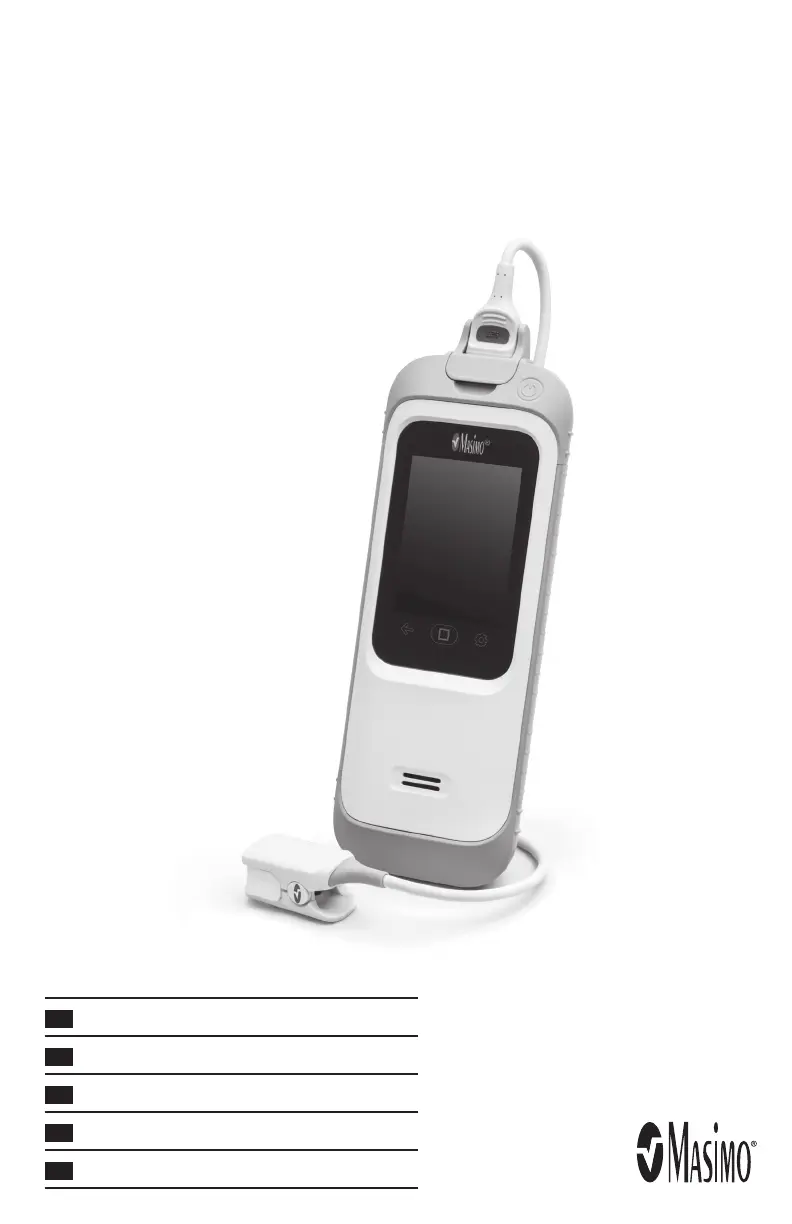
Rad-G
Pulse Oximeter
Operator’s Manual

Other manuals for Masimo Rad-G

Questions and Answers

  • P
    Pamela CalhounJul 28, 2025
    What to do if Masimo Rad-G Medical Equipment shows 'An Error Occurred Please Start Over'?
    • J
      Jason StephensJul 28, 2025
      If the Masimo Medical Equipment displays 'An Error Occurred Please Start Over', try the following: * Repeat the screening. * Verify the sensor type and size, then re-apply the sensor. Ensure proper application following the Directions for Use. * Check for restricted blood flow to the sensor site. * Verify sensor placement; re-apply or relocate the sensor. * Replace the sensor or cable if necessary. * Minimize movement at the measurement site. This may be due to a damaged or malfunctioning sensor, incorrect sensor type or application, excessive motion, or low perfusion.
  • V
    Virginia MitchellAug 2, 2025
    What to do if Masimo Rad-G Medical Equipment says 'Low Battery Please Charge'?
    • M
      Matthew AllenAug 2, 2025
      If the Masimo Medical Equipment displays 'Low Battery Please Charge', the battery charge is low. To resolve this, charge the battery by connecting the device to AC line power.
  • A
    Anthony PerezAug 7, 2025
    Why does my Masimo Rad-G Medical Equipment say 'Battery Depleted Shutting Down'?
    • A
      allendominiqueAug 7, 2025
      If the Masimo Medical Equipment displays 'Battery Depleted Shutting Down', it means the battery charge is completely depleted. You should charge the battery immediately by connecting the device to AC line power.
  • D
    Daryl HowardAug 11, 2025
    What to do if Masimo Medical Equipment says 'Sensor Off Patient'?
    • L
      lgarrettAug 11, 2025
      If the Masimo Medical Equipment displays 'Sensor Off Patient', it means the sensor has been removed from the patient during spot check monitoring. Place the sensor back on the patient to continue the spot check.
  • J
    Jamie BowenAug 17, 2025
    Why does my Masimo Rad-G Medical Equipment say 'Device Too Hot Shutting Down'?
    • A
      Ashley JohnsonAug 17, 2025
      If the Masimo Medical Equipment displays 'Device Too Hot Shutting Down', the operating temperature is too high. Consult the Environmental Section for guidance.
  • P
    Pamela PerezAug 21, 2025
    What to do if Masimo Rad-G is unable to obtain respiration rate?
    • J
      Joshua BrownAug 21, 2025
      If the Masimo Medical Equipment is 'Unable to Obtain Respiration Rate', it means RRp cannot be determined. Manually count the respiration rate or select a respiration rate range.

Summary

Safety Information, Warnings, and Cautions

General Safety Precautions

Covers initial safety statements and precautions for using the device.

Performance Warnings and Cautions

Addresses potential issues affecting measurement accuracy and device performance.

Setting Up the Rad-G

Guidelines for Initial Setup

Provides essential steps before operating the device.

Powering Rad-G ON and OFF

Instructions on how to turn the device on and off.

Initial Battery Charging

AC Power Indicator

Explains the visual indicators for battery status.

Operation

Mode Selection

How to choose between Spot Check and Screening modes.

Accessing Main Menu Options

Navigating through the device's settings.

Performing SpO2;Respiration Rate Screening

Step-by-step guide for performing screening.

Screening Criteria and Spot Check

Troubleshooting

Troubleshooting Measurements

Lists possible measurement symptoms, causes, and next steps.

Troubleshooting Rad-G Device

Lists potential Rad-G symptoms, causes, and next steps.

Citations and Service

Masimo Rad-G Specifications

General IconGeneral
TypeHandheld Pulse Oximeter
Ingress ProtectionIP22
Operating Temperature5°C to 40°C
Storage Temperature-20°C to 60°C
SpO2 Range0% to 100%
Pulse Rate Range25 – 240 bpm
Battery TypeRechargeable Lithium-ion
ConnectivityBluetooth
Perfusion Index Range0.02% to 20%
PVI Range0% - 100%
Humidity10% to 95% (non-condensing)

Related product manuals