

 To Next Page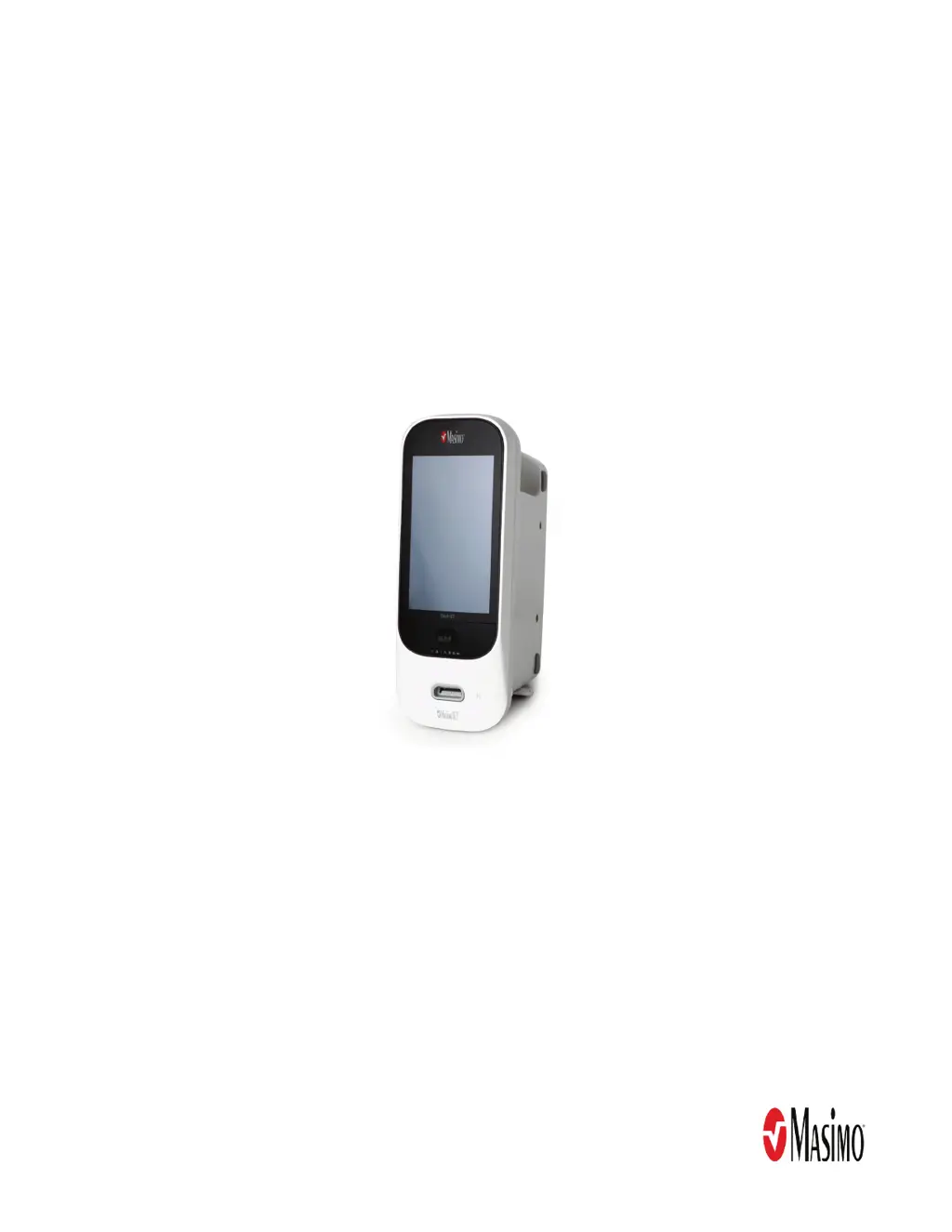

J
John RodriguezSep 23, 2025
What to do if home button does not work on Masimo Medical Equipment Rad-97?
- GgtateSep 23, 2025
If the home button on your Masimo Medical Equipment Rad-97 does not work when pressed, the Rad-97 requires service.

What to do if home button does not work on Masimo Medical Equipment Rad-97?
If the home button on your Masimo Medical Equipment Rad-97 does not work when pressed, the Rad-97 requires service.
What to do if Masimo Rad-97 Medical Equipment touchscreen/buttons do not respond?
If the touchscreen or buttons on your Masimo device aren't responding, it could be due to EMI (Electro Magnetic Interference). Check that the device AC power is properly grounded and relocate the device away from other devices that may cause electromagnetic interference. In case of internal failure, contact Masimo service.
What to do if Masimo Medical Equipment battery run time is significantly reduced?
If your Masimo device's battery run time is significantly reduced, check the battery charge level indicator. Ensure the battery is fully charged. If the issue persists, the battery capacity may be affected, so contact Masimo service.
How to fix dim screen on Masimo Medical Equipment Rad-97?
If the Masimo Medical Equipment Rad-97's main screen is dim or blank, try adjusting the brightness setting. If the condition persists, Rad-97 requires service.
What to do if touch functionality is not responsive on Masimo Medical Equipment Rad-97?
If the touch functionality on your Masimo Medical Equipment Rad-97 is not responsive, the Rad-97 requires service.
What to do if Nurse Call does not communicate on Masimo Medical Equipment Rad-97?
If the Nurse Call function on your Masimo Medical Equipment Rad-97 isn't communicating, unplug and re-plug in the Nurse Call connector.
What to do if Masimo Rad-97 device does not communicate through wireless connection?
If your Masimo device isn't communicating with other external devices through a wireless connection, check the external device compatibility. Ensure that the wireless feature is on and correctly configured. Check wireless availability for the location and verify the network settings and availability. In case of internal failure, contact Masimo service.
What to do if Masimo Medical Equipment Rad-97 has a continuous speaker tone?
If the Rad-97 has a continuous speaker tone, press the Power Button for eight (8) seconds to silence the alarm. If alarm continues to sound, Power Off Rad-97. The Rad-97 requires service.
What to do if Nurse Call does not work on Masimo Rad-97 Medical Equipment?
If the Nurse Call feature isn't working on your Masimo device, check that the Nurse call connector is fully connected to the device. Also, verify the Nurse call port configuration and check Nurse call system availability. In case of internal failure, contact Masimo service.
What to do if Masimo Medical Equipment shows dimly lit parameters?
If the parameters are dimly lit on your Masimo device, assess the patient. Verify the sensor type and size and re-apply the sensor. Check if blood flow to the sensor site is restricted and ensure correct sensor placement, possibly moving it to a different site. Replace the sensor if necessary. Minimize or eliminate motion at the monitoring site and set to MAX Sensitivity.
Essential safety guidelines, warnings, and cautions for servicing the Rad-97.
Procedures for disassembling and reassembling the Rad-97 device.
Instructions for removing and installing the battery in Rad-97 devices.
General description of electrical safety testing methodologies for the Rad-97.
Procedures for verifying battery function and charging on the Rad-97.
Tests for the Noninvasive Blood Pressure (NIBP) module accuracy and function.
Table of symptoms, possible causes, and corrections for Rad-97 issues.
 General
| Display Size | 7 inches |
|---|---|
| SpO2 Accuracy | ±2% (70-100%) |
| Pulse Rate Accuracy | ±3 bpm |
| Perfusion Index Range | 0.02% to 20% |
| Pleth Variability Index Range | 0% to 100% |
| SpO2 Range | 0% to 100% |
| SpHb Range | 0 to 25 g/dL |
| SpCO Range | 0% to 40% |
| Battery Type | Rechargeable lithium-ion |
| Operating Temperature | 5°C to 40°C (41°F to 104°F) |
| Storage Temperature | -20°C to 60°C (-4°F to 140°F) |
| Humidity Range | 10% to 95% non-condensing |
| Display | Color touchscreen |
| Connectivity | Wi-Fi, Ethernet, Bluetooth |
| Power Supply | 100–240 VAC, 50–60 Hz |
| Battery Life | Approximately 4 hours |
| Measurements | SpO2, Pulse Rate, Perfusion Index, Pleth Variability Index, SpHb, SpOC, SpMet, SpCO |
| Pulse Rate Range | 25 to 240 bpm |
| HbCO Range | 0-99% |
| MetHb Range | 0-99% |
| SpMet Range | 0-99% |
| Data Storage | Internal memory |
| Alarms | Audible and visual alarms for all parameters |









