EasyManua.ls Logo

Masimo Radical-7 - User Manual

Masimo Radical-7
234 pages
Print Icon
To Next Page IconTo Next Page
Loading...
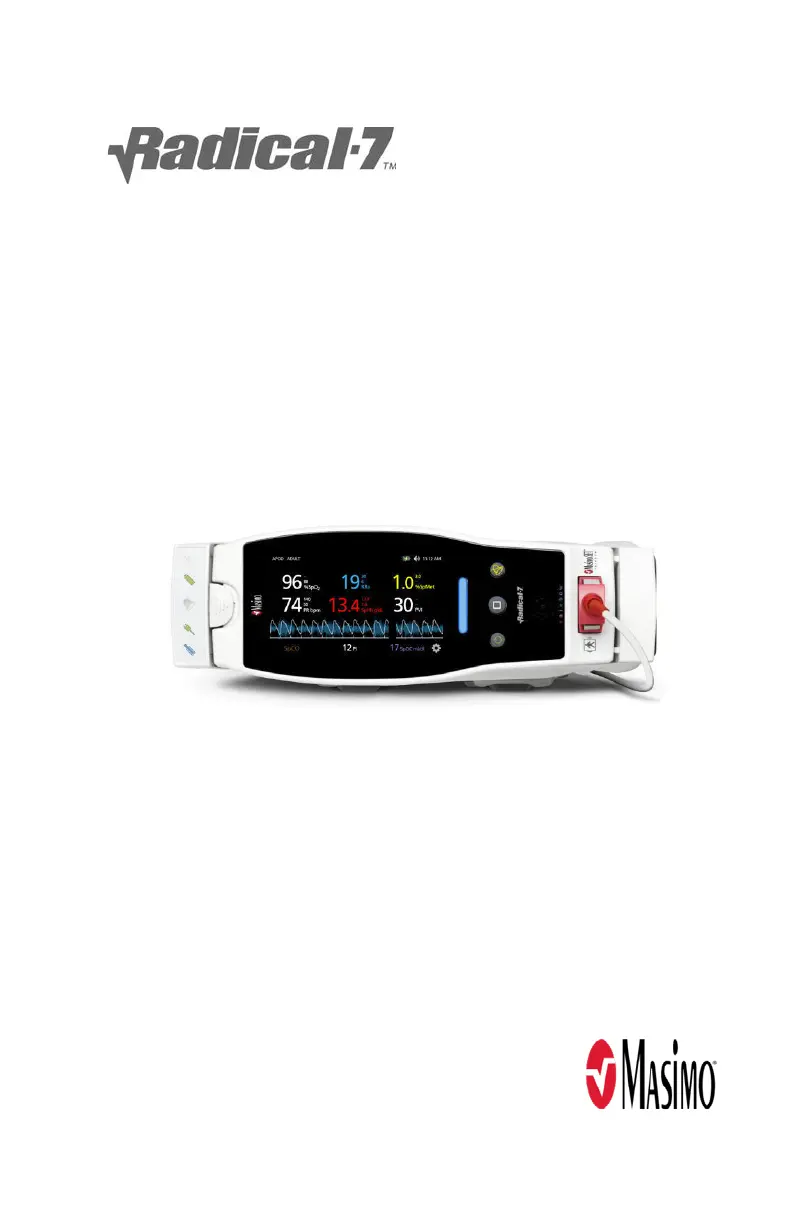
Radical-7
Operator's Manual

Table of Contents

Questions and Answers

  • K
    Karen RobertsAug 20, 2025
    What to do if Masimo Radical-7 Medical Equipment displays a low SIQ message?
    • D
      danielleritterAug 20, 2025
      If your Masimo device shows a low SIQ (signal quality) message, there are several things you can check. First, verify the sensor type and size, and then re-apply the sensor. Check if blood flow to the sensor site is restricted. Minimize or eliminate motion at the monitoring site. Set to Maximum Sensitivity.
  • O
    obondAug 22, 2025
    What to do if Masimo Radical-7 Medical Equipment battery does not charge?
    • S
      Steven HarrisonAug 22, 2025
      If your Masimo device battery isn't charging, make sure the AC power cable is connected to the docking station. If the cable is connected, the battery may be damaged and need replacing.
  • A
    Anthony OconnorAug 25, 2025
    Why is the battery run time significantly reduced on my Masimo Medical Equipment?
    • N
      Nicole LeeAug 25, 2025
      If your Masimo device's battery run time is significantly reduced, check the battery charge level indicator. The battery may be damaged and need replacing.
  • D
    David CharlesAug 26, 2025
    What to do if touchscreen buttons do not respond on Masimo Medical Equipment?
    • J
      Jeffrey CurryAug 26, 2025
      If the touchscreen or buttons on your Masimo device aren't responding, check that the device AC power is properly grounded, as EMI (Electro Magnetic Interference) can cause this issue.
  • J
    Jose MunozAug 27, 2025
    What to do if parameter values do not correlate with clinical assessment on Masimo Radical-7?
    • V
      vbellAug 28, 2025
      If the parameter values on your Masimo device do not correlate with clinical assessment, check the sensor placement or if it is too tight. Reapply the sensor or select a new site. Set to MAX sensitivity and confirm that the sensor is securely placed on the patient.
  • K
    Kayla CombsAug 29, 2025
    Why is it difficult to obtain a reading on my Masimo Medical Equipment?
    • B
      Brandon JohnsonAug 29, 2025
      Several factors can make it difficult to get a reading with your Masimo device. It could be due to an inappropriate sensor or sensor size. Verify the sensor type and size and re-apply the sensor. Low perfusion could be the issue, so check if blood flow to the sensor site is restricted. Excessive motion artifact can interfere; minimize or eliminate motion at the monitoring site. Shield the sensor from excessive or strobing light. If the battery is low, insert the handheld into the docking station and verify that the docking station AC power cord is plugged in and the docking station power indicator light is illuminated. Also, verify and set the 50 or 60Hz menu setting if there is interference from line frequency-induced noise.
  • W
    weberkyleAug 31, 2025
    How to fix a Masimo Medical Equipment that does not turn on?
    • S
      Sabrina GallegosAug 31, 2025
      If your Masimo device isn't turning on, the battery may be depleted, so charge it. Also, check and replace the fuses.
  • A
    Andres GarciaSep 2, 2025
    Why is the screen blank on my Masimo Medical Equipment?
    • Y
      ysantanaSep 2, 2025
      If your Masimo device screen is blank, ensure the device is turned on. Adjust the brightness setting. Also, the battery may be depleted, so charge it.
  • J
    James CraigSep 4, 2025
    Why are parameter readings displayed as dashes on my Masimo Radical-7?
    • M
      Michael RamosSep 4, 2025
      Parameter readings might display as dashes on your Masimo device if the parameter hasn't stabilized yet, so allow time for it to stabilize. Verify that the device and sensor are configured with the parameter. Also, verify the sensor type and size, and then re-apply the sensor.
  • K
    kellymahoneySep 6, 2025
    What to do if Masimo Medical Equipment does not detect the sensor?
    • I
      Ian MendozaSep 6, 2025
      If your Masimo device isn't detecting the sensor, remove and reconnect the sensor. Reapply the sensor to the patient. Replace the sensor if it is damaged or expired.

Summary

Warnings and Cautions

Safety Warnings and Cautions

Covers critical safety guidelines, potential hazards, and necessary precautions for users.

Performance Warnings and Cautions

Details important warnings and cautions related to the device's operational performance and accuracy.

Cleaning and Service Warnings and Cautions

Provides warnings and cautions for proper cleaning, maintenance, and servicing procedures.

Chapter 4: Operation

Main Menu and Parameter Configuration

Covers accessing the Main Menu and configuring various parameter settings.

Chapter 6: Alarms and Messages

About Alarms and Alarm Prioritization

Explains how the Radical-7 indicates alarm conditions and the three priority levels.

Silencing the Alarms

Details how to silence audible alarms and the function of the Alarm Silence button.

Adaptive Threshold alarm (ATA) Feature

Describes the ATA feature for continuous SpO2 surveillance and reduced alarm frequency.

3 D Alarms Overview

Introduces 3D Alarms, including Desat Index and PI Delta Alarms.

Desat Index Alarm Overview

Explains the user-selectable 3D Desat Index Alarm for detecting multiple desaturations.

Perfusion Index (PI) Delta Alarm Overview

Details the PI Delta Alarm for alerting to significant decreases in perfusion over time.

Chapter 7: Troubleshooting

Troubleshooting Measurements

Provides guidance on troubleshooting issues related to signal quality and measurement accuracy.

Low Perfusion and Low Signal Quality Issues

Addresses issues related to low perfusion levels and poor signal quality impacting measurements.

Unexpected Readings and Difficulty Obtaining Readings

Covers troubleshooting for unexpected parameter readings and issues preventing readings.

Troubleshooting Device Issues

Addresses problems like the device not turning on, blank screen, and continuous speaker tone.

Chapter 9: Service and Maintenance

Masimo Radical-7 Specifications

General IconGeneral
TypePulse CO-Oximeter
DisplayColor touchscreen
SpO2 Range0-100%
Pulse Rate Range25-240 bpm
Perfusion Index Range0.02-20%
Pleth Variability Index Range0-100%
Humidity10% to 95% non-condensing
AltitudeUp to 10, 000 feet
ParametersSpO2, Pulse Rate, Perfusion Index, Pleth Variability Index
Battery TypeLithium-ion
ConnectivityEthernet
Operating Temperature5°C to 40°C (41°F to 104°F)
Storage Temperature-20°C to 60°C (-4°F to 140°F)

Related product manuals