EasyManua.ls Logo

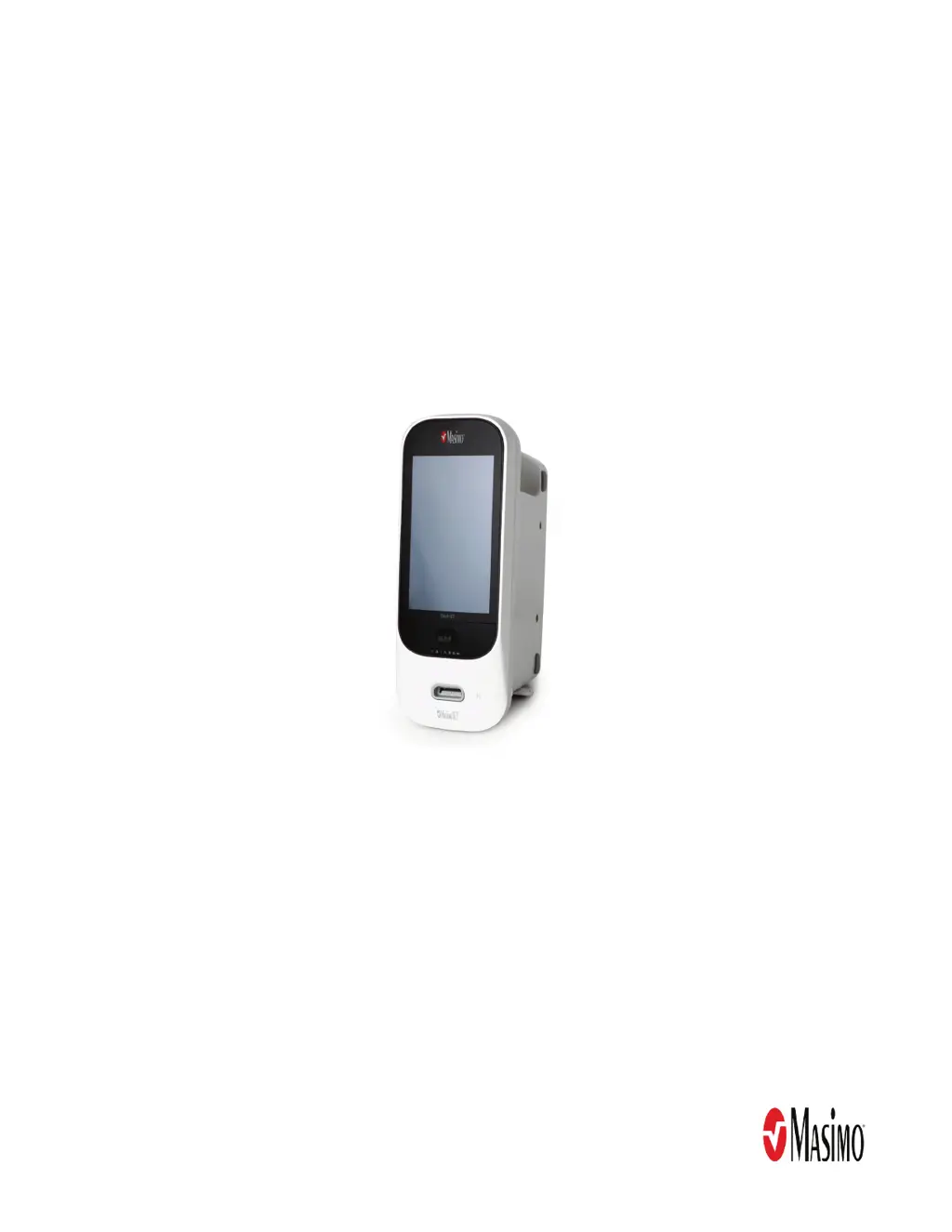
Masimo Rad-97 - Service Manual

Masimo Rad-97
76 pages
Print Icon
To Next Page IconTo Next Page
Loading...
Service Manual
Rad-97
®
Pulse CO-Oximeter
®

Other manuals for Masimo Rad-97

Questions and Answers

  • R
    Robert WrightSep 6, 2025
    What to do if Nurse Call does not work on Masimo Rad-97 Medical Equipment?
    • J
      Jason CooperSep 6, 2025
      If the Nurse Call feature isn't working on your Masimo device, check that the Nurse call connector is fully connected to the device. Also, verify the Nurse call port configuration and check Nurse call system availability. In case of internal failure, contact Masimo service.
  • K
    Kayla SmithAug 22, 2025
    What to do if Masimo Rad-97 parameter readings are displayed as dashes?
    • C
      Christina SosaAug 22, 2025
      If you observe parameter readings displayed as dashes on your Masimo device, allow time for the parameter reading to stabilize. Also, verify the sensor type and size, and re-apply the sensor. Check if blood flow to the sensor site is restricted. Ensure correct sensor placement or move it to a different site, and consider replacing the sensor. Finally, verify the device and sensor are configured with the parameter.
  • B
    Barbara BlankenshipSep 4, 2025
    What to do if Masimo Medical Equipment shows dimly lit parameters?
    • K
      Kathleen CurrySep 4, 2025
      If the parameters are dimly lit on your Masimo device, assess the patient. Verify the sensor type and size and re-apply the sensor. Check if blood flow to the sensor site is restricted and ensure correct sensor placement, possibly moving it to a different site. Replace the sensor if necessary. Minimize or eliminate motion at the monitoring site and set to MAX Sensitivity.
  • O
    ovalenciaSep 2, 2025
    Why is the speaker not working on my Masimo Rad-97 Medical Equipment?
    • J
      Joseph EvansSep 2, 2025
      If the speaker on your Masimo device isn't working, the device audible settings may be incorrect, so turn the device off and on. Check that Alarms and Sounds haven't been silenced and verify the Alarms and Sounds volumes settings. Ensure the device is not in All Mute and that the speaker isn't being muffled. In case of internal failure, contact Masimo service.
  • C
    Christopher SheppardAug 31, 2025
    What does 'low SIQ' mean on Masimo Medical Equipment?
    • S
      Steven FisherSep 1, 2025
      If your Masimo device displays a 'Low SIQ' message, it indicates low signal quality. Verify the sensor type and size, then re-apply the sensor. Check for restricted blood flow to the sensor site, and ensure proper sensor placement, possibly moving it to a different site. You might need to replace the sensor. Minimize motion at the monitoring site, and set the device to Maximum Sensitivity.
  • J
    Jennifer TranAug 30, 2025
    What to do if Masimo Medical Equipment device screen is blank?
    • K
      Kevin MurilloAug 30, 2025
      If the screen on your Masimo device is blank, first ensure the device is turned on. If it is on, adjust the brightness setting. Also, check the AC power connection in case the battery is depleted. In case of internal failure, contact Masimo service.
  • S
    Samantha MontgomeryAug 29, 2025
    Why is my Masimo Rad-97 Medical Equipment device not turning on?
    • A
      Antonio LeeAug 29, 2025
      If your Masimo device isn't turning on, it might be due to a depleted battery. Try checking the AC power connection. In case of internal failure, contact Masimo Service.
  • J
    Jennifer CollinsAug 27, 2025
    What to do if touch functionality is not responsive on Masimo Medical Equipment Rad-97?
    • G
      George VanceAug 27, 2025
      If the touch functionality on your Masimo Medical Equipment Rad-97 is not responsive, the Rad-97 requires service.
  • D
    Debra JohnsonAug 26, 2025
    How to fix dim screen on Masimo Medical Equipment Rad-97?
    • S
      Stephen NortonAug 26, 2025
      If the Masimo Medical Equipment Rad-97's main screen is dim or blank, try adjusting the brightness setting. If the condition persists, Rad-97 requires service.
  • C
    Craig KirkAug 25, 2025
    What to do if Masimo Medical Equipment battery run time is significantly reduced?
    • J
      Joseph HansonAug 25, 2025
      If your Masimo device's battery run time is significantly reduced, check the battery charge level indicator. Ensure the battery is fully charged. If the issue persists, the battery capacity may be affected, so contact Masimo service.

Summary

About This Manual

Safety Information, Warnings and Cautions

Essential safety guidelines, warnings, and cautions for servicing the Rad-97.

Chapter 1: Maintenance Procedures

Chapter 3: Service Procedures

Rad-97 Disassembly and Reassembly

Procedures for disassembling and reassembling the Rad-97 device.

Rad-97 Battery Replacement

Instructions for removing and installing the battery in Rad-97 devices.

Chapter 4: Electrical Safety Testing

Electrical Safety Testing

General description of electrical safety testing methodologies for the Rad-97.

Chapter 5: Performance Verification Procedures

Battery Test

Procedures for verifying battery function and charging on the Rad-97.

Noninvasive Blood Pressure Module Tests

Tests for the Noninvasive Blood Pressure (NIBP) module accuracy and function.

Chapter 6: Troubleshooting and Repair

Troubleshooting

Table of symptoms, possible causes, and corrections for Rad-97 issues.

Chapter 7: Warranty and Service Information

Masimo Rad-97 Specifications

General IconGeneral
Display Size7 inches
SpO2 Accuracy±2% (70-100%)
Pulse Rate Accuracy±3 bpm
Perfusion Index Range0.02% to 20%
Pleth Variability Index Range0% to 100%
SpO2 Range0% to 100%
SpHb Range0 to 25 g/dL
SpCO Range0% to 40%
Battery TypeRechargeable lithium-ion
Operating Temperature5°C to 40°C (41°F to 104°F)
Storage Temperature-20°C to 60°C (-4°F to 140°F)
Humidity Range10% to 95% non-condensing
DisplayColor touchscreen
ConnectivityWi-Fi, Ethernet, Bluetooth
Power Supply100–240 VAC, 50–60 Hz
Battery LifeApproximately 4 hours
MeasurementsSpO2, Pulse Rate, Perfusion Index, Pleth Variability Index, SpHb, SpOC, SpMet, SpCO
Pulse Rate Range25 to 240 bpm
HbCO Range0-99%
MetHb Range0-99%
SpMet Range0-99%
Data StorageInternal memory
AlarmsAudible and visual alarms for all parameters

Related product manuals