Rad-97 Service Manual Chapter 3: Service Procedures
Masimo Corporation 19 www.masimo.com
CAUTION: DO NOT exceed 28 oz-in (1.75 in-lbs) of torque to the case screws or the Rad-97 case may be damaged.
8. Press the foot pads into the case.
9. This completes the Rad-97 service procedure. Perform electrical safety testing and verify proper operation of Rad-97. See Chapter 4: Electrical Safety Testing
on page 49 and Chapter 5: Performance Verification Procedures on page 53.
Rad-97 Battery Replacement
The following procedure provides instructions for removing the existing battery and installing a replacement battery in Rad-97 devices.
Contact Global Services with questions regarding the Rad-97 battery replacement kit and/or the required tools part numbers. Contact information can be found at
http://service.masimo.com.
Supplied Parts List
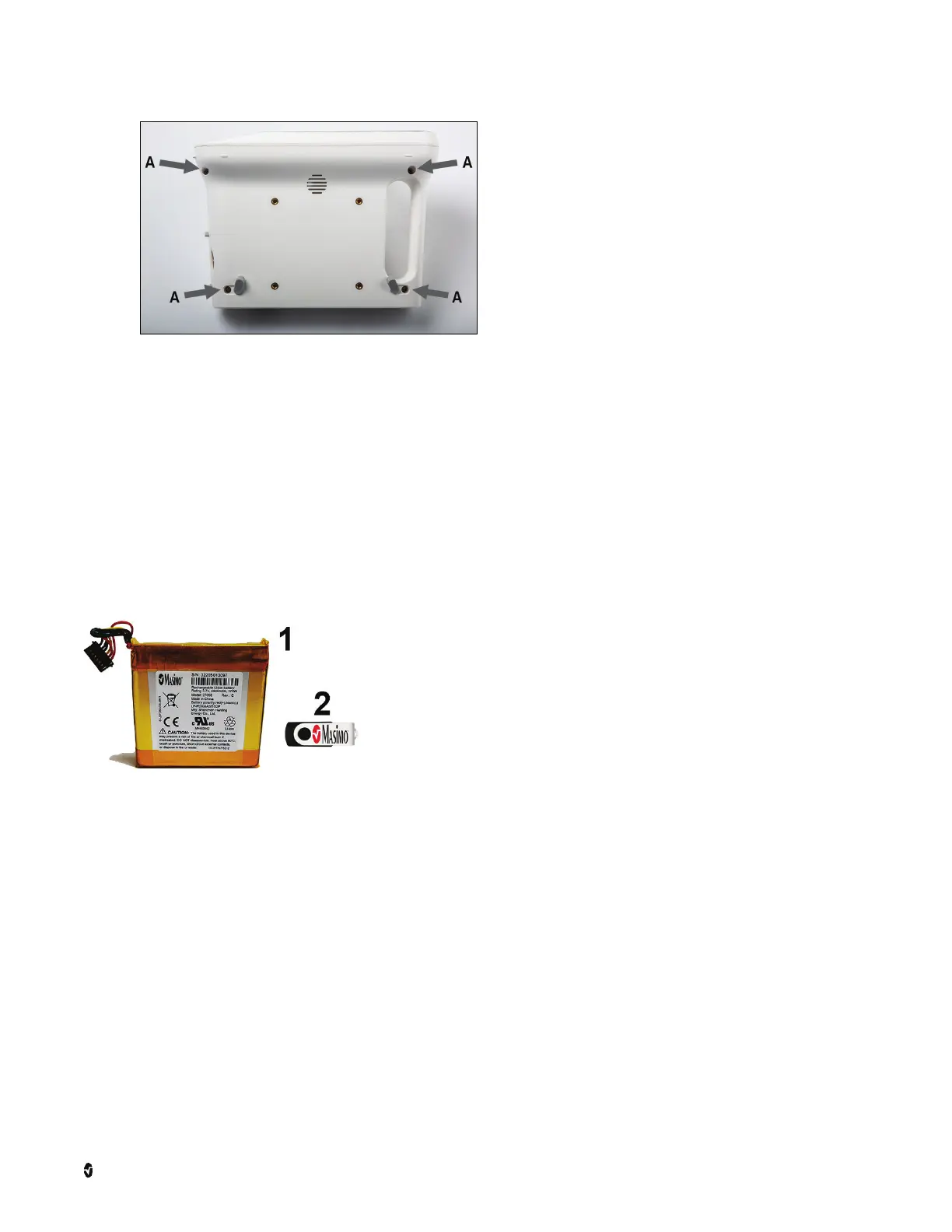
The following parts are supplied in the Rad-97 Battery Replacement Kit:
1 Battery
2 Battery Update USB Drive
Required Tools
The following tools are required when servicing the battery on Rad-97:
• Needle-nose pliers
• 3/32” Allen wrench (key)
• ESD conductive wrist strap
• ESD surface
• Small, flat-tipped screwdriver



 To Next Page