Why print function does not work on Masimo Medical Equipment?
- VvwilliamsSep 12, 2025
If the print function is not working on your Masimo Medical Equipment, it may be due to using the wrong serial cable. Make sure a null modem cable is used.
Why print function does not work on Masimo Medical Equipment?
If the print function is not working on your Masimo Medical Equipment, it may be due to using the wrong serial cable. Make sure a null modem cable is used.
What does 'Low RI' mean on Masimo Rad-87 Medical Equipment?
A 'Low RI' on your Masimo Medical Equipment indicates that the sensor may be improperly applied, or the patient may have shallow breathing. Assess the patient.
What to do if Masimo Rad-87 Medical Equipment has no speaker tone?
If your Masimo Medical Equipment has no speaker tone, the pulse tone may be set to “mute.” Press the Up arrow or adjust the Alarm Volume.
What to do if Masimo Rad-87 Medical Equipment doesn't power on?
If your Masimo Medical Equipment isn't turning on, ensure it's properly connected to a power source. Connect the AC power cord to the device and an AC outlet, and check that the AC power indicator light is on. The cause may be a low battery or that it is not plugged into AC power supply.
What causes 'Low SIQa and flashing RRa parameter' on Masimo Rad-87?
The 'Low SIQa and flashing RRa parameter' message on your Masimo Medical Equipment indicates low confidence in the RRa value, which may occur during patient activity such as talking. To resolve this, check for proper sensor placement, reduce patient activity, and minimize excessive ambient or environmental noise.
What to do if Masimo Medical Equipment has difficulty or no SpO, SpCO/ SpMmet/SpHb reading?
If your Masimo Medical Equipment is having difficulty obtaining or shows no SpO2, SpCO, SpMet, or SpHb readings, ensure the device is properly powered by connecting the AC power cord to the device and an AC outlet, verifying the AC power indicator light is on. Minimize motion at the monitoring site. Verify the 50/60Hz menu setting. Use the correct sensor and size for the patient. Shield the sensor from excessive or strobing light. The causes can be low battery, excessive motion, interference from line-frequency induced noise, inappropriate sensor or sensor size or excessive ambient or strobing light.
What causes continuous speaker tone on Masimo Rad-87 Medical Equipment?
A continuous speaker tone on the Masimo Medical Equipment usually indicates an internal failure. The instrument requires service. Press the Alarm Silence button. If the alarm continues, power down the device. If the power button does not turn the instrument off, press and hold the power button for 5 seconds. Return the instrument for service.
What causes 'Low SIQ' message on Masimo Rad-87?
A 'Low SIQ' message on your Masimo Medical Equipment can be caused by improper sensor type or application, excessive motion relative to perfusion, or a damaged/non-functioning sensor or cable. Check if blood flow to the site is restricted and ensure proper sensor placement. Try reapplying the sensor or moving it to a different site. If the issue persists, replace the sensor or cable.
Why is Masimo Rad-87 showing unexpected SpO, SpCO, SpMet, or SpHb readings?
If your Masimo Medical Equipment is showing unexpected SpO2, SpCO, SpMet, or SpHb readings, it could be due to low SIQ or Perfusion Index (PI) values. Try repositioning the sensor to a site with stronger SIQ and PI. You can also submit a blood sample for a laboratory CO-Oximetry test for comparison. The issue could also be an inappropriate sensor size or sensor measurement location. Verify you are using the proper sensor for the patient size and that the sensor site is correct.
How to troubleshoot wireless radio connection issues on Masimo Rad-87 Medical Equipment?
To troubleshoot wireless connection problems on your Masimo Medical Equipment: * First, confirm that the wireless radio is turned on. * Next, check the wireless network settings to ensure they are configured correctly. * Finally, verify that there is adequate wireless coverage in the area.
Introduces the manual's content, structure, and safety information.
Explains the meaning of important safety labels used throughout the manual.
Details the Rad-87 Pulse CO-Oximeter, its features, and optional capabilities.
Specifies the intended use and patient populations for the device.
Explains the underlying technology of pulse CO-Oximetry and signal processing.
Briefly describes the Rad-87 as a feature-rich, easy-to-use monitoring device.
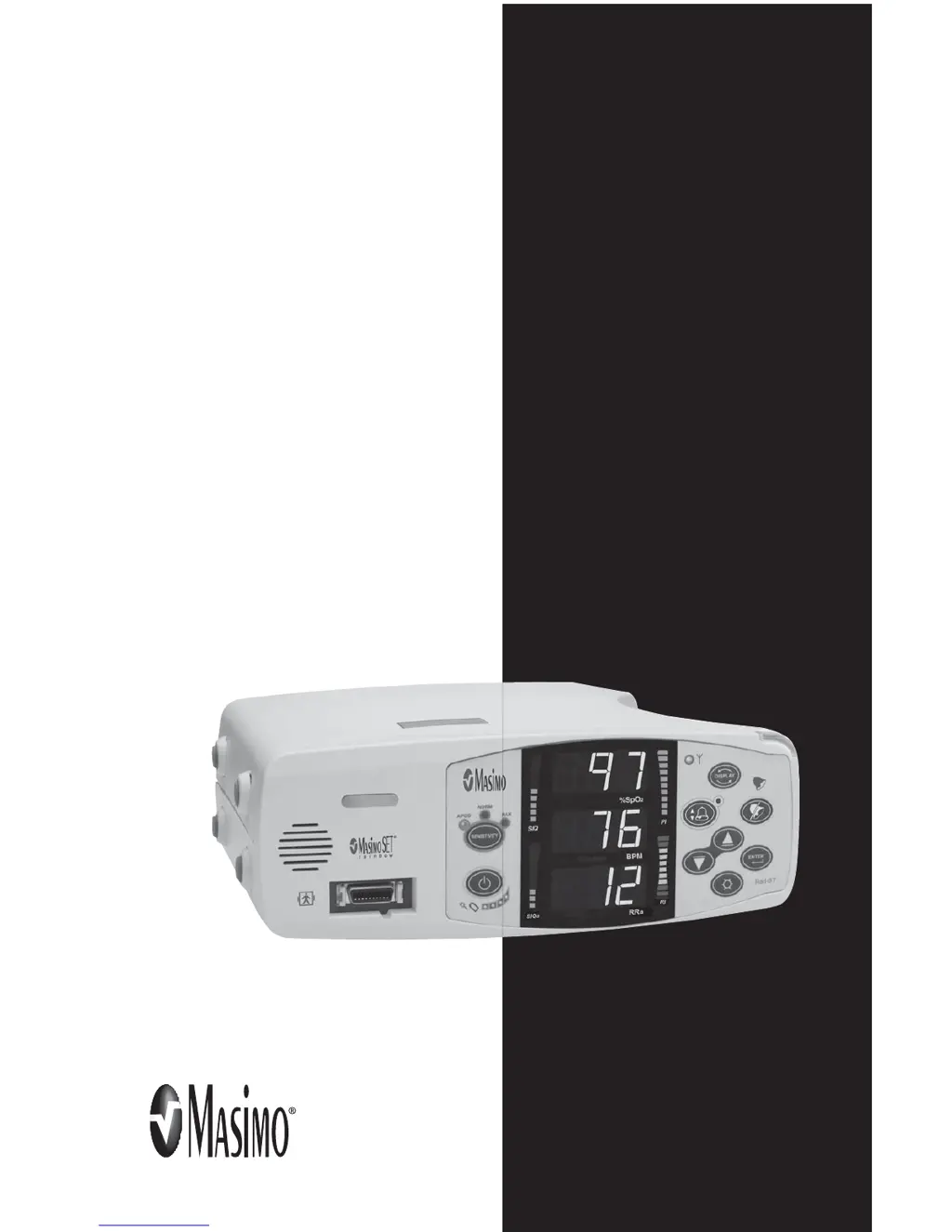
Details the controls, indicators, and display for both device orientations.
Identifies the ports and receptacles on the back of the Rad-87 unit.
Explains the meaning of various symbols found on the device or its packaging.
Outlines the initial steps for preparing the device for clinical use.
Covers essential steps for charging the battery and placing the device.
Details connecting the Rad-87 to external systems like VueLink or RadNet.
Guides the user through initial setup, sensor application, and monitoring.
Explains how to navigate and view different measurement displays on the device.
Describes how to access and use the device's configuration menus.
Explains the different SpO2 sensitivity settings for optimal monitoring.
Categorizes the various alarms the Rad-87 can generate based on type.
Outlines the hierarchy of alarms and how the device responds to them.
Lists common messages, their possible causes, and recommendations.
Provides a guide for diagnosing and resolving common operational problems.
Details measurement ranges, accuracy, and resolution for all parameters.
Covers power requirements, battery life, operating conditions, and physical characteristics.
Describes display types, output interfaces, and compliance standards.
Guides on choosing and properly applying Masimo sensors for optimal performance.
Provides detailed accuracy specifications for various sensor types and conditions.
Instructions for cleaning and reusing Masimo reusable sensors and cables.
Provides instructions for cleaning the device and basic care.
Outlines tests to ensure proper device functionality after repair or during maintenance.
Details information on obtaining service and the process for returning the unit.
Lists part numbers for different language versions of the operator's manual.
Introduces the manual's content, structure, and safety information.
Explains the meaning of important safety labels used throughout the manual.
Details the Rad-87 Pulse CO-Oximeter, its features, and optional capabilities.
Specifies the intended use and patient populations for the device.
Explains the underlying technology of pulse CO-Oximetry and signal processing.
Briefly describes the Rad-87 as a feature-rich, easy-to-use monitoring device.
Details the controls, indicators, and display for both device orientations.
Identifies the ports and receptacles on the back of the Rad-87 unit.
Explains the meaning of various symbols found on the device or its packaging.
Outlines the initial steps for preparing the device for clinical use.
Covers essential steps for charging the battery and placing the device.
Details connecting the Rad-87 to external systems like VueLink or RadNet.
Guides the user through initial setup, sensor application, and monitoring.
Explains how to navigate and view different measurement displays on the device.
Describes how to access and use the device's configuration menus.
Explains the different SpO2 sensitivity settings for optimal monitoring.
Categorizes the various alarms the Rad-87 can generate based on type.
Outlines the hierarchy of alarms and how the device responds to them.
Lists common messages, their possible causes, and recommendations.
Provides a guide for diagnosing and resolving common operational problems.
Details measurement ranges, accuracy, and resolution for all parameters.
Covers power requirements, battery life, operating conditions, and physical characteristics.
Describes display types, output interfaces, and compliance standards.
Guides on choosing and properly applying Masimo sensors for optimal performance.
Provides detailed accuracy specifications for various sensor types and conditions.
Instructions for cleaning and reusing Masimo reusable sensors and cables.
Provides instructions for cleaning the device and basic care.
Outlines tests to ensure proper device functionality after repair or during maintenance.
Details information on obtaining service and the process for returning the unit.
Lists part numbers for different language versions of the operator's manual.
| Type | Pulse Oximeter |
|---|---|
| Display Type | Color LCD |
| SpO2 Range | 0% to 100% |
| Battery Type | Rechargeable Lithium-ion |
| Storage Temperature | -20°C to 60°C (-4°F to 140°F) |
| Humidity | 10% to 95% non-condensing |
| Display Parameters | SpO2, Pulse Rate |
| SpO2 Accuracy | ±2% (70% to 100%) |
| Pulse Rate Range | 25 to 250 bpm |
| Pulse Rate Accuracy | ±2 bpm or ±2%, whichever is greater |
| Measurement Parameters | SpO2, Pulse Rate, Perfusion Index |
| Alarm Type | Audible and Visual |
| Connectivity | USB |
| Data Output | Trend data |
| Power Source | AC adapter or rechargeable battery |