EasyManua.ls Logo

Masimo Rad-87 - User Manual

Masimo Rad-87
114 pages
Print Icon
To Next Page IconTo Next Page
Loading...
OPERATOR’S MANUAL
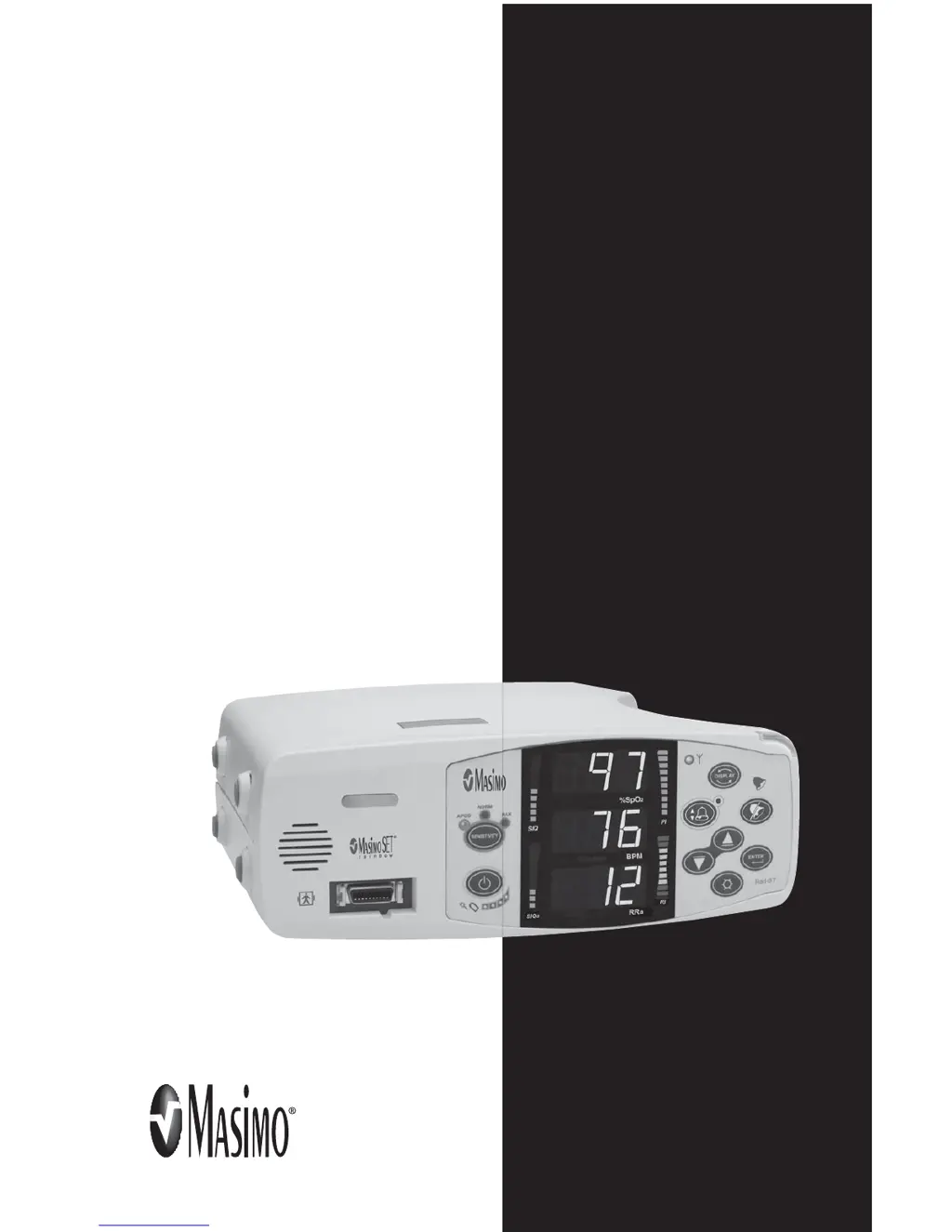
Rad-87
Pulse CO-Oximeter

Table of Contents

Questions and Answers

  • C
    Carolyn WilsonAug 29, 2025
    Why Masimo Medical Equipment is not reading SpO values correctly?
    • R
      Rodney LawrenceAug 29, 2025
      If the SpO values from your Masimo Medical Equipment do not correlate with clinical assessments or ABGs, it could be due to low perfusion or sensor displacement. Check for any error messages. Also, check the sensor placement and ensure it's not too tight. You may need to reapply the sensor or select a new site. Setting the device to MAX sensitivity can also help, and always confirm the sensor is securely attached to the patient. Refer to the sensor's Directions For Use.
  • C
    Cameron BrayAug 28, 2025
    What to do if Masimo Rad-87 shows no sensor message?
    • B
      Brittany MarshallAug 28, 2025
      If your Masimo Medical Equipment displays a 'No Sensor' message, the sensor might be disconnected from the patient cable or connected upside down. First, check if the sensor LED is flashing. Disconnect and reconnect the sensor. If the LED still doesn't operate, you may need to replace the sensor.
  • G
    gholderAug 27, 2025
    What causes low perfusion (PI Bar Turns Red) on Masimo Rad-87, and how to fix it?
    • J
      Jane WilliamsAug 27, 2025
      If the Perfusion Index (PI) bar turns red on your Masimo Medical Equipment, it could be due to several reasons: using the wrong sensor type, a poorly perfused site, a sensor that's too tight, certain disorders (like hypothermia or anemia), or a damaged sensor. To address this, verify you're using the correct sensor and size for the patient. Check for restricted blood flow to the site and ensure the sensor isn't too tight. You can also try setting the unit to MAX sensitivity, warming the patient or sensor site, or moving the sensor to a better-perfused site.
  • S
    Shane CarneyAug 26, 2025
    What to do when Masimo Rad-87 Medical Equipment shows 'Pulse Search' message?
    • M
      Michele RossAug 27, 2025
      If your Masimo Medical Equipment displays a 'Pulse Search' message, it means the instrument is searching for a pulse. If the device doesn't find a pulse within 30 seconds, disconnect and reconnect the sensor to the patient. If the search continues, try moving the sensor to a better-perfused site.
  • J
    John ClarkAug 25, 2025
    Why is Masimo Medical Equipment's battery run-time significantly reduced?
    • L
      Larry JohnsonAug 26, 2025
      If the battery run-time of your Masimo Medical Equipment is significantly reduced, the battery may be low. Contact Technical Services or your local Masimo representative.
  • M
    Matthew HernandezAug 25, 2025
    What to do if Masimo Rad-87 buttons fail to work when pressed?
    • B
      Brandon FlemingAug 25, 2025
      If the buttons on your Masimo Medical Equipment are not responding, this could indicate an internal failure. Use the auxiliary power down method by pressing and holding the Sensitivity and Display buttons simultaneously. The equipment should be returned for service.

Summary

Overview of Rad-87 Pulse CO-Oximeter

About This Manual

Introduces the manual's content, structure, and safety information.

Warnings, Cautions, and Notes

Explains the meaning of important safety labels used throughout the manual.

Product Description and Features

Details the Rad-87 Pulse CO-Oximeter, its features, and optional capabilities.

Indications for Use

Specifies the intended use and patient populations for the device.

Principle of Operation

Explains the underlying technology of pulse CO-Oximetry and signal processing.

System Description of Rad-87

Introduction to System Description

Briefly describes the Rad-87 as a feature-rich, easy-to-use monitoring device.

Rad-87 Horizontal and Vertical Models

Details the controls, indicators, and display for both device orientations.

Rad-87 Rear Panel Connectors

Identifies the ports and receptacles on the back of the Rad-87 unit.

Symbols and Definitions

Explains the meaning of various symbols found on the device or its packaging.

Setup Procedures for Rad-87

Rad-87 Setup Introduction

Outlines the initial steps for preparing the device for clinical use.

Initial Battery Charging and Installation

Covers essential steps for charging the battery and placing the device.

System Interface Setup

Details connecting the Rad-87 to external systems like VueLink or RadNet.

Operation of the Rad-87

Basic Operation and General Use

Guides the user through initial setup, sensor application, and monitoring.

Display Screens and Parameter Selection

Explains how to navigate and view different measurement displays on the device.

Setup Menu Navigation

Describes how to access and use the device's configuration menus.

SpO2 Sensitivity Modes

Explains the different SpO2 sensitivity settings for optimal monitoring.

Alarms and Messages

Alarm Identification and Categories

Categorizes the various alarms the Rad-87 can generate based on type.

Alarm Priorities and Behavior

Outlines the hierarchy of alarms and how the device responds to them.

Message Display and Troubleshooting

Lists common messages, their possible causes, and recommendations.

Troubleshooting Common Issues

Problem Diagnosis and Solutions

Provides a guide for diagnosing and resolving common operational problems.

Rad-87 Specifications and Technical Details

Performance Specifications

Details measurement ranges, accuracy, and resolution for all parameters.

Electrical and Environmental Specifications

Covers power requirements, battery life, operating conditions, and physical characteristics.

Display and Interface Specifications

Describes display types, output interfaces, and compliance standards.

Sensors and Patient Cables

Sensor Selection and Application

Guides on choosing and properly applying Masimo sensors for optimal performance.

Sensor Accuracy Tables

Provides detailed accuracy specifications for various sensor types and conditions.

Cleaning and Reuse of Sensors

Instructions for cleaning and reusing Masimo reusable sensors and cables.

Service and Maintenance Information

Cleaning and General Maintenance Procedures

Provides instructions for cleaning the device and basic care.

Performance Verification Tests

Outlines tests to ensure proper device functionality after repair or during maintenance.

Repair Policy and Return Procedure

Details information on obtaining service and the process for returning the unit.

Part Numbers for Manuals

Rad-87 Operators Manual Part Numbers

Lists part numbers for different language versions of the operator's manual.

Masimo Rad-87 Specifications

General IconGeneral
TypePulse Oximeter
Display TypeColor LCD
SpO2 Range0% to 100%
Battery TypeRechargeable Lithium-ion
Storage Temperature-20°C to 60°C (-4°F to 140°F)
Humidity10% to 95% non-condensing
Display ParametersSpO2, Pulse Rate
SpO2 Accuracy±2% (70% to 100%)
Pulse Rate Range25 to 250 bpm
Pulse Rate Accuracy±2 bpm or ±2%, whichever is greater
Measurement ParametersSpO2, Pulse Rate, Perfusion Index
Alarm TypeAudible and Visual
ConnectivityUSB
Data OutputTrend data
Power SourceAC adapter or rechargeable battery

Related product manuals