4.2.1 Tools
In the Tools menu, User can manage different operations in the Printer like the following
•
Printer cleaning, Refer to Chapter 6.2 (Standard Cleaning)
•
Advanced printer cleaning, Refer to Chapter 6.3 (Card patch advanced Cleaning)
•
Activate Duplex printing, Refer to Chapter 7.3 (Duplex activation)
•
Update printer firmware
•
Update Printer LCD firmware
•
Perform PC/SC encoder check
•
Update Printer FONT firmware
•
Printhead replacement, Refer to Chapter 6.7 (Printhead replacement procedure)
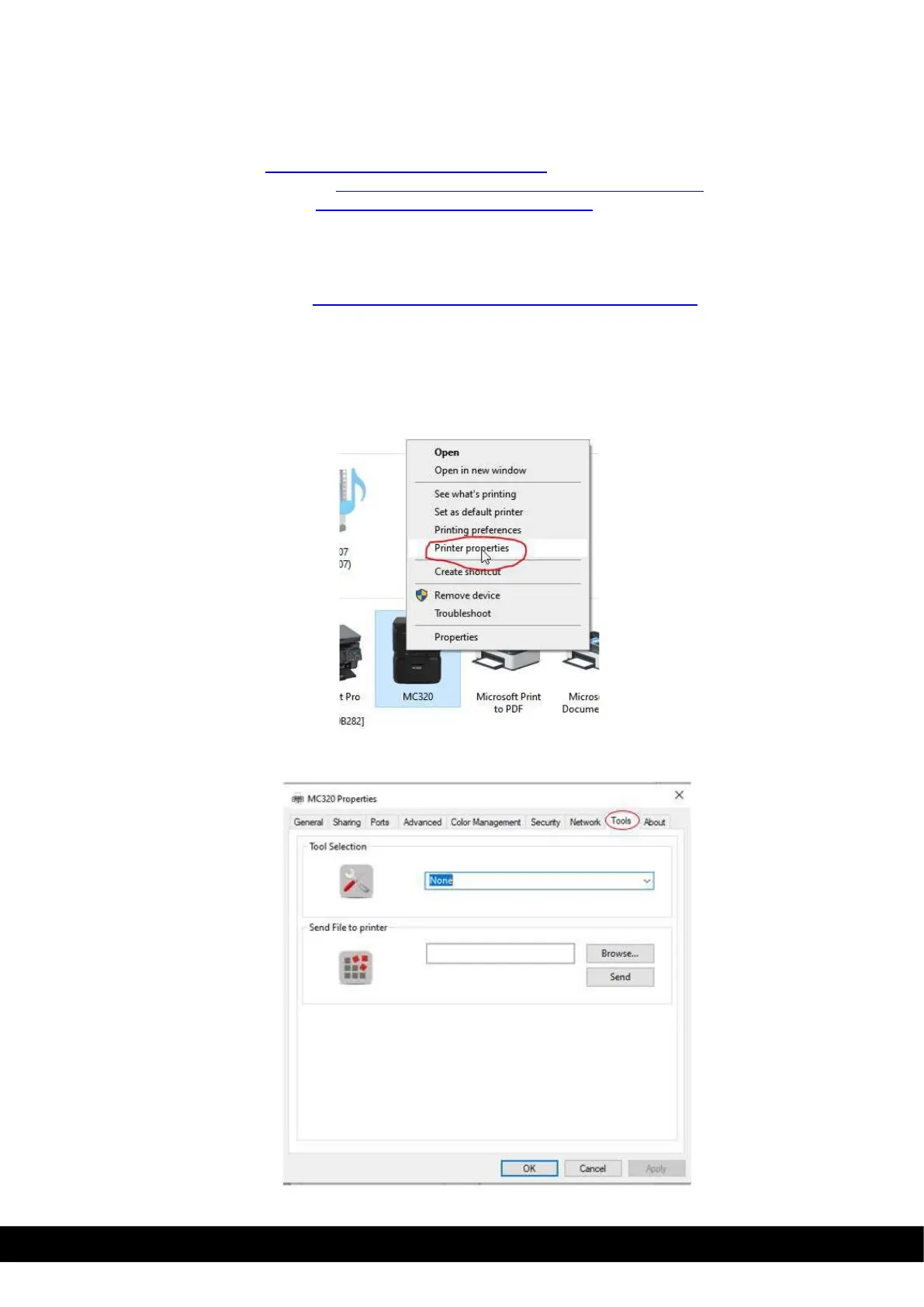
The user can access the tool menu in MC320 printer properties.
1)
Ensure that printer is connected to PC/Laptop through USB.
2)
In the PC/Laptop go to devices & printers and right click using mouse on MC320 printer icon
installed in the PC/Laptop. Select printer properties from drop down menu.
3)
Click on Tool tab in MC320 printer properties,



 To Next Page