5.2 Color Settings
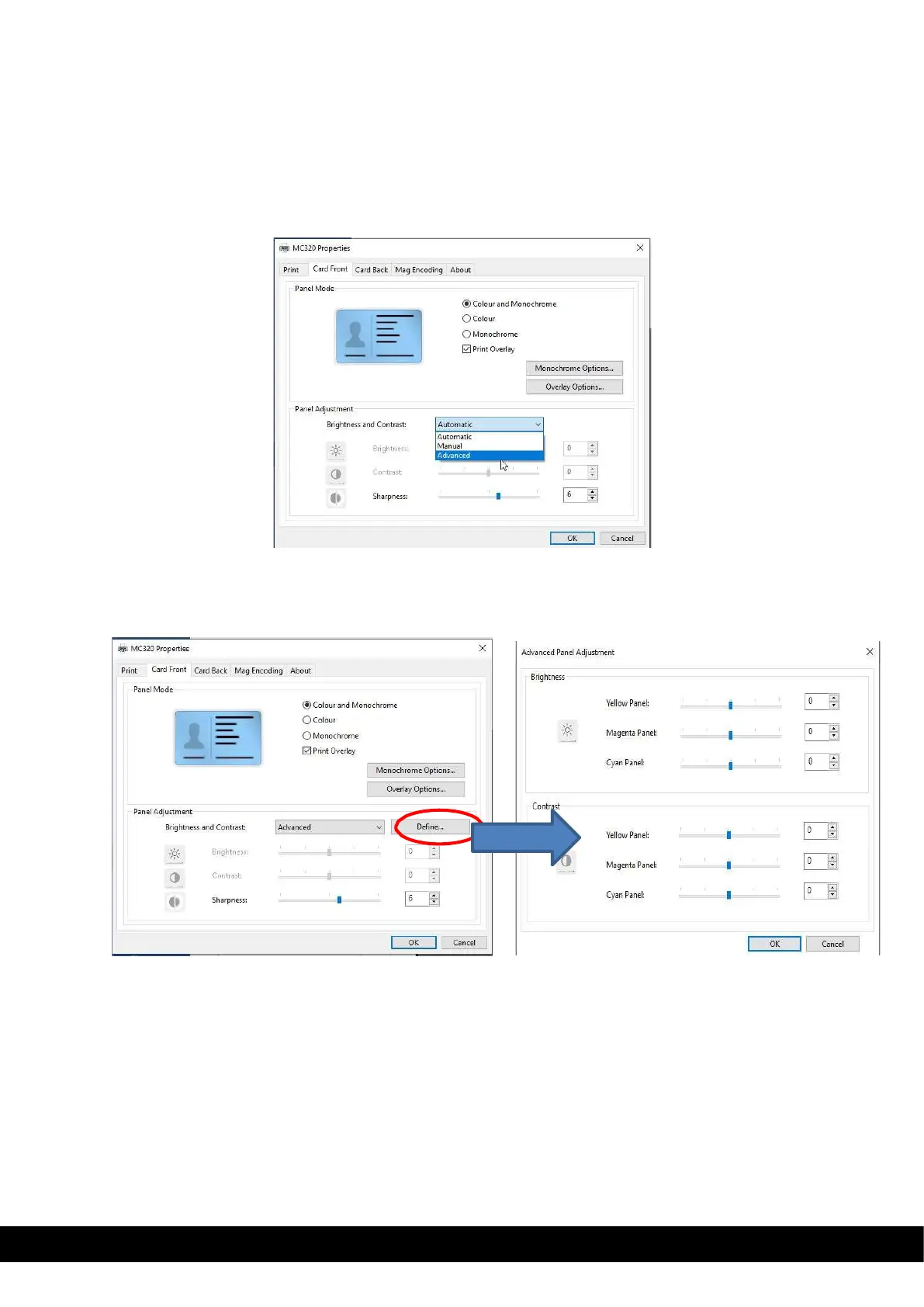
By default, the Brightness and Contrast setting in printer properties shown as Automatic.
To customize color printing, Click Printer Properties → select tab Card front/card back → panel adjustment
→ in Brightness and contrast select manual or advanced from drop down menu
If User select Manual option→ adjust the Brightness, contrast and sharpness based on requirement →
click apply → click OK.
The advance option allows the user to define different brightness & contrast value for YMC panel
separately.
Once user define tab after selecting advance option in drop down menu, Advanced panel adjustment
menu appears. The user can adjust the required brightness & contrast value for each panel and click OK.



 To Next Page