5.1.1.5
Laminator:
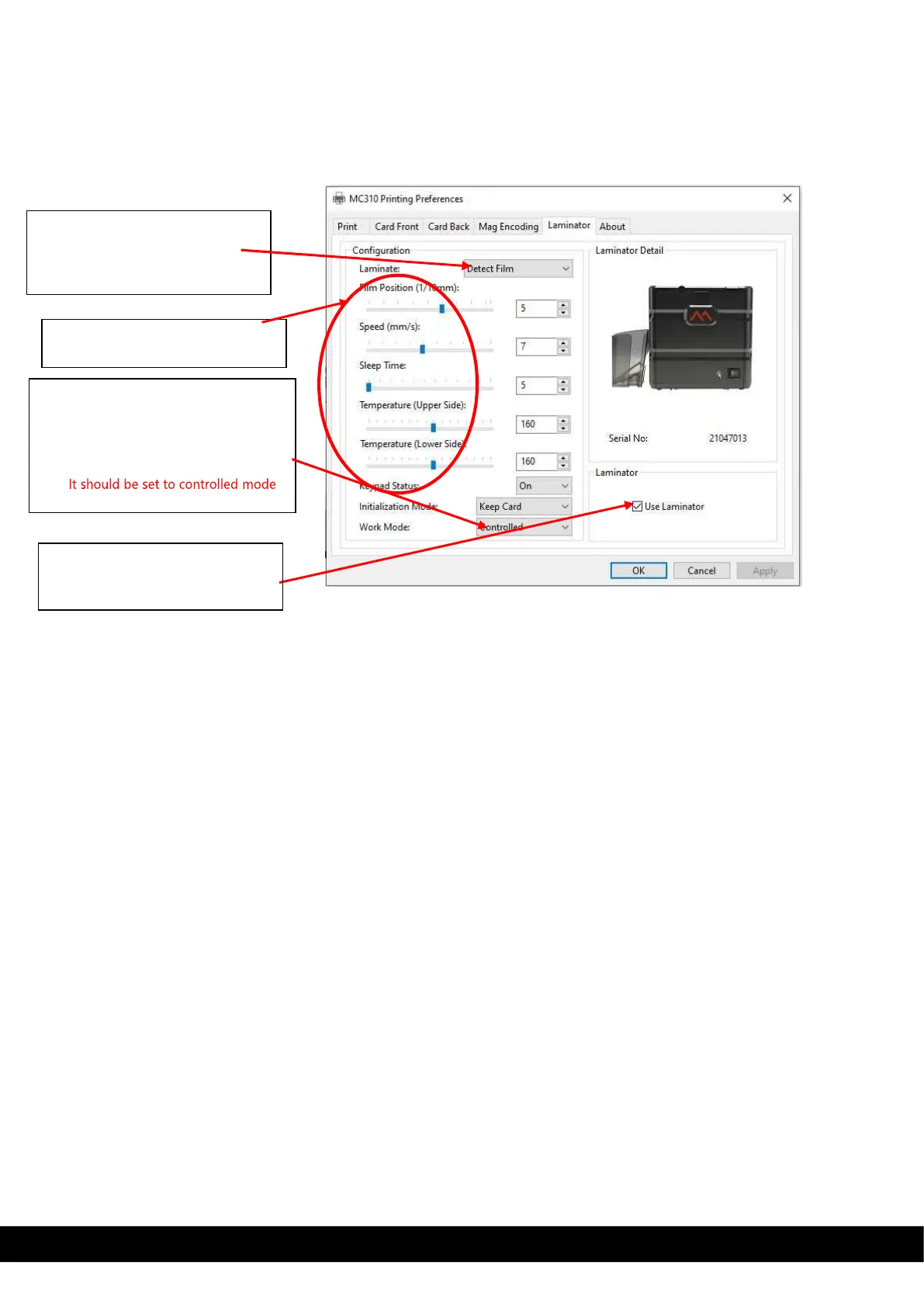
XPS driver show laminator tab for Printer connected with inline MC-L2 laminator & User can select the
laminator options.
**Note: To use Laminator in line with MC320 printer, user need to select output card path as rear outbin.
Drop down menu for lamination
option like, detect film, upper
side, lower side, pass through &
both side.
Work mode: it has controlled &
standalone.
With controlled mode lamination
parameter are controlled through
XPS driver.
1)
Need tick use laminator option
to use laminator in line with



 To Next Page