7.4 Duplex activation
The Duplex activation is an optional module for the MC320 Series that allows the printer to print on both
side of the cards.
The following modules are available:
•
MC310 Duplex Activation Kit
It will enable the printer to print dual side of a card Code PR10300016
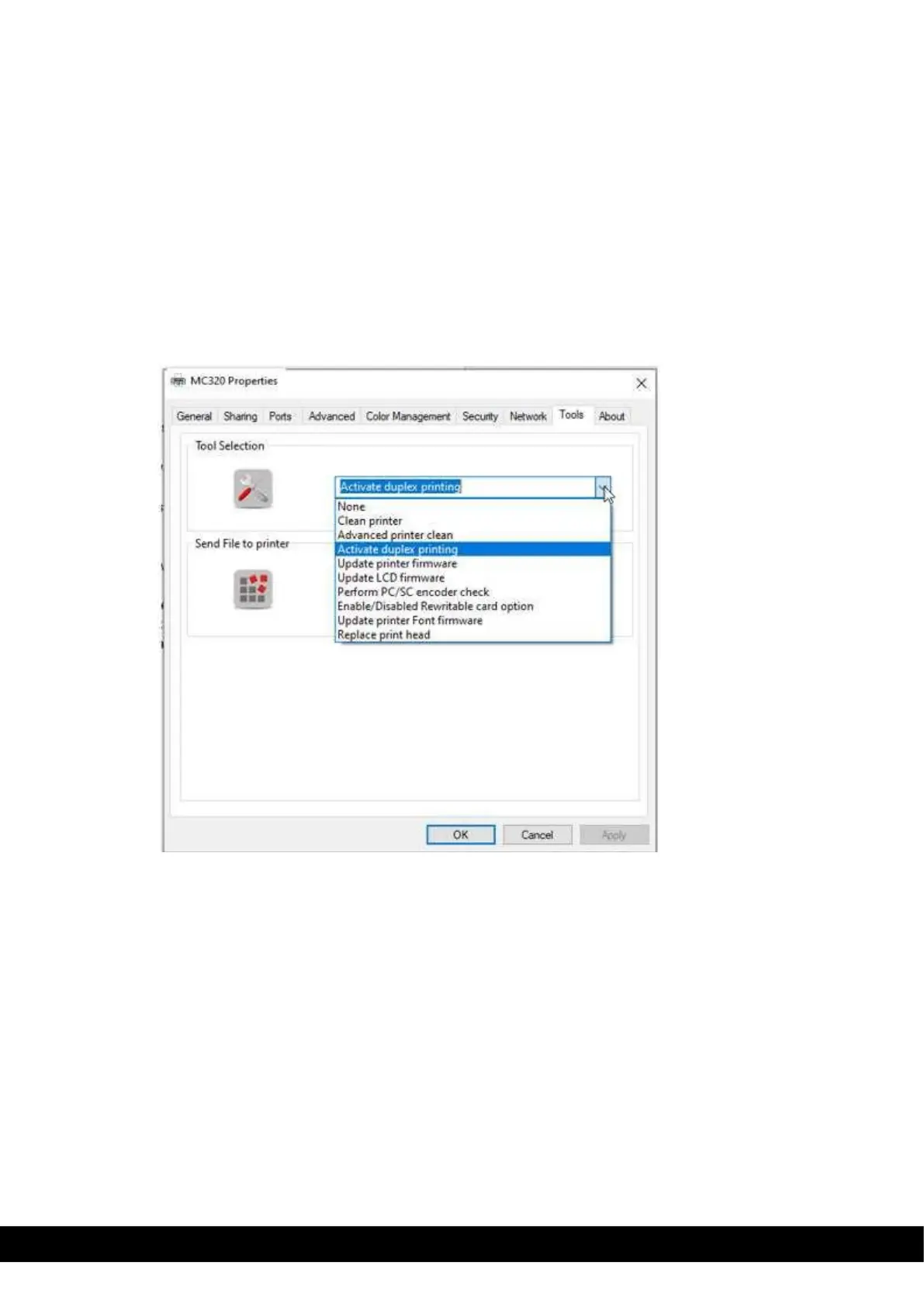
To enable the Dual sided printing please follow the below instructions,
1. Go to Printer properties → Tools → select Activate Duplex printing from drop down menu→ Click
ok to proceed to the Duplex activation wizard window. Follow the steps instructed in activate
duplex printing wizard.
Once Duplex activated in printer successfully, switch OFF & Switch the printer & test a duplex printing
using the driver.



 To Next Page