6.4
Cleaning Roller Advanced Cleaning
It is suggested to perform an advanced cleaning of the cleaning roller when the standard cleaning
procedure does not efficiently remove all the dust from the cleaning roller. (Cleaning frequency: After
every 1000 prints or even more often based on the working environment)
6.4.1 Roller cleaning Procedure
1)
Unplug the printer from the power supply.
2)
Open the Top cover
3)
Remove the ribbon carrier
4)
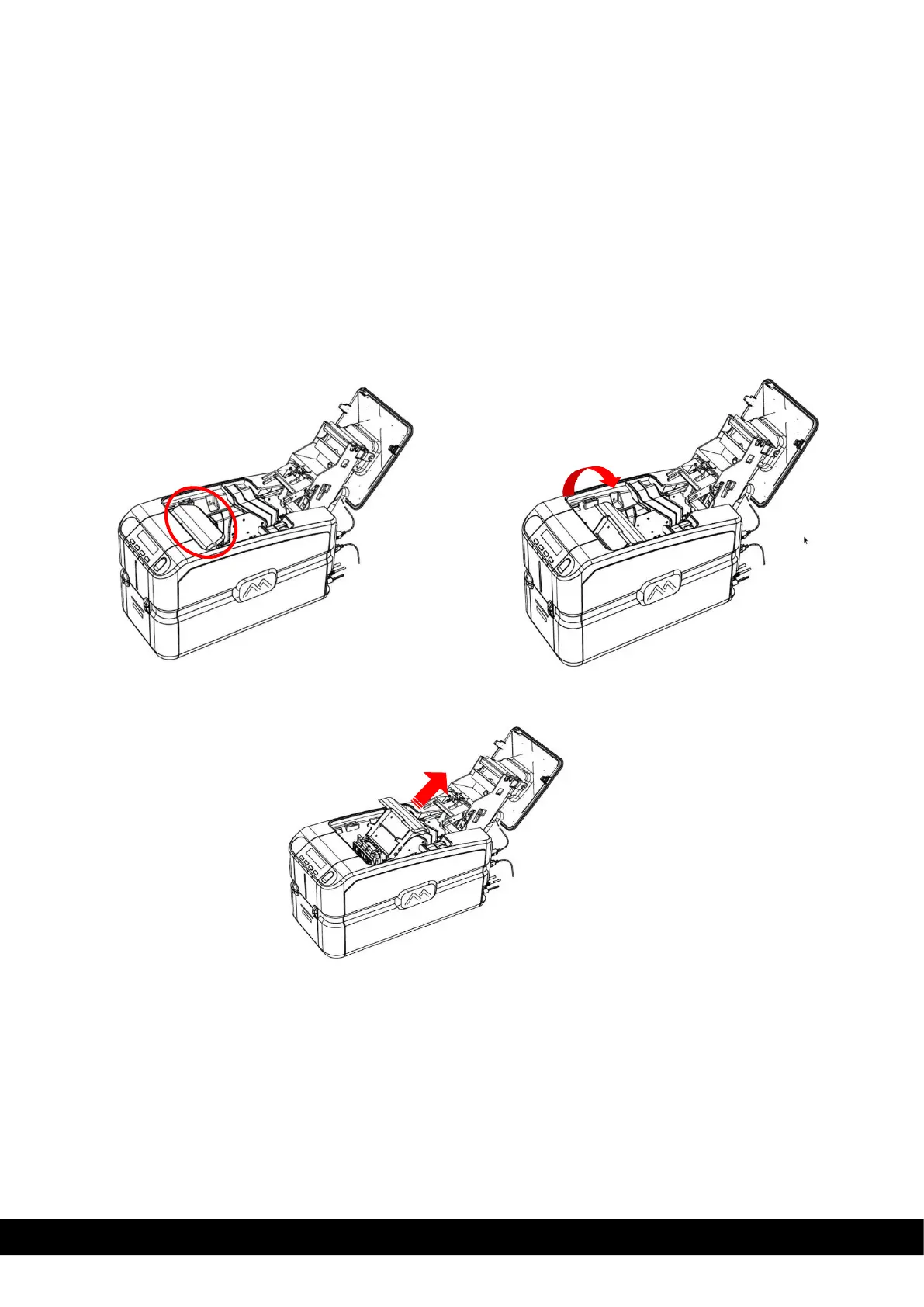
Remove the Encoder Cover by following the instructions as in the Figures
Step 1: Hold the Encoder cover Step 2: Move the Cover towards the downward
direction as shown in the image to disengage
Step 3: Slide out the Encoder cover in the direction
as shown in the image



 To Next Page