5)
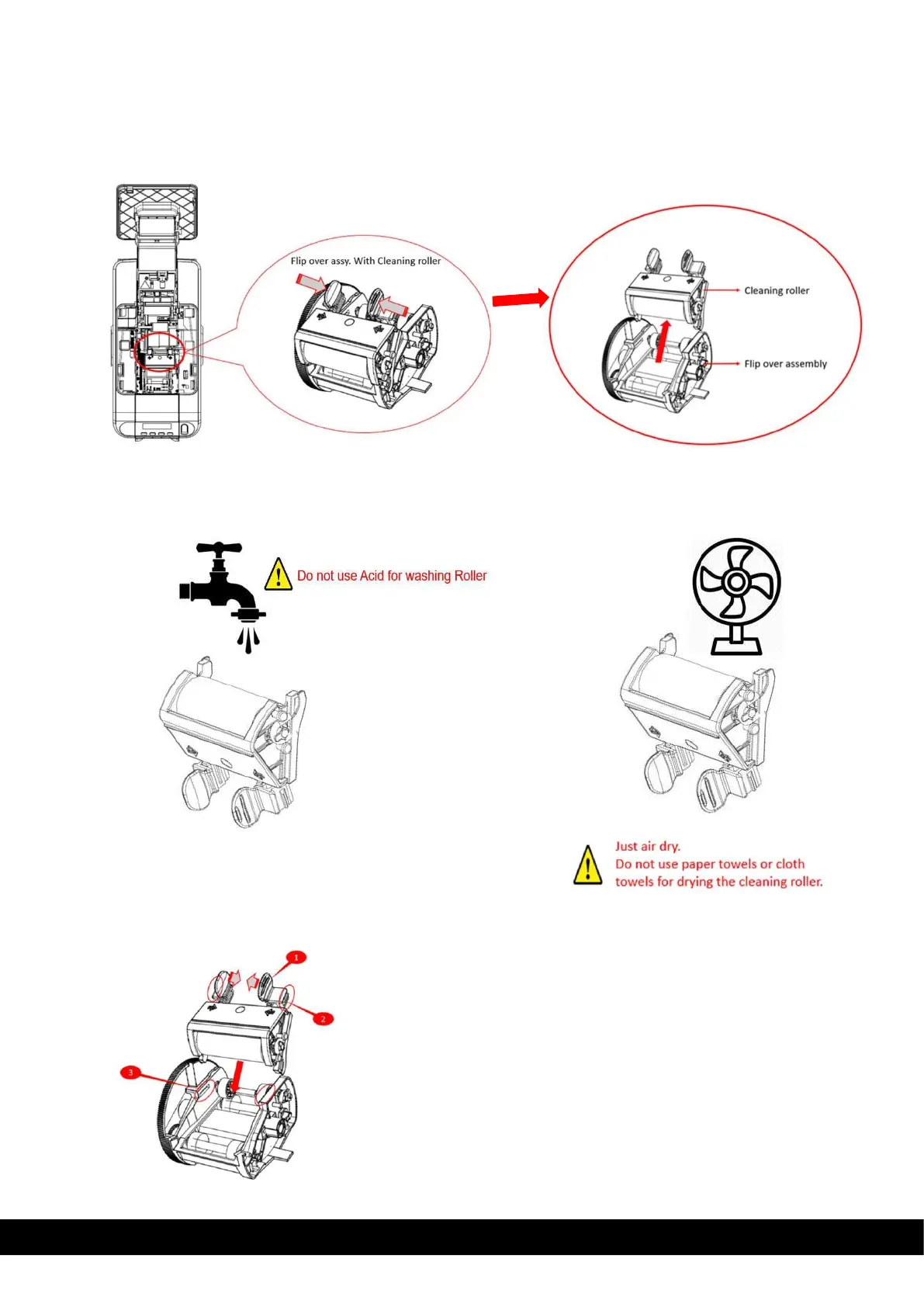
Once the cover is open below you could see the Flip over Assembly with Cleaning roller (Marked with 2 arrows)
Press with 2 fingers to remove only the Cleaning roller from the Flip over assembly, as illustrated below.
6)
Identify the roller & gently clean the roller with water only. 7) After cleaning, dry the roller thoroughly.
8)
Reinsert the roller by pressing the flanges (1) of the Cleaning roller and pushing the projections(2) into its slot(3),
pressing downwards until you hear a sound of locking.



 To Next Page