96 CONTENTS
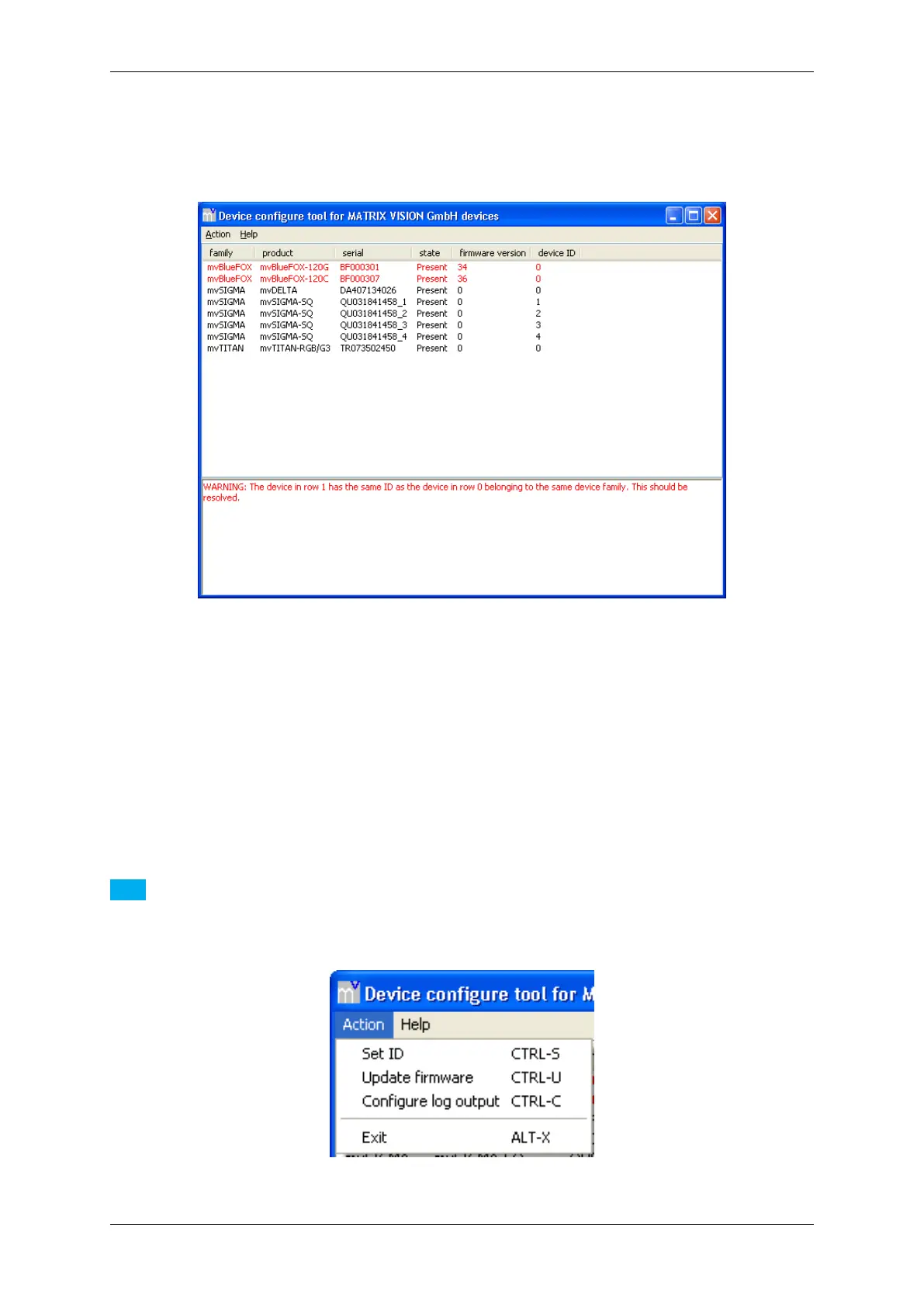
Whenever there is a device that shares its ID with at least one other device belonging to the same device family,
mvDeviceConfigure (p. 95) will display a warning like in the following image, showing in this example two mv←-
BlueFOX cameras with an ID conflict:
Figure 53:mvDeviceConfigure - Conflicting device IDs
9.2.1.1 Step 1: Device Selection
Select the device you want to set up from the list box.
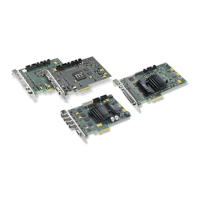
9.2.1.2 Step 2: Open dialog to set the ID
With the device selected, select the menu item Action and click on Set ID.
Note
It is also possible to select the action with a right click on the device.
Figure 54:mvDeviceConfigure - Select action
MATRIX VISION GmbH


 To Next Page