10.2 How to use the HRTC 107
10.2 How to use the HRTC
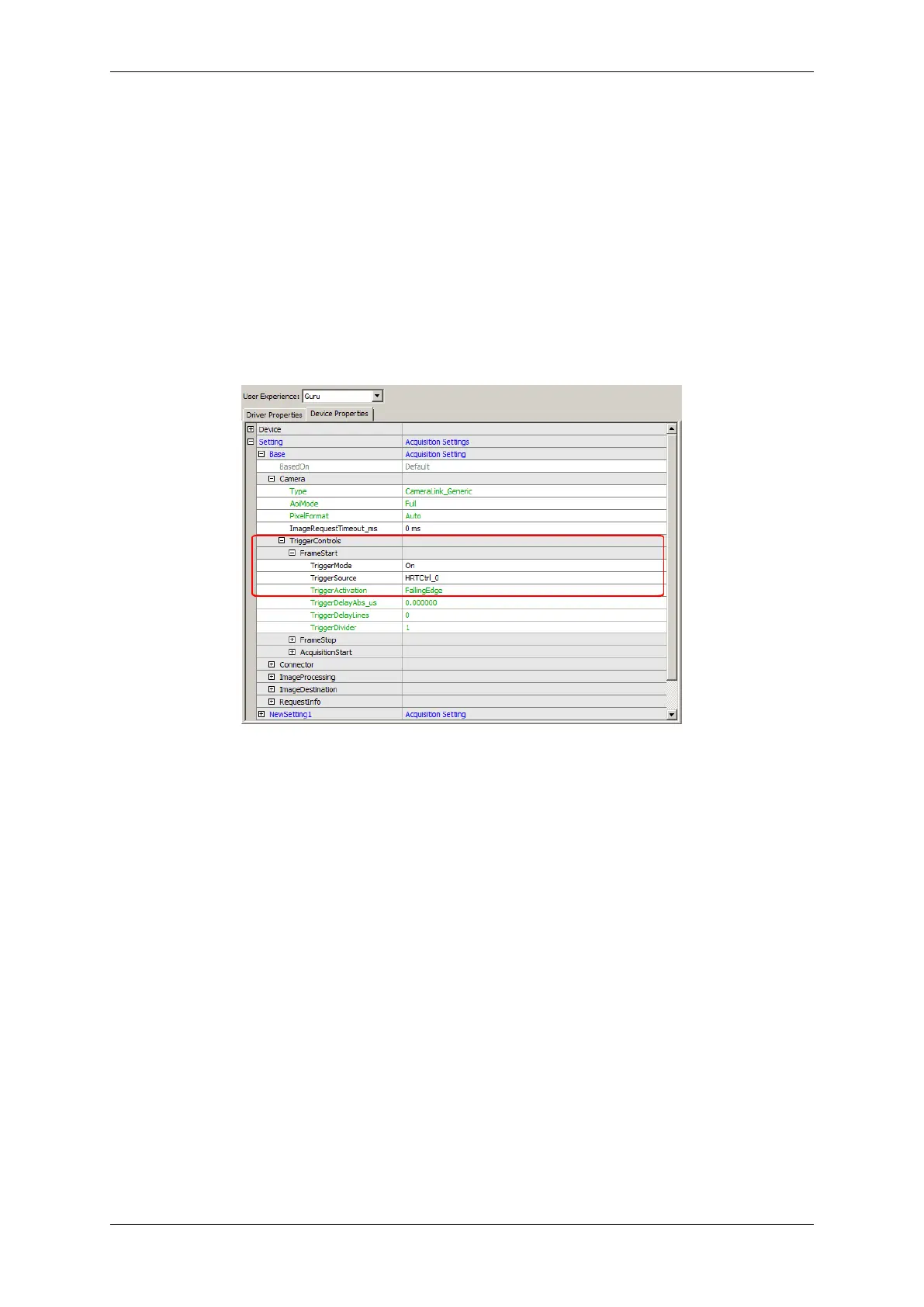
To use the HRTC you have to set the trigger mode and the trigger source. With object orientated programming
languages the corresponding camera would look like this (C++ syntax):
CameraSettingsFrameGrabber->triggerMode.writeS("On");
CameraSettingsFrameGrabber->triggerSource.writeS("HRTCtrl_0");
CameraSettingsFrameGrabber->triggerActivation.writeS("dtmOnFallingEdge");
When working with wxPropView (p. 48) this are the properties to modify in order to activate the evaluation of the
HRTC program:
Figure 1: wxPropView - Setting up the HRTC usage
Following trigger modes can be used with HRTC:
• OnLowLevel
• OnHighLevel
• OnFallingEdge
• OnRisingEdge
• OnHighExpose
Further details about the mode are described in the API documentation:
MATRIX VISION GmbH



 To Next Page