9.1 wxPropView 49
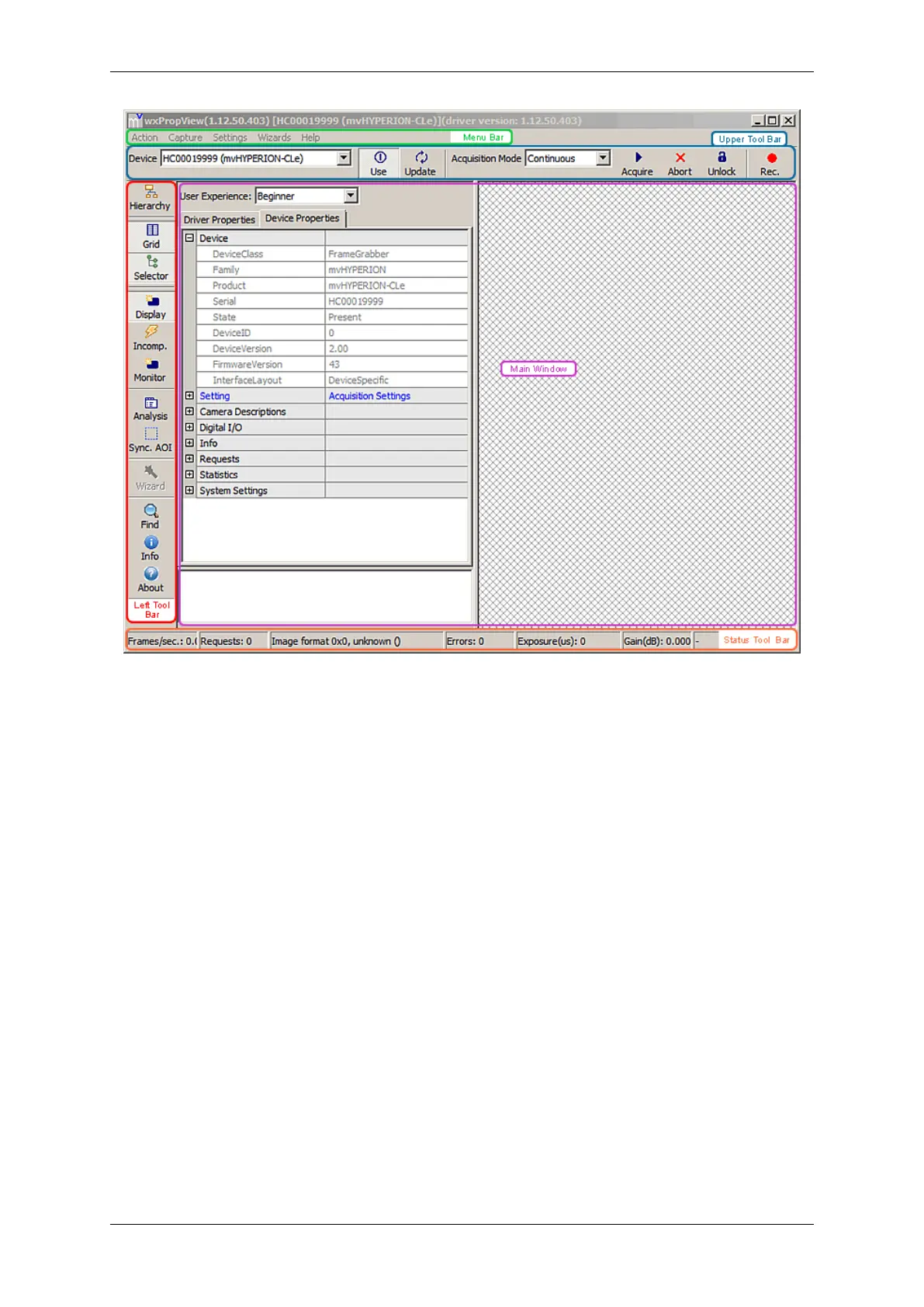
Figure 1: wxPropView started
• "Menu Bar"
(to work with wxPropView (p. 48) using the menu)
• "Upper Tool Bar"
(to select and initialize a device, acquire images, play a recorder sequence)
• "Left Tool Bar"
(to hide and show parts of the GUI)
• "Status Tool Bar"
• "Main Window" with
– "Grid"
(tree control with the device settings accessible by the user)
– "Display"
(for the acquired images)
– "Analysis"
(information about whole images or an AOI)
By clicking on F1 you will get the HELP dialog.
Now, you can initialize a device by
MATRIX VISION GmbH


 To Next Page