EasyManua.ls Logo

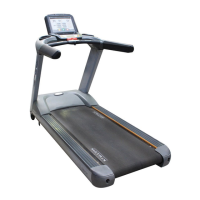
Matrix T5X GROUP TRAINING - User Manual

Matrix T5X GROUP TRAINING
51 pages
Print Icon
To Next Page IconTo Next Page
Loading...
2018 T5X GROUP TRAINING
CONSOLE (TM537)
SERVICE MANUAL

Questions and Answers

  • A
    Andrea GardnerAug 31, 2025
    What to do if my Matrix T5X GROUP TRAINING Music Mixer has an incline motor disconnection?
    • S
      Samantha HollowayAug 31, 2025
      If your Matrix Music Mixer is showing an incline motor disconnection: a. Check the incline motor wire connection between the incline and LCB. b. Check to see if the incline value changes on the display when the up/down keys are pressed (pins 1 & 2 for VR1 & VR2, pins 2 & 3 for VR2 & VR3). If there’s no change, replace the incline motor. If there’s a change, replace the LCB.
  • M
    Michelle ReyesSep 12, 2025
    What to do if the keypad on my Matrix T5X GROUP TRAINING Music Mixer is abnormal and remains pressed for 60 seconds?
    • W
      wallaceamySep 12, 2025
      If the keypad on your Matrix Music Mixer is abnormal and remains pressed for 60 seconds: a. Enter the Engineer mode disable B Level Error, bypass CLASS A and B error code. b. Replace the Keypad.
  • N
    Natasha LaneAug 30, 2025
    What to do if my Matrix Music Mixer incline calibration shows an error?
    • R
      Rick LevyAug 30, 2025
      An incline calibration error on your Matrix Music Mixer occurs when the calibration time is too long or the calibration distance is too short. Disconnect the incline tube from the frame, turn on the power, and run auto calibration. If the console still shows an error, replace the incline motor. If there is no error, reattach the incline motor and replace the MCB.
  • E
    Emma RichardsonSep 12, 2025
    What to do if my Matrix T5X GROUP TRAINING Music Mixer fan has over current?
    • J
      Jenna GloverSep 12, 2025
      If your Matrix Music Mixer fan is experiencing over current: a. Enter the Engineer mode disable B Level Error, bypass CLASS A and B error code. b. Replace the Fan.
  • R
    Ruth PriceSep 12, 2025
    What to do if my Matrix T5X GROUP TRAINING Music Mixer displays 'UCB Over supply voltage'?
    • W
      William BrennanSep 12, 2025
      If your Matrix Music Mixer displays 'UCB Over supply voltage': a. Enter the Engineer mode disable B Level Error, bypass CLASS A and B error code. b. Check whether the LCB power input is over 13 voltage. If yes, replace the MCB. If not, replace the UCB.
  • M
    Megan ThompsonSep 16, 2025
    What to do if my Matrix Music Mixer failed to load program?
    • V
      vtorresSep 16, 2025
      If your Matrix Music Mixer fails to load a program, replace the UCB.
  • B
    Brittany MillerSep 23, 2025
    What to do if my Matrix T5X GROUP TRAINING Music Mixer IO board does not have communication response?
    • H
      hsmithSep 23, 2025
      If the IO board of your Matrix Music Mixer does not have a communication response, replace the UCB.
  • A
    Andrew Bernard DDSAug 27, 2025
    What to do if my Matrix T5X GROUP TRAINING Music Mixer has motor over temperature?
    • L
      Lisa RothAug 27, 2025
      If your Matrix Music Mixer indicates a motor over temperature issue: 1. Check the connection of the motor cable at the MCB. 2. Use a multi-meter to check the motor wire circuit by setting the multi-meter to Ohms and placing both terminals on the blue wires of the motor cable. If there is an Ohm reading above 0, replace the motor. If the Ohm reading is 0, replace the MCB.
  • A
    Ashley BarnesAug 26, 2025
    What to do if my Matrix Music Mixer main motor has over current?
    • V
      valerie14Aug 26, 2025
      If the main motor of your Matrix Music Mixer is experiencing over current, you should first check the condition of the running deck and belt, replacing the belt and flipping or replacing the running deck as needed. If the issue continues, replace the MCB.
  • W
    William DixonAug 25, 2025
    What to do if my Matrix Music Mixer main motor is disconnected?
    • H
      Hector PageAug 26, 2025
      If the main motor of your Matrix Music Mixer is disconnected: 1. Check the connection of the motor cable at the MCB. 2. Use a multimeter to check the 3 points (U/V/W) for resistance (pins 1 & 2 for U & V, pins 2 & 3 for V & W, pins 1 & 3 for U & W). If there is resistance, replace the MCB. If there is no resistance, replace the motor.

Matrix T5X GROUP TRAINING Specifications

General IconGeneral
BrandMatrix
ModelT5X GROUP TRAINING
CategoryMusic Mixer
LanguageEnglish

Related product manuals