78
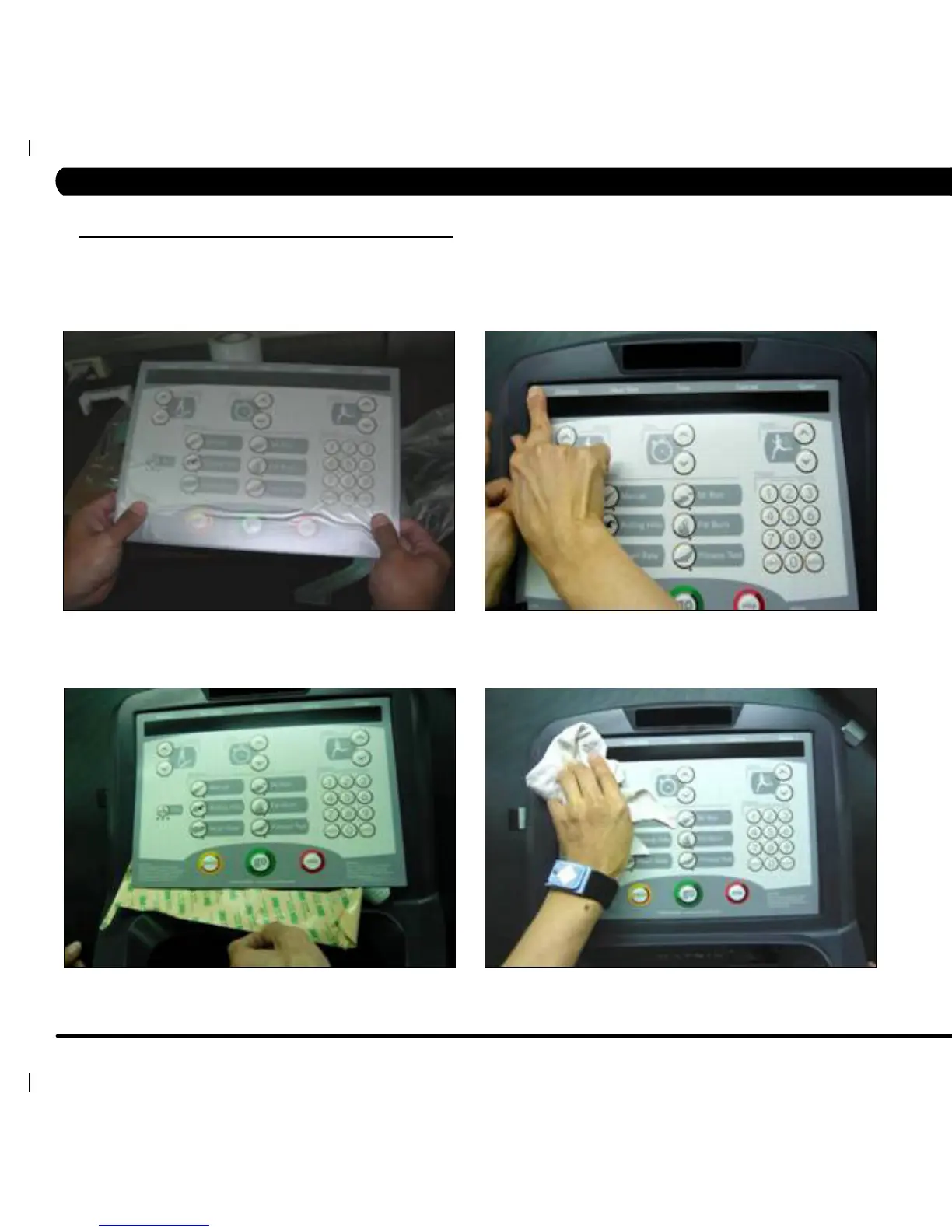
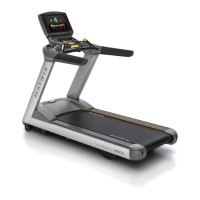
FIGURE G FIGURE H
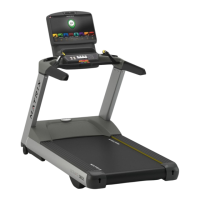
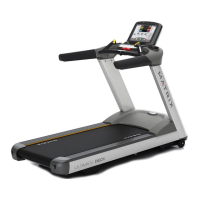
FIGURE I FIGURE J
9.19 OVERLAY REPLACEMENT - CONTINUED
9) Match the overlay to the cutout on the console (Figure G).
10) Press down on the corners of the overlay to keep it in place, then remove the protective film (Figure H & I).
11) Once the overlay is in the correct position, press down on the overlay with a cloth to adhere it to the console plastic (Figure J).
12) Use the same procedure to replace any additional faulty overlays. NOTE: Overlays can not be reused.
CHAPTER 9: PART REPLACEMENT GUIDE


 To Next Page