22 Chapter 2: Getting started with your Matrox 4Sight EV6 unit
Operating your Matrox 4Sight EV6 for the
first time
Perform the following steps to operate Matrox 4Sight EV6 for the first time:
1. Connect the power connector latch to the power supply cable’s open wires and to
earth ground. Refer to the Making your own open-wire power supply cable
subsection, later in this chapter.
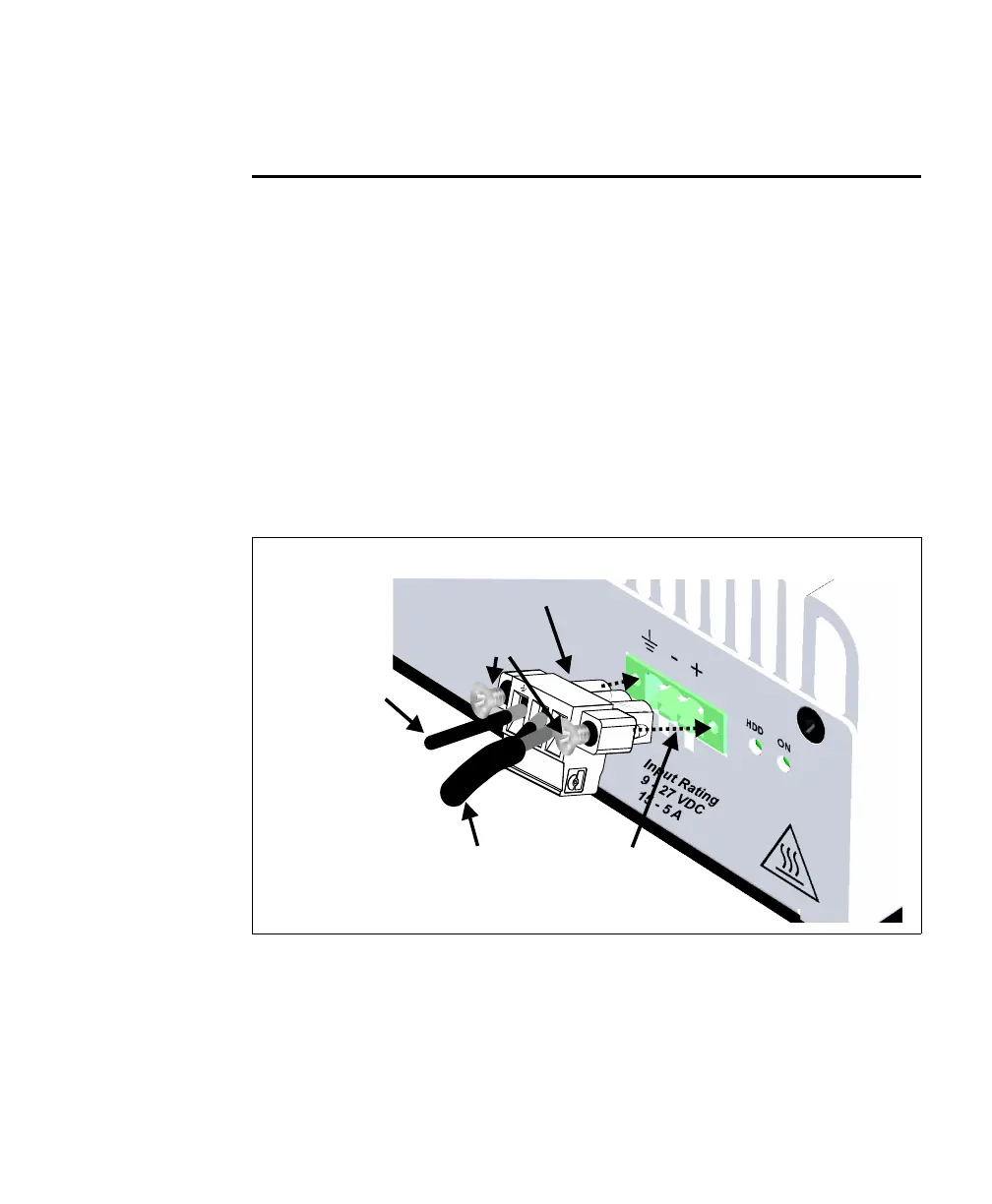
2. Connect the power connector latch (attached to the power supply cable) to the
unit’s power connector.
Use the screws on the sides of the power connector latch to secure it in place. Note
that the power connector latch will only fit into the unit’s power connector in the
following way:
3. Connect your display device(s), USB keyboard, and USB mouse to the unit.
4. Plug the power cable into a DC supply.
Power
connector
Matrox 4Sight EV6 unit back
Power connector latch
Screws
Connection to
earth-ground
Power
supply
cable
+
-



 To Next Page