26 Chapter 2: Getting started with your Matrox 4Sight EV6 unit
Connecting peripheral devices
The following sections describe how to connect various devices to the external
connectors on the Matrox
4Sight EV6 unit.
Caution Be sure to turn off the power to the unit and all peripherals, as well as unplug the
power from the unit before adding or removing devices.
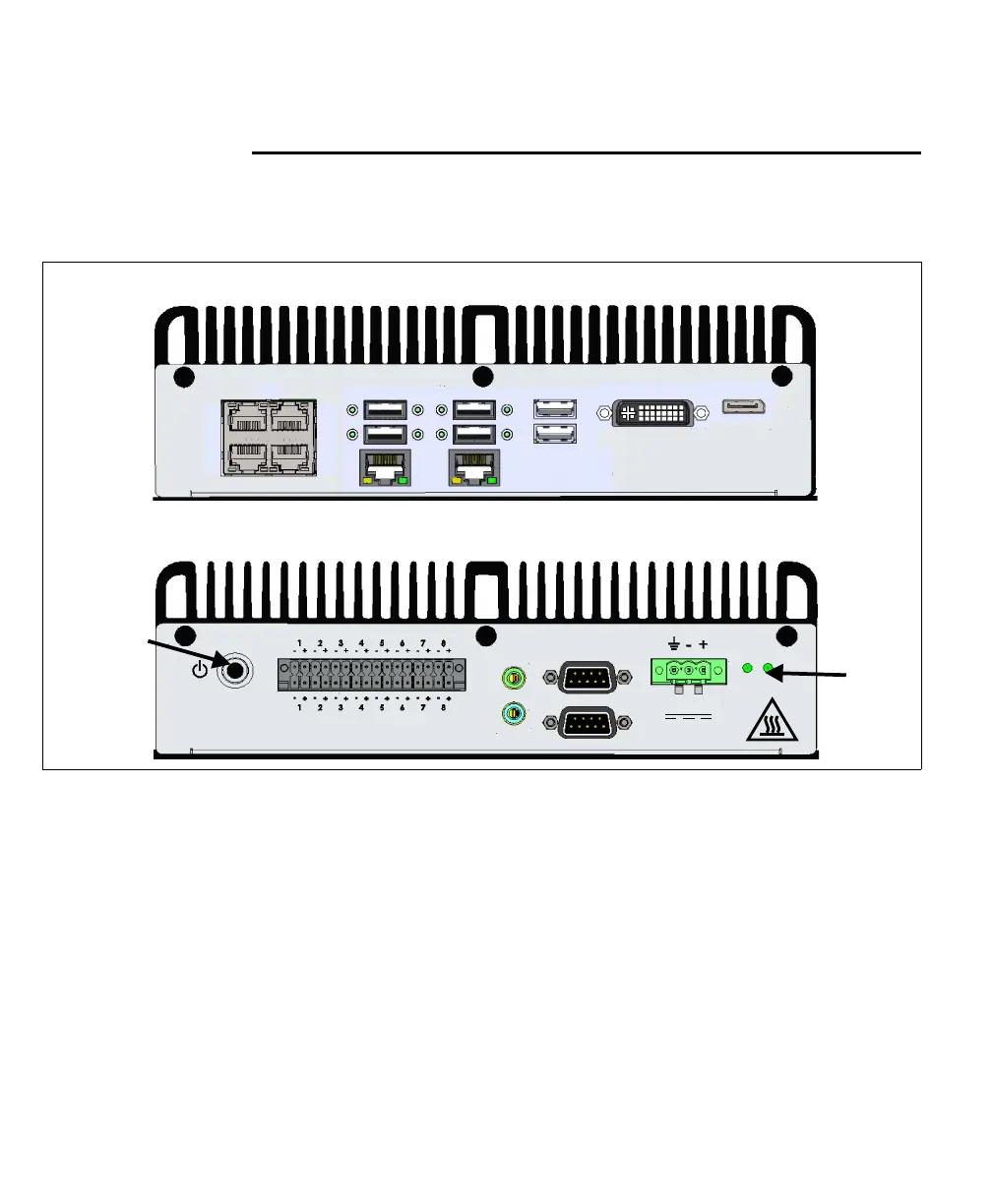
Matrox 4Sight EV6 has connectors on its front and back panels to connect to the
following devices:
• 6 Gigabit Ethernet interfaces to connect to GigE Vision cameras and industrial
and enterprise networks. There are 4 Gigabit Ethernet interfaces that support
Power-over-Ethernet (PoE) and an additional 2 Gigabit Ethernet interfaces that
do not. Typically, you connect your GigE Vision cameras to the ports that support
PoE.
Back panel
Front panel
USB 3.0
LAN
2
LAN
1
USB 2.0USB 3.0
1
2
3
4
1
2
Yellow - Act/Link
Green - 100 Mbps
Orange - 1 Gbps
DP
DVI-I
3
4
1
2
PoE
HDD
On
Input Rating
9-27 VDC
1- A55
COM1
-232 / 485RS
RS-232
COM2
Audio
OUT
IN
Output
Input
LEDs
Power
button



 To Next Page